Repository navigation
Sonoff Zigbee Bridge Pro, Problems with Firmwareupgrade on Berry Console #23074

Replies: 15 comments 27 replies

|
Can you please provide the full log, not just the error? |

|
00:00:00.002 HDW: ESP32-D0WD-V3 v3.1 (PSRAM) |

|
Hello 23:28:54.281 FLH: Starting verification of HEX file |
|
I will try later this week on my side. Can you confirm that you didn't flash any other firmware on the CC2652P ? It still contains the factory firmware from Sonoff? |

|
I can confirm, yes. I tried but it didn't work. |

|
Ok. When did you buy it? Do you have a picture of the PCB ? Is it the same revision as this one? |

|
I bought it few days/weeks ago. |
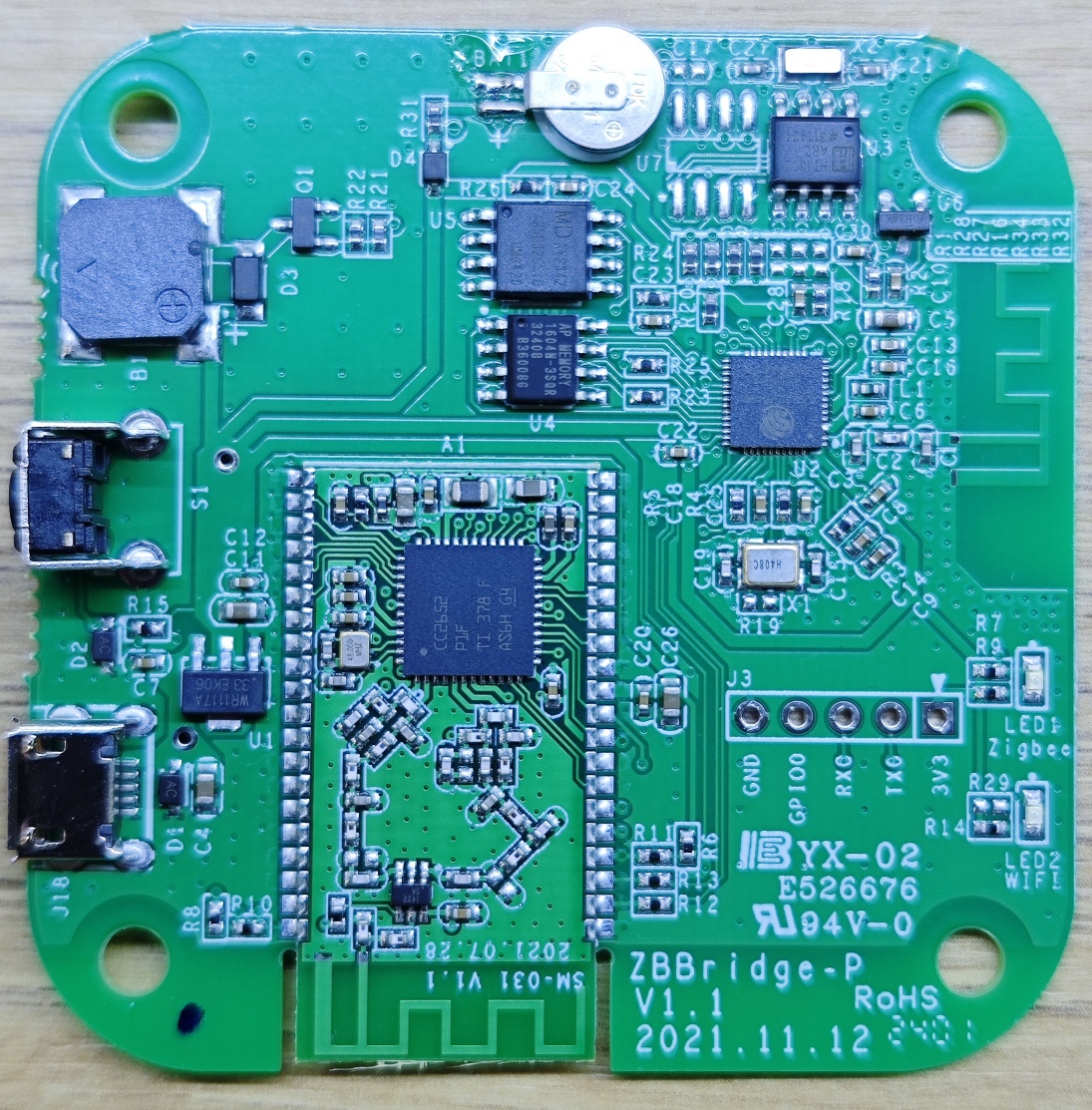
|
Thanks. I will add some logging, until then I have no clue why it's not working anymore |
|
I just tried with my Sonoff ZbBridge Pro:
In Berry console: It took 8 minutes and the flashing was complete: |

|
having the same problem, what exactly did you do to fix this? I did try the reset procedure, but without succes. |
|
The error reported is 'protocol error' which means that Tasmota failed to recognize BSL (Bootloader Serial Link) mode needed for flashing. I will add logging next week to see what is actually returned. Stay tuned |
|
Thx for helping out already, Maybe also something interesting, but not sure they are related, is the fact that I don't see the buttons "Zigbee Permit Join" and "Zigbee Map" |
|
it looks a bit the same then this issue #17321 |
|
I'm unable to reproduce the issue/fix. I will probably need to order a new sonoff zigbee bridge pro, as now the flashing works all the time. |
|
I updated the scripts cc2652_flasher.be and cc2652_flasher.be Please download them again in the file system and try again: import sonoff_zb_pro_flasher as cc
cc.load("SonoffZBPro_coord_20240710.hex")
cc.check()
# wait 1-2 minutes for confirmation
cc.flash()
# wait 9 minutes and check the consoleSee #23136 |
|
Thank you for your work! 20:52:47.808 FLH: Starting verification of HEX file Now I'll keep trying. update: 00:00:00.002 HDW: ESP32-D0WD-V3 v3.1 (PSRAM) update2: 5 minutes later.. I didn't change anything, there was no restart.. |
Did you do something "special" during the tryouts? |
|
I will try to reproduce my steps, and add some feedback here |

|
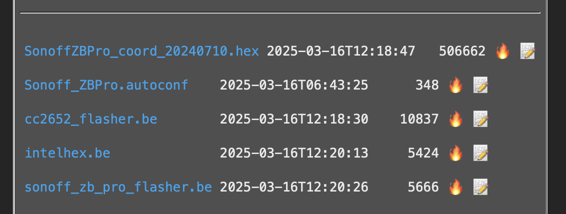
I had a similar protocol error issue with the 2022 hex file on a bridge that I purchased on March 10, 2025. Replacing the files, flushing, restarting the bridge, and disconnecting the power supply fixed it. |
|
tried that with me, and it did not work, I played around with the libraries and tried things myself, until the bootloader responded with the correct ID. And then it got working. Some initialization steps maybe missing I don't know. Thats why I'm trying to reproduce it ;) |

|
I'm trying to flash the firmware on a brand new Zigbee Bridge Pro and I'm facing the protocol error issue. As I'm new to Tasmota I'm reporting all the step done, pardon my simplicity:
Here's the output of today's attemtps: try again the dump now the flash Second try Is there anything I'm missing? any advice? Thanks, |

|
No, please use the provided bundled verified working coordinator firmware. |
|
While it is generally better to use the latest |

|
Having a working Bridge Pro (with 20240710.hex) and wanting to update to latest Tasmota, do we have to make all the procedure from the start (through Berry), or just firmware update from the web ui as all other esp's is enough? |

|
Just the regular Tasmota firmware upgrade, without touching the Zigbee parts, should be fine. |
|
Thank you. |

|
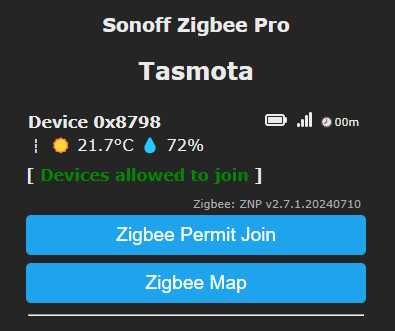
Hi, faced similar problems with a new sonoff pro yesterday/today, but I have just managed to get it working (I think..). Not really sure what the trick is, but the process I followed (after several failed attempts, misdirections and reloads) is below . I initially saw some odd import errors, and failures to find main() etc. Some of this may have been when I managed to download the hex as ascii. My config process for board marked ZBBridge-P v1.1, dated 2021.11.12
I have just paired a test sensor to the bridge, and all is looking great, so hopefully this info helps someone else who is stuck in the same loop..
|

|
Hi All. Im driven mental trying to get this coordinator to flash. Summary of steps.
cc.flash() I've tried to normally upgrade tasmota without the factory.bin and also manually copy the files but always end up with the same error. |
|
Well, as the message says "cc2652_flasher unspecified GPIOs" means that you need to configure the gpios before it is able to know what pins to use. It should work if you first apply the template from https://templates.blakadder.com/sonoff_ZBBridge-P.html |

|
I'm in the same boat. I've got no problem getting Tasmoto on the device, it's flashing the coordinator that's the issue. I've tried reflashing, resetting, power cycling and all sorts of combinations of the above with no luck. I just keep hitting a roadblock here:
Any further suggestions, or anything I can try? Thanks Edit to add: Should the LEDs be on or off? Mine are on until I set this in Configuration -> Configure other: {"NAME":"Sonoff Zigbee Pro","GPIO":[0,0,576,0,480,0,0,0,0,1,1,5792,0,0,0,3552,0,320,5793,3584,0,640,608,32,0,0,0,0,0,1,0,0,0,0,0,0],"FLAG":0,"BASE":1} |
|
I've spent hours on this to the point i bricked my device. I just gave up and just bought two SLZB-06's. I won't regret my purchase 😌 |

|
Hi, After waiting the time and power cycle i have below logs from 2022 version: 00:00:00.001 HDW: ESP32-D0WD-V3 v3.1 I have the same ZBpro, that works fine. Thanks! |

|
Hi, |
|
Mine has actually started working as well... Yesterday I plugged it in and the proper zigbee menus are there and everything seems to be working as exected. So... Yeah. shrug |
|
In my case problem solved by changing config manually after burning. #23435 |

|
Hi, |


Uh oh!
There was an error while loading. Please reload this page.
Hello. First of all, I hope I’m posting in the correct forum. I purchased a Sonoff Zigbee Pro Bridge and flashed it according to this guide (https://notenoughtech.com/home-automation/tasmota-on-sonoff-zb-bridge-pro/#google_vignette). The installed Version is tasmota 14.5.0 I’ve reached the ‘cc.flash’ point in the Berry console, but I’m getting the following error:
FLH: Flashing started (takes 5-8 minutes during which Tasmota is unresponsive)
stack traceback:
: in function flash
: in function main
I’ve tried with the file ‘SonoffZBPro_coord_20220219.hex’ and also with ‘SonoffZBPro_coord_20240710.hex’. Unfortunately, I keep getting the same error. I’m not very experienced with this, so could someone please help me?
Thank you very much, Patrick.
All reactions