


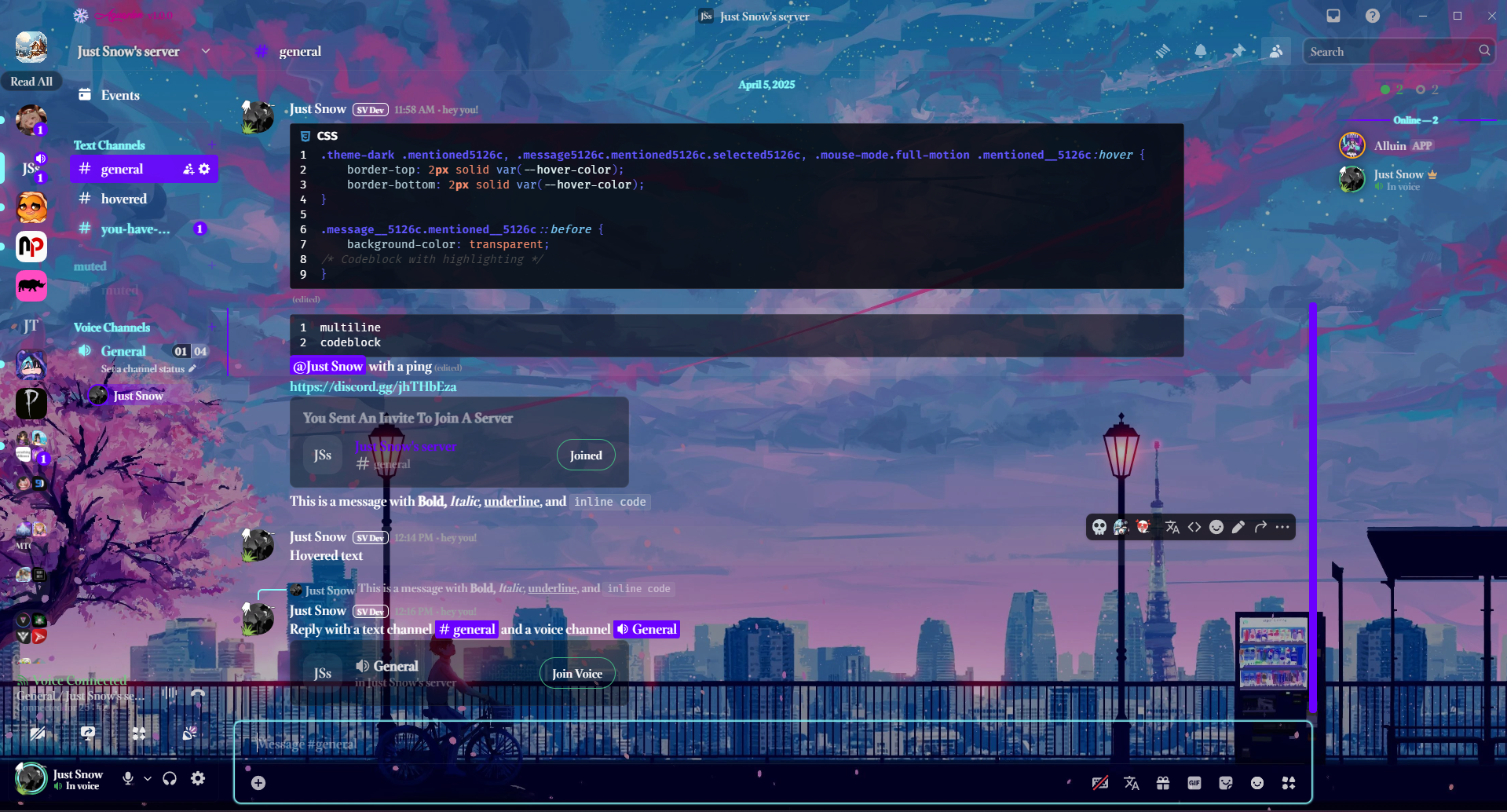
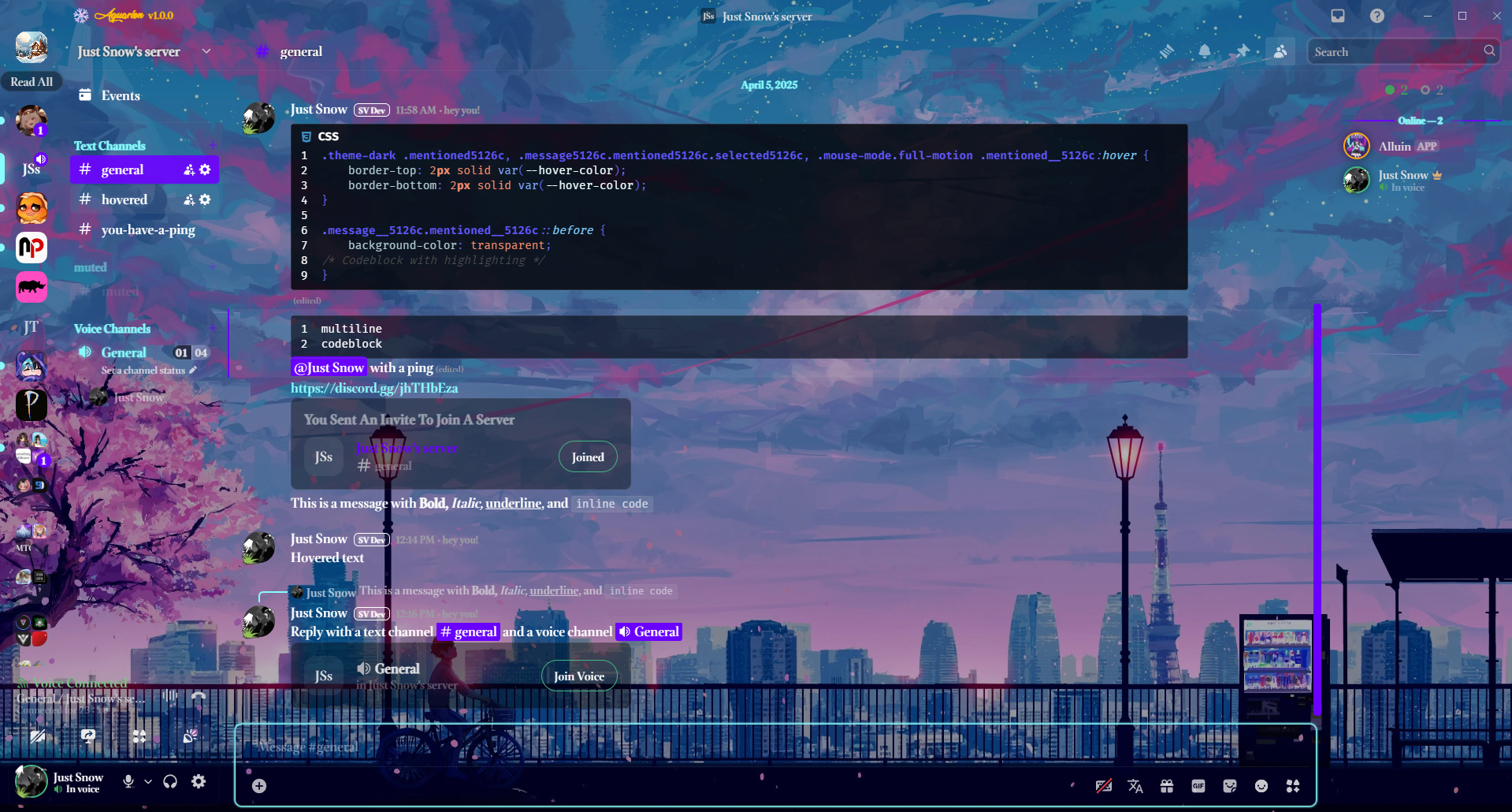
Click to view additional previews


Huge thanks to NyxIsBad for helping me get this up and running!
The Aquarion Logo is available for free download here.
Sessh on discord, has helped by finding bugs and things that needed adjusted.
- Download the Aquarion CSS file.
- Move it to your theme folder.
- On Windows, press
Win + R, type%appdata%, then navigate to your Discord client'sthemesfolder.
- On Windows, press
This theme features:
- "Bookerly" (Amazon Kindle font) for better readability.
- "Lovely Home" for branding, giving the "Aquarion" watermark a unique, stylish look.
- Download the theme file from Releases.
- Move it into your injector's theme folder:
- BetterDiscord:
%appdata%Betterdiscord hemes - Vencord:
%appdata%Vencord hemes
- BetterDiscord:
- Download the Aquarion CSS file.
- (Optional) Customize it to your liking.
- Convert it using Replugged’s theme converter.
- Open Settings → Themes → Install the converted file.
Alternatively, you can copy the CSS into Custom CSS.
Note: This fork of ClearVision doesn’t actively support plugins but tries to maintain compatibility with widely used ones.
If you're using BetterDiscord, you can edit the theme directly in settings.
For Vencord, follow these steps:
- Open User Settings → Themes → Click "Open themes folder"
- Open
aquarion.theme.cssand edit the CSS variables.- Example: To change the background, modify
--background-imagewith a new image URL. - Note: The URL must use HTTPS and end in an image format (e.g.,
.png,.jpeg).
- Example: To change the background, modify
To build the theme from source:
- Install Node.js/npm (Download here).
- Run the following commands:
npm install  # Install dependencies
npm run build  # Compile the theme (output in /public)
npm run test # Compile test output in /test (for manual previewing)- To test changes before pushing:
npm run test # Outputs a 'main.css' file in /test- Move
main.cssto your theme folder and enable it in your client.
- NodeJS/npm
- sass
- PostCSS Autoprefixer
- PostCSS CLI
- rimraf (for cleanup)
- Prettier (code formatting)
- Clone the repository.
- Run
npm run testto generatemain.cssin the/testdirectory. - Copy
main.cssinto BetterDiscord’s Custom CSS or your theme folder. - Disable other themes while testing for best results.
Changelog
- Moved date dividers to the middle.
- Added new options for
alt-colorto use in several places. - Removed the annoying help message from HepBoat in the ClearVision Support server.
- Removed the border around Nitro for "most popular."
- Added radical status.
- Changed activity texts to use the alt-color.
- Moved the new message pill to the middle, removed the dividers, made it alt color, and made it square.
- Changed the server member's list to use alt color for roles and the lines on the side to be main color.
- Changed server channel category names to use alt color.
- Removed some borders and added more shading.
- Removed glow from the wordmark. Changed to "Aquarion v1.5.5".
- Theme button whites to main color.
- Made text box use background-shading.
- Changed the border on the Spotify controls plugin for Vencord.
- Rounded a few buttons.
- Darkened Vencord plugin boxes.
- Changed Vencord plugin info text color to white (
#fff). - Removed the bubbles for statuses, as well as tried to make most of them transparent with the main color as a border.
- Changed the guild folders to be slightly transparent versions of the main color.
- Slightly darkened the voice count.
- Added support for the Vencord plugin to send voice messages.
- Background of the home icon made to be transparent so that if the image doesn't fill it all, it doesn't look weird.
- Removed the home shop mosaic.
- In settings, under nitro, changed the button shine to alt color and slowed it down a little.
- Changed the message request section to use the same style as hovering over a regular message, makes it a little easier to see.
- Changed the tags some for credit to myself.
- Edited the keybind recording in settings for voice and video push-to-talk to make it easier to see while recording.
- Removed the background of the Discord shop so that you can see the custom background.
- Made it easier to see the last played time for games.
- Weird pop-up about "looking for blocked users?" has been made transparent.
- Made the forums list title slightly less intrusive. No one likes a flashbang.
- Also changed the forums user and message content to be easier to see.
- Added hover effect to emoji remove in server settings.
- In user settings -> boost, adjusted popup about boost having a new home to be slightly transparent, also padded the "boost not used" popout.
- Applied background overlay to the boost mural in server menu -> boost this server.
- Changed the button to use white.
- Adjusted the forums start chat to be easier to see.
- Added an option to enable a frosted glass effect.
- A lot more stuff that I can't be bothered to type. For a complete history of changes, it's best to read the commits.
Aquarion itself collects no user information or telemetry. When checking for updates, Aquarion will access https://aquarion-d.github.io/Aquarion/main.css & https://discordstyles.github.io/RadialStatus/RadialStatus.css to download updates and related information from the repository. GitHub may provide members of Aquarion-D with basic analytics regarding the number of downloads, forks, and various contributions from users and collaborators.