DotNugs is a simple .NET Core console application that allows you to search for NuGet packages from the command line. It uses the NuGet API to search for packages and display results in a table format.
This is a fork of Nugs by Loic Sharma.
The only change in this fork is updating the project to .NET 8.
This project has not been uploaded to NuGet yet but may be in the near future.
This project uses Bagetter as a local NuGet feed for testing.
Bagetter is a simple local NuGet feed that allows you to:
- Publish packages locally for testing.
- Pull packages as a pull-through cache, reducing reliance on the NuGet API.
Think of it as a caching Docker repository for NuGet packages.
This project uses Taskfile to manage tasks.
To view the list of available tasks, run:
task --listTo run the application:
task run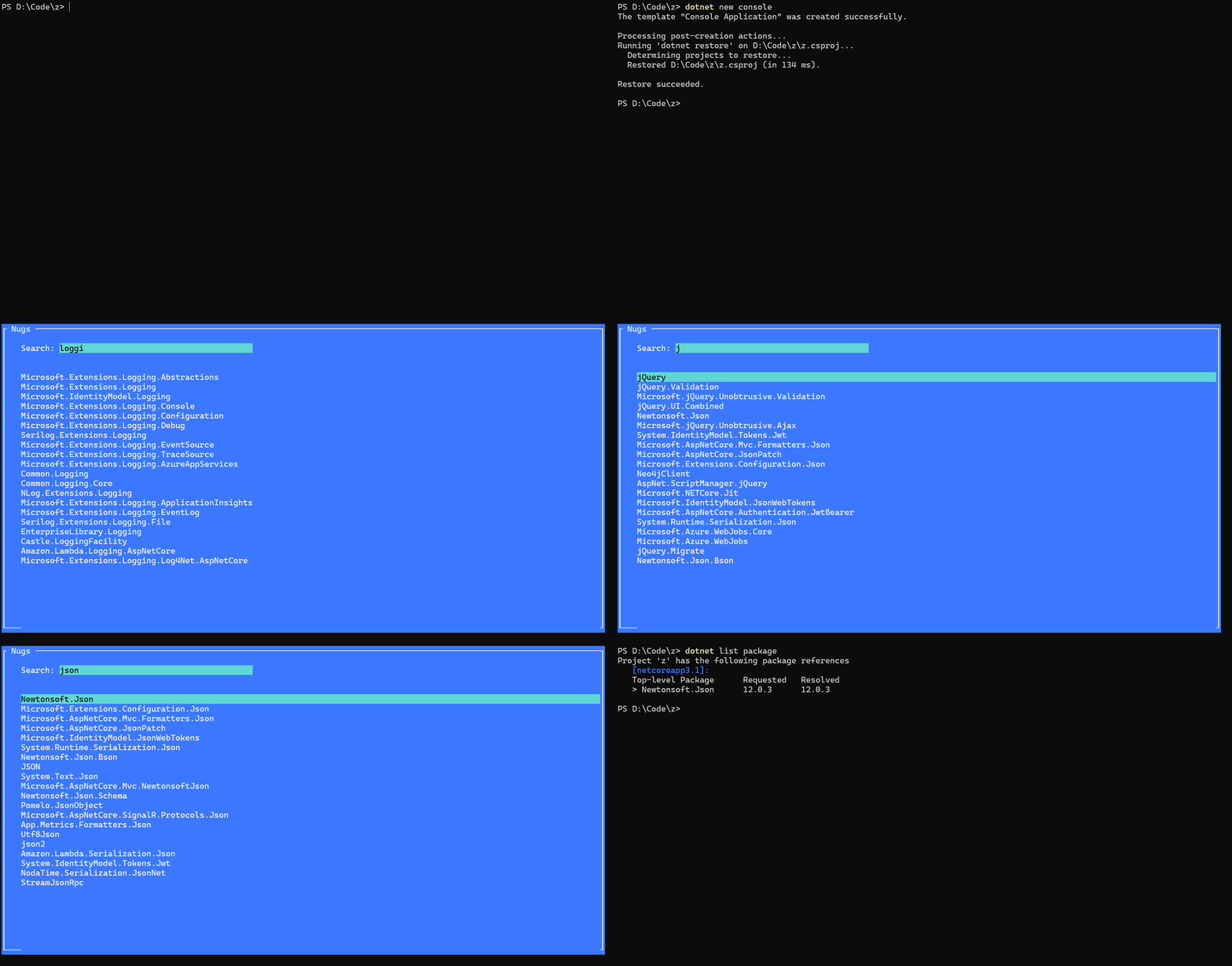
Run the following tasks in order:
task create-nuget-feed
task pack
task publish-nuget-package

# Open your browser and navigate to http://localhost:5000- First, publish the package to Bagetter using the steps above.
- Then, run the following tasks:
task add-nuget-source        # Add Bagetter as a NuGet source.
task pull-nugget-package     # Pull the package from Bagetter (e.g., Newtonsoft.Json).
task remove-nuget-package    # Remove the package from the .csproj file.
task remove-nuget-source     # Remove Bagetter as a NuGet source.