✨ A fully customizable, immersive, and performance-optimized drug system built for serious FiveM roleplay servers.

⚠️ Important: Ensure all dependencies are installed, started beforemd-drugs, and kept up to date.
| Dependency | Requirement | Link |
|---|---|---|
Community_bridge |
Required | GitHub |
Read |
Required | Documentation |
| Game Build | 2944 or later | - |
A huge thank you to everyone who made this possible:
| Contributor | Contribution | Link |
|---|---|---|
| Samuel's Development | Christmas script global states & prop spawning | Visit |
| STACHY225 | Meth network animations | Visit |
| Bostra | Free scripts, sanity checks & mushrooms | Discord |
| Feisty | Stunning visuals & effects | - |
| Athena | Balloon props | Discord |
| Kamaryn | Installation guide video | Watch |
| 1of1 Servers | Hosting & support | Website | Discord |
| Beta Testers | Invaluable feedback & testing | - |
-
Copy Items:
- Copy items from
md-drugs/items_install/qb-inventoryintoqb-core/shared/items.lua
- Copy items from
-
Add Images:
- Add item images from
md-drugs/items_install/imagestoqb-inventory/html/images
- Add item images from
-
Copy Items:
- Copy items from
md-drugs/items_install/ox_inventoryintoox_inventory/data/items.lua
- Copy items from
-
Add Images:
- Add item images to
ox_inventory/web/images
- Add item images to
All drug data is now organized in: shared/DrugData/{drugname}.lua
✏️ Tip: Modify these files to customize:
- Spawn points
- Yields
- Processing times
- And more!
Note: Some data is also located in the server files.
If you're using QBCore, check qb-smallresources/config.lua:
- Look for this code block:
[2] = { --Coke Processing Enter/Exit
    [1] = {
        poly = { coords = vector3(909.49, -1589.22, 30.51), heading = 92.24, length = 2, width = 2 },
        allowVeh = false,
        label = '[E] Enter Coke Processing'
    },
    [2] = {
        poly = { coords = vector3(1088.81, -3187.57, -38.99), heading = 181.7, length = 2, width = 2 },
        allowVeh = false,
        label = '[E] Leave'
    }
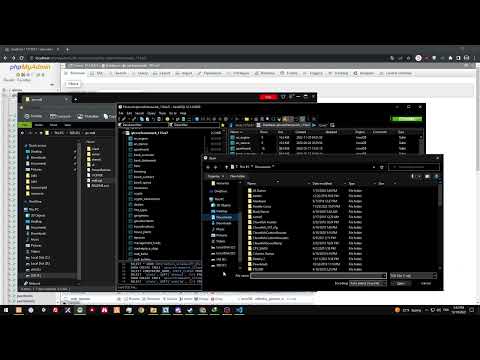
}- Run SQL
- if you dont know how, click this image below
- if you dont know how, click this image below
- If you want whippits, take the folder
ate_balloonand place that folder into the standalone folder like it was another script :)