
Julia support for jet.nvim, using an IJulia kernel and the bundled JetJulia service.
- Browse live variables, expand their children, and copy values.
- Preview tables and 1D–3D arrays in a paginated, read-only grid.
- Complete table column names inside indexing brackets.
- Connect Neovim to Julia sessions started outside the editor with Jet.
jet.nvim provides the REPL, kernel management, and runtime-completion LSP. jet.julia adds Julia-specific kernel integration. It does not install a static Julia language server or provide a notebook interface.
- Neovim 0.11+, as required by jet.nvim.
- jet.nvim; the integration was developed against v0.3.0.
- Julia 1.10+ and IJulia 1.34+ (within the 1.x series), matching
julia/JetJulia/Project.toml. Development used Julia 1.13.1 and IJulia 1.34.4. The whole-buffer completion fix is enabled only on Julia 1.12+. - A registered IJulia kernelspec that Jet can discover.
- For table inspection/completion, Tables.jl must already be loaded in the kernel. Array previews do not require it. DataFrames.jl normally loads Tables.jl as a dependency.
jet.nvim manages its Jet binary/Lua library downloads. To start sessions in an external terminal, also install the Jet CLI. Follow upstream platform support; jet.nvim v0.3.0 does not support Windows. A Nerd Font is recommended for the variables pane's expand/collapse carets.
In a Julia REPL, install IJulia in an environment available to your kernels:
using Pkg
Pkg.add(PackageSpec(name = "IJulia", version = "1.34"))
IJulia registers a kernelspec during installation.
If you move or update the Julia executable, run Pkg.build("IJulia") from a Julia REPL, not from inside an IJulia kernel.
See IJulia's installation guide for custom kernels and project environments.
Note
You should make sure that you have run Pkg.add("IJulia") from a Julia REPL that uses your project's Julia version before you try to connect to it from within NeoVim, otherwise it will likely time-out from pre-compilation issues.If you just install IJulia without activating a project then you should only need to do this step once. Creating project-specific kernels will require this to be done for each project.
There is no separate JetJulia package-install step.
On connection, the plugin includes julia/JetJulia/src/JetJulia.jl into the kernel's Main and starts its services.
It uses the kernel's IJulia and does not add packages to your project.
Keep the whole plugin checkout, including julia/, on Neovim's runtimepath; installing only its lua/ directory is not sufficient.
For a local checkout, add this to your lazy.nvim plugin specs. Replace the checkout path with your own:
return {
  {
    "arnold-c/jet.julia",
    version = 'v0.1.0',
    main = "jet.julia",
    lazy = false,
    dependencies = {
      {
        "wurli/jet.nvim",
        version = "v0.3.0",
        main = "jet",
        opts = {},
      },
    },
    opts = {},
  },
}
If you already configure jet.nvim, retain your existing dependency options.
The important order is jet.nvim setup first, jet.julia setup second, then create/connect kernels.
Loading only on :JuliaVars or :JuliaView can be too late: the plugin installs a hook for newly initialised kernels and does not retrofit kernels that were already initialised.
After both plugins are configured, run :Jet to open jet.nvim's kernel management UI.
Start/connect an IJulia kernel there.
jet.julia recognises kernels whose kernelspec declares language = "julia", loads JetJulia when the Lua client starts, and opens the variables comm after bootstrap succeeds.
REPL opening and sending code are jet.nvim features. See its usage and keymap examples for your preferred workflow; jet.julia does not install global send-code mappings.
In your Julia project directory, run:
jet startChoose the registered Julia kernel. Then, in Neovim, run:
:JetJuliaConnectSelect the external Julia session. The command attaches the Lua client and makes that kernel current. It connects to Jet-managed sessions, not an arbitrary plain Julia REPL or a raw Jupyter connection file.
If you use an external kernel you should not rely on jet.nvim's approach to send code to the terminal, and should instead look at alternatives such as vim-slime.
Execute this in the connected kernel:
xs = [10, 20, 30]
a = reshape(1:18, 3, 3, 2)
Then use:
| Command | Action |
|---|---|
:JuliaVars |
Open the variables pane and fetch a fresh list. |
:JuliaView xs |
Preview a vector, matrix, 3D array, or table. |
:JuliaView object.field |
Preview a value through a dotted access path. |
:JuliaView |
Use the word under the cursor as the variable name. |
Paths identify existing globals and children; the viewer does not evaluate expressions such as filter(...) or a[:, :, 2].
For a 3D array, open :JuliaView a and use its slice tabs instead.
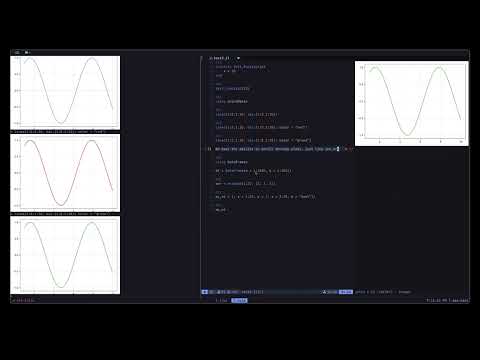
jet.julia does not capture plots.
IJulia sends the value of a cell's final expression straight to Jet as an execute_result, which jet.nvim shows in its plot viewer.
That result bypasses Julia's display stack, so displays registered with pushdisplay, such as BrowserPlots.jl's browse(), never receive it.
This differs from R with httpgd, where hgd() replaces the graphics device.
To send a plot to an external display, call display explicitly and suppress the cell result with a trailing ;:
using BrowserPlots, CairoMakie
browse(; port = 8008, silent = true)

fig = lines(1:10, (1:10) .^ 2)
display(fig);
display uses the most recently pushed display that can show the value, so the plot goes to the browser.
The ; stops IJulia sending the figure to Jet's viewer as well.
Without display, the figure appears only in Jet's viewer.
Without the ;, it appears in both.
Pass plugin options to require("jet.julia").setup(opts) or lazy.nvim's opts field.
An empty table enables the defaults.
JetJulia is the sole runtime service; there is no backend-selection or backend-path setting.
Hide selected top-level names:
require("jet.julia").setup({
  exclude = { "scratch", "temporary_results" },
})
Or use a predicate returning true for variables to hide:
require("jet.julia").setup({
  exclude = function(var)
    return var.kind == "function" or var.access_key:match("^scratch") ~= nil
  end,
})
These are alternative examples; call setup with your combined options.
Variables already exclude internal names beginning with _ or #, reserved bindings, and modules.
The exclude option filters the pane only: it does not prevent lookup, viewing, or deletion of a binding.
Default mappings are buffer-local and normal-mode:
| Action | Default |
|---|---|
| Close / refresh | q / r |
| Next / previous page | ]p / [p |
| Scroll right / left | <Tab> / <S-Tab> |
| Next slice | <C-n>, ]s |
| Previous slice | <C-p>, [s |
| Select a slice tab | <LeftMouse> |
For example:
require("jet.julia").setup({
  viewer = {
    keymaps = {
      next_slice = "<C-j>",
      previous_slice = "<C-k>",
      select_slice = false,
    },
  },
})
Each action accepts a key string, a list of keys, or false.
Omitted actions retain defaults.
Use viewer = { keymaps = false } to disable all viewer mappings.
Reopen existing viewers after changing configuration; their bindings are captured on open.
See the viewer guide for pagination, scrolling, and slice behaviour.
These mappings are buffer-local and are not controlled by viewer.keymaps:
| Key | Action |
|---|---|
q |
Close the pane. |
<Enter> |
Toggle the current variable's expansion. |
> / < |
Expand / collapse, or collapse the parent. |
<leader>> |
Expand the current variable and all descendants recursively (depth capped at 8). |
<leader>< |
Collapse the current row's top-level variable and all its descendants. |
g? |
Show the available shortcuts in a floating window. |
]] / [[ |
Move to the next / previous top-level variable. |
v |
Open the current value in JuliaView. |
<leader>y |
Copy the value's plain-text representation to the selected register. |
<leader>d |
Delete the current top-level binding. |
X |
Clear all visible user bindings in the kernel. |
Deletion changes the Julia workspace, not just the display.
It requires Julia's Base.delete_binding; unsupported versions return an RPC error.
Clear does not delete hidden/internal bindings.
Change notifications use compact fingerprints, so not every in-place mutation is detectable; reopen :JuliaVars to fetch a fresh list when needed.
- “jet.nvim has not done setup”: call
require("jet").setup(...)beforerequire("jet.julia").setup(...). - No external Julia sessions found: start an IJulia session with the Jet CLI, and check that Jet can discover it. A plain Julia REPL is not enough.
- Variables pane unavailable / comm not ready: wait for bootstrap to finish and check
:messagesfor errors. If the kernel existed before plugin setup, close that session and create a new one after loading the plugin. - “could not find julia/JetJulia on the runtimepath”: add the checkout's root, not just its
lua/directory, to the runtimepath. - A table is not recognised: load Tables.jl (or your table package) in the kernel. The plugin never loads it on your behalf.
- No runtime completion: ensure the Julia kernel is current and jet.nvim's generic LSP is active.
Static analysis servers are configured separately.
Table-column completion supports plain/dotted receivers in forms such as
df[!, :col,df[:, :col, anddf["col.
Run the inline Julia test items with juliati:
juliati julia/JetJuliaHeadless Lua tests need Neovim but no running Julia kernel or jet.nvim:
nvim --headless -u NONE -l tests/viewer.lua
nvim --headless -u NONE -l tests/bootstrap.lua
See source attribution and third-party licenses for adapted portions from jet.ark, positron-julia, and IJulia.jl.
The active positron.variables protocol name does not mean an external Positron.jl backend is loaded.
Adapted portions have different license terms; do not assume that all bundled code is MIT-licensed.