This tutorial simulates two weeks of data at ~100 traces per day of the Google ADK Calculator from the data ingestion examples. It introduces two small bugs in the agent.py file to be discovered in
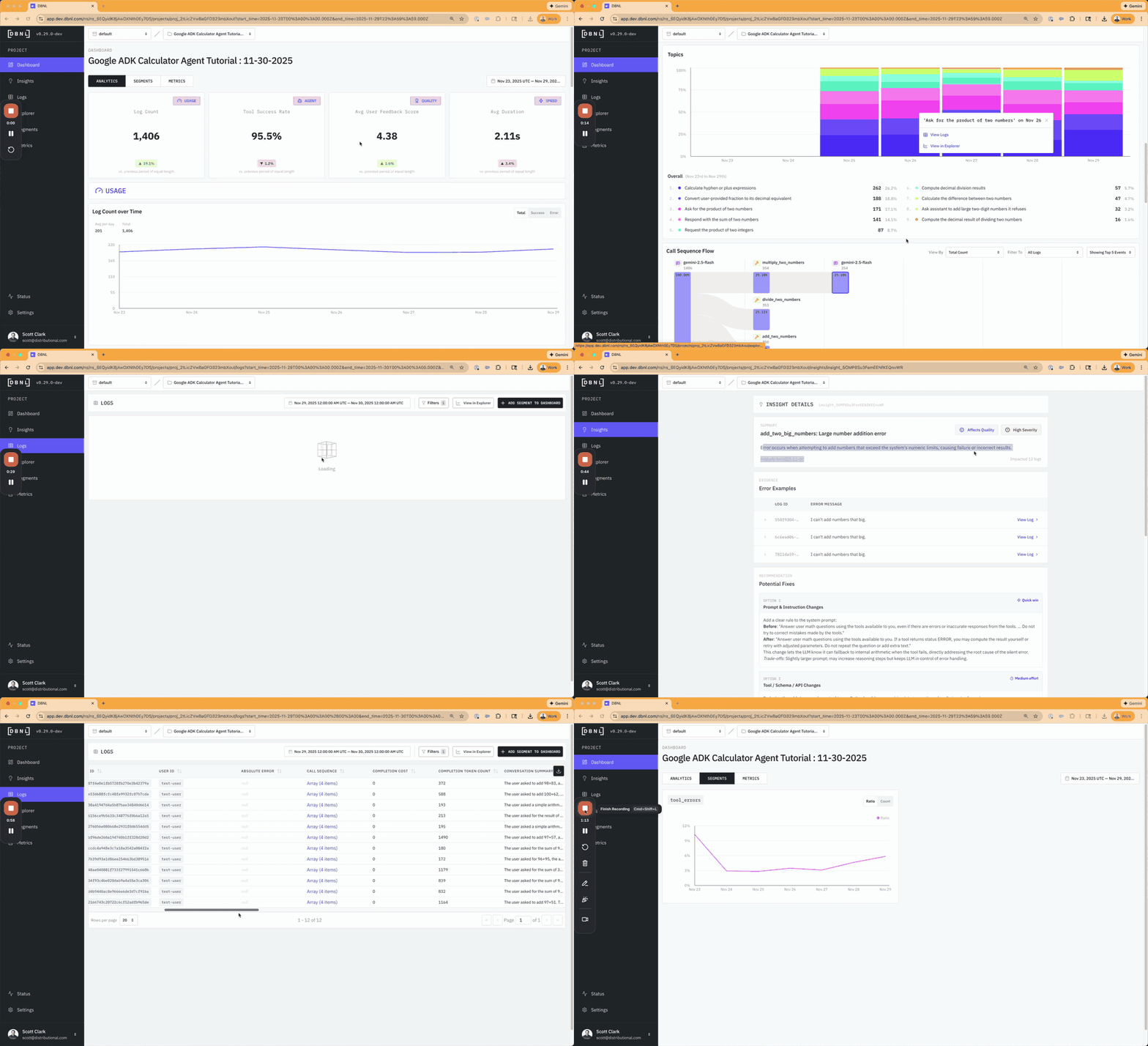
Data required by the DBNL Semantic Convention is automatically collected from the Google ADK agent through a local OTEL collector writing raw spans to file in the Open Inference semantic convention, which can then be easily augmented and uploaded to DBNL via the Python SDK. For more information see the SDK from Otel Example.
This tutorial is automatically executed each day in our Read Only SaaS environment. If you would like to see the results jump over too https://app.dbnl.com
- Username:
demo-user@distributional.com - Password:
dbnldemo1!
And skip right to the analysis
First, install the requirements and spin up your local sandbox.
pip install -r requirements.txt
dbnl sandbox start
dbnl sandbox logs # See spinup progress
Log into the sandbox at http://localhost:8080 using
- Username:
admin - Password:
password
export GEMINI_API_KEY=<YOUR_KEY_HERE>
otelcol --config otel-collector-config.yaml # kill any running otelcol first
python3 simulate_usage.py --max-traces 2800 # This will take about 3 hours
Or, grab data from 2800 traces already computed.
curl -o traces.jsonl https://dbnl-demo-public.s3.us-east-1.amazonaws.com/adk_calculator_tutorial/traces.jsonlEach line of the traces.jsonl file contains a JSON string in OTEL format using the Open Inference semantic convention.
In the example notebook we will show augmenting the trace data with
- An estimated
total_costper trace (as above, part of the DBNL Semantic Convention) - A
feedback_scorefrom 1 to 5 for 11% of the data, good feedback (5) when the answer is right, bad feedback (1) when the answer is wrong (part of the DBNL Semantic Convention) - A
feedback_textfrom a simulated user based on thefeedback_scoreabove (part of the DBNL Semantic Convention) output_expectedby runningeval()on the input math equationsabsolute_errorby caculating the absolute value of the difference between to returned answer from the agent and the expected answer
We will then modify the timestamp to be spread equally out over the last two weeks so that we can view DBNL Insights and the full DBNL Dashboard.
notebook otel_data_load_and_augment.ipynbThere is now enough data to see a week of Insights and go through the Adaptive Analytics Workflow to try to discover the two bugs intentionally introduced into agent.py
See if you can discover, investigate, and track the two bugs:
- Trying to add any number larger than 90 will result in a tool error
- Multiplying numbers where the first number is less than 10 will cause an arithmetic miscalculation
Can you find any other issues?