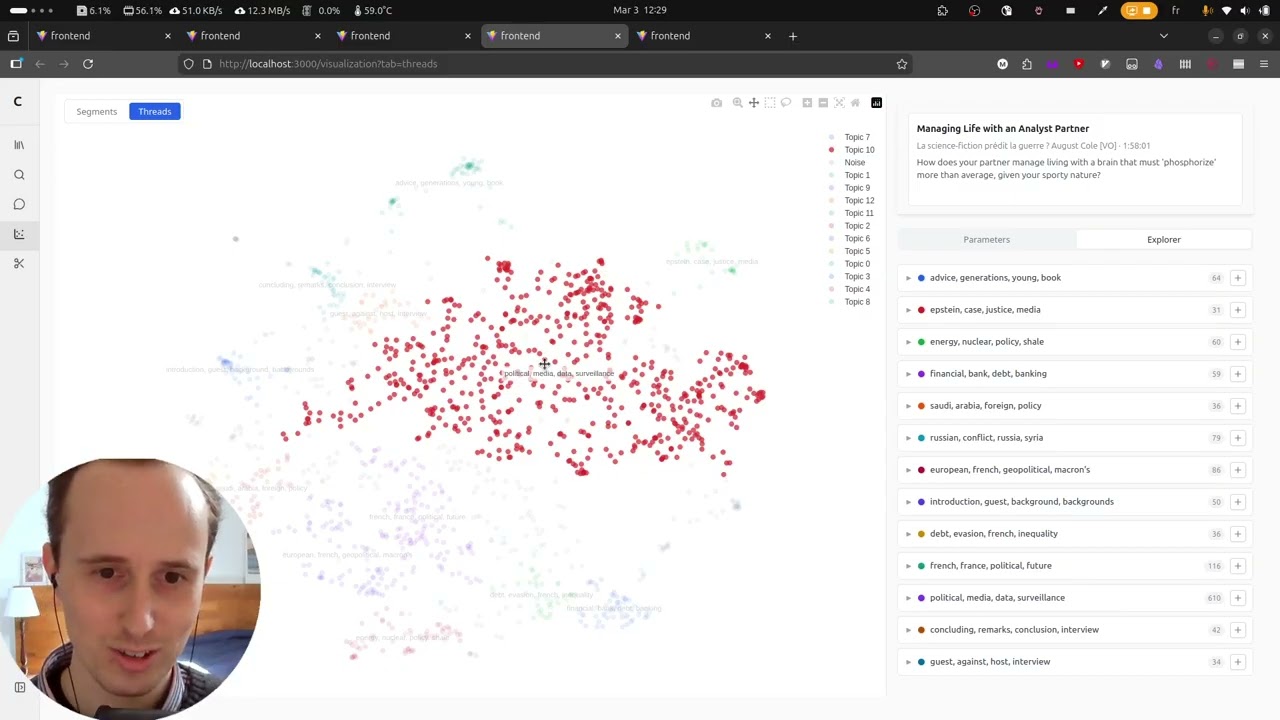
Explore and remix interview videos from YouTube channels.
flowchart TD
    subgraph "CLI Pipeline"
        A["**1. Ingest**\n`convolens ingest`"]
        B["**2. Transcribe**\n`convolens transcribe`"]
        C["**3. Embed**\n`convolens embed`"]
        D["**4. Analyze**\n`convolens analyze`"]
        GR["**5. Graph**\n`convolens graph`"]
        E["**6. Load**\n`convolens load`"]
        GD["**7. Graph-dedup**\n`convolens graph-dedup`"]
        F["**8. Project**\n`convolens project`"]
        G["**9. Cluster**\n`convolens cluster`"]
    end

    subgraph "Web App"
        H["**FastAPI** + **React**"]
    end

    A -- "audio + metadata" --> B
    B -- "transcripts" --> C
    B -- "transcripts" --> D
    B -- "transcripts" --> GR
    A -- "metadata" --> E
    B -- "transcripts" --> E
    C -- "embeddings" --> E
    D -- "threads" --> E
    GR -- "entities + rels" --> E
    E -- "DB" --> GD
    E -- "DB" --> F
    F -- "UMAP coords" --> G
    G -- "cluster labels" --> H
    E -- "DB" --> H
- Python >= 3.12
- uv
- ffmpeg (required by yt-dlp for audio extraction)
- A HuggingFace token (required for speaker diarization)
# Base only (no torch, no pipeline stages)
uv sync

# Install everything with CPU torch
uv sync --extra all --extra cpu

# Install everything with GPU torch (CUDA 12.8)
uv sync --extra all --extra gpu

# Install specific stages (always pair with cpu or gpu)
uv sync --extra transcribe --extra cpu
A bare uv sync installs only base dependencies. To run pipeline stages that need PyTorch, add --extra cpu or --extra gpu along with the stage extras (or --extra all for everything).
Copy the example config and edit it:
cp config.example.toml config.tomlEdit config.toml to set your target channel and preferences:
[convolens]
channel_url = "https://www.youtube.com/@DwarkeshPatel"
language = "fr"
data_dir = "data"
audio_format = "mp3"
audio_quality = "192"

[convolens.filters]
# date_from = "2023-01-01"
# date_to = "2024-12-31"
# keywords = ["interview", "politique"]
# max_videos = 10

[convolens.transcribe]
model_size = "large-v2"      # tiny, base, small, medium, large-v2, large-v3
device = "cpu"               # cpu or cuda
compute_type = "int8"        # int8 (CPU), float16 (GPU), float32
hf_token = ""                # required — see below
# min_speakers = 1
# max_speakers = 10
config.toml is gitignored, only config.example.toml is checked in.
Speaker diarization uses pyannote.audio, which requires accepting a license and providing a token:
- Create an account at huggingface.co
- Accept the licenses for all three required models:
- Generate a token at huggingface.co/settings/tokens
- Set
hf_tokeninconfig.tomlor pass--hf-tokenon the CLI
Download audio and metadata from a YouTube channel:
uv run convolens ingestThis loads config.toml from the current directory by default. You can point to a different config file with --config, or run without one entirely using CLI flags:
uv run convolens ingest --config my-config.toml
uv run convolens ingest --channel-url "https://www.youtube.com/@SomeChannel" --max-videos 5
uv run convolens ingest --date-from 2024-01-01 --date-to 2024-12-31
Add --verbose for debug logging. Downloaded files are saved to data/audio/ and data/metadata/.
Transcribe ingested audio files with speaker diarization:
uv run convolens transcribeThis requires audio files from Stage 1 and a HuggingFace token (see configuration). You can override settings via CLI flags:
uv run convolens transcribe --model-size tiny --hf-token hf_YOUR_TOKEN
uv run convolens transcribe --device cuda --model-size large-v2
Add --verbose for debug logging. Transcripts are saved to data/transcripts/{video_id}.json with per-segment timestamps, speaker labels, and text.
Generate sentence embeddings for transcript segments:
uv run convolens embedYou can override the model, device, or batch size:
uv run convolens embed --model-name all-MiniLM-L6-v2 --device cuda --batch-size 256
uv run convolens embed --no-skip-existing
Add --verbose for debug logging. Embeddings are saved to data/embeddings/{video_id}.json.
Extract conversation threads from transcripts using Gemini:
uv run convolens analyzeRequires a GEMINI_API_KEY environment variable or api_key in config.toml. You can target a single video or tune the batch size:
uv run convolens analyze --video-id VIDEO_ID --batch-turns 20
uv run convolens analyze --no-skip-existing
Add --verbose for debug logging. Threads are saved to data/threads/{video_id}.json.
Extract a knowledge graph (entities + relationships) from transcripts using Gemini:
uv run convolens graphRequires a GEMINI_API_KEY environment variable or api_key in config.toml. You can target a single video or tune the batch size:
uv run convolens graph --video-id VIDEO_ID --batch-turns 20
uv run convolens graph --no-skip-existing
Add --verbose for debug logging. Graph data is saved to data/graphs/{video_id}.json.
Sync all pipeline JSON outputs (metadata, transcripts, embeddings, threads, graphs) into PostgreSQL:
uv run convolens loadYou can override the database URL, preview changes, or recreate tables from scratch:
uv run convolens load --db-url postgresql://user:pass@host/db
uv run convolens load --dry-run
uv run convolens load --recreate
Add --verbose for debug logging.
Merge duplicate entities in the knowledge graph by embedding similarity:
uv run convolens graph-dedupPreview candidates without merging, or override the similarity threshold:
uv run convolens graph-dedup --dry-run
uv run convolens graph-dedup --similarity-threshold 0.9
Add --verbose for debug logging.
Run UMAP dimensionality reduction on segment or thread embeddings. This can also be done from the web UI.
uv run convolens project segments
uv run convolens project threads
Tune UMAP parameters:
uv run convolens project segments --n-neighbors 30 --min-dist 0.05 --metric euclideanAdd --verbose for debug logging.
Cluster projected points and extract TF-IDF keywords per cluster. This can also be done from the web UI.
uv run convolens cluster segments
uv run convolens cluster threads
Choose between HDBSCAN (default) and k-means, and tune parameters:
uv run convolens cluster segments --method hdbscan --hdbscan-min-cluster-size 10
uv run convolens cluster threads --method kmeans -k 8
Add --verbose for debug logging.
The backend can be run in Docker using the provided Dockerfile.backend and docker-compose.yml:
docker compose up -dNote: The Docker image uses CPU-only PyTorch (--extra all --extra cpu in the uv sync command) to keep the image small. GPU-accelerated torch is only needed for the CLI pipelines (ingest, transcribe), which are intended for local use. The containerized search API uses SentenceTransformer.encode() for query embedding, which runs fine on CPU.
If you need GPU support inside Docker, change --extra cpu to --extra gpu in Dockerfile.backend and rebuild.
Convolens supports optional LLM tracing via Arize Phoenix. When enabled, all google-genai and LangChain calls are automatically instrumented via OpenTelemetry — no code changes needed.
1. Install the tracing extra:
uv sync --extra all --extra cpu   # includes tracing
# or just what you need:
uv sync --extra llm --extra tracing
2. Start Phoenix and set the endpoint:
# Start Phoenix via Docker Compose
docker compose --profile tracing up -d phoenix

# Set the endpoint for CLI commands
export PHOENIX_COLLECTOR_ENDPOINT=http://localhost:4317
uv run convolens analyze
Traces appear in the Phoenix UI at http://localhost:6006.
When PHOENIX_COLLECTOR_ENDPOINT is unset or empty, tracing is silently disabled with no overhead. The Docker Compose backend service picks up the variable automatically when the tracing profile is active.
uv run ruff check .     # lint
uv run ty check         # type check
uv run pytest # testLicensed under the Apache License, Version 2.0.