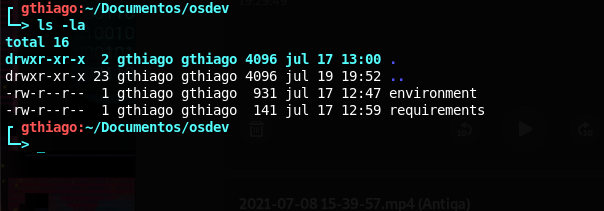
To customize your terminal on some GNU/Linux, it is necessary to change the environment variable PS1 in ~/.bashrc
By default, the shell has the PS1 variable, responsible for the environment, with the value of \u@\h:\w$ which show username, hostname, the current working directory and the user privilege.
Since it's a variable in the shell, you can edit it for testing with the bash command.
Example to see PS1
 > echo $PS1
 \[\e]0;\u@\h: \w\a\]${debian_chroot:+($debian_chroot)}\u@\h:\w\$
Now, to edit, you can change and test your change until you find your favorite.
> PS1='${debian_chroot:+($debian_chroot)}\[\033[1;31m\]\u\[\033[1;31m\]:\[\033[01;36m\]\w\[\033[00m\] 'It is important to see by detail is it has no space, because it is a bash command, so it must follow the language standard.
Note: This change is temporary, and when closing the terminal will be reset and the variable defined in the .bashrc will remain unchanged.
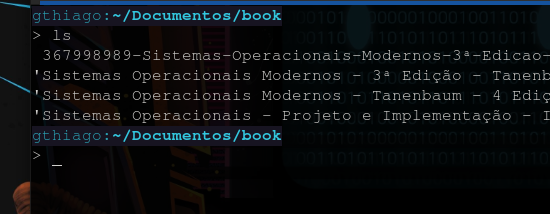
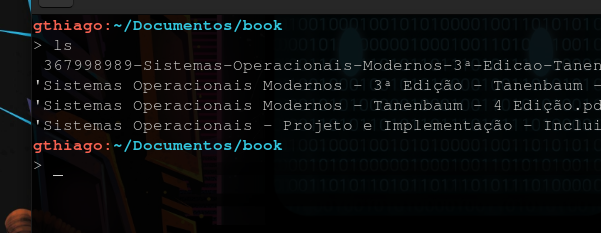
In examples are listed some PS1 suggestions to use.
After choosing your variable, you can with your editor of preference, we will use vim, access the file ~/.bashrc, which holds the console settings.
> vim ~/.bashrcSo, in .bashrc, you can permanently change thePS1,
# ... code

  if [ "$color_prompt" = yes ]; then.
    PS1='$....'    # here
  else
    PS1='$....'    # here
   fi
# ... code

case "$TERM" in
  xterm*|rxvt*)
    PS1='$....'    # here
    ;;
  *)
    ;;
  esac
Save and done!
1 -
2 -
3 -

4 -