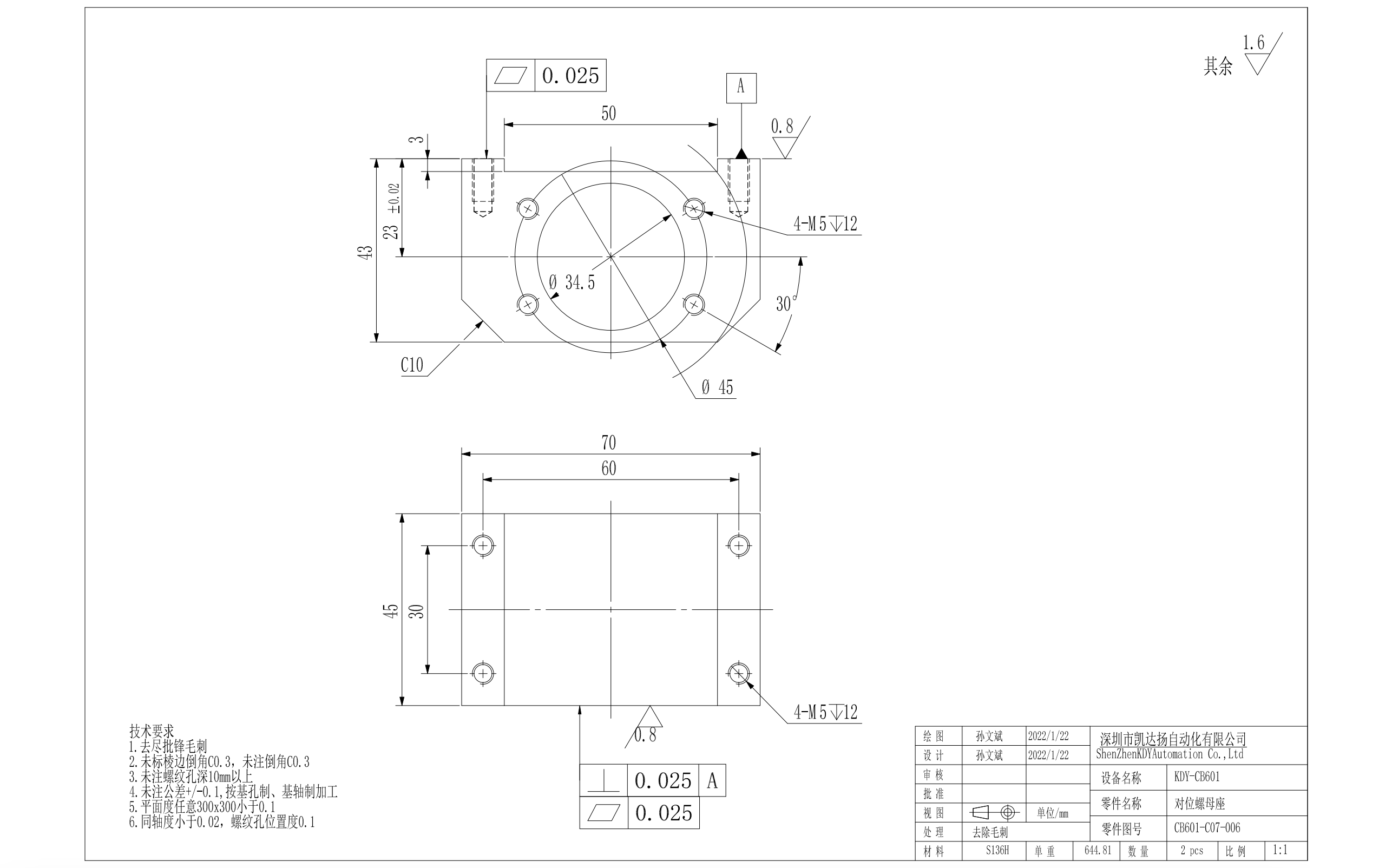
按单按行处理多个pdf(添加订单货品的head头区域),并支持将处理完的多个pdf合并成一个pdf,提供打印预览服务
- 初始化 python 虚拟环境:
python3 -m venv pdf-processor/venv - 并切换到当前环境
cd pdf-processor && source ./venv/bin/activate, windows 下自行google。 - 安装依赖
pip install -r requirements.txt - 启动应用:
uvicorn main:app --host 0.0.0.0 --timeout-keep-alive 60 --workers 8
依赖管理:
# 安装依赖
pip install -r requirements.txt
# 生成依赖描述文件
pip freeze > requirements.txt
流程图:
sequenceDiagram
	autonumber
	源PDF ->> head头PDF处理: 传入工单信息、货品信息、工艺信息等,并指定A4横版。
	head头PDF处理 ->> head头PDF处理: 加载中文字体,按A4*2宽度生成head头pdf文件,并写入排版信息。
	head头PDF处理 ->> pdf页面合并处理: 获取源页面旋转角度,按横版A4版面进行旋转
	pdf页面合并处理 ->> pdf页面合并处理: 合并源pdf页面及head头页面为结果页
	pdf页面合并处理 ->> 生成目标PDF: 将多个源PDF生成的结果页组合成独立PDF
样例:

- pip3 config set global.index-url https://mirror.baidu.com/pypi/simple/
- pip install PyMuPDF==1.24.5
- pip install fonttools
pip install pymupdf-fonts- pip install qrcode
- pip install fastapi[all]
- pip install uvicorn[standard]
- pip install tqdm
- pip install Pillow
pip install matplotlib- pip install qiniu
- pip install prettytable
- pip install apscheduler
- pip install scalar-fastapi
压力测试工具:
- pip install locust
pymupdf介绍: https://artifex.com/blog/text-extraction-with-pymupdf
有用的方法:
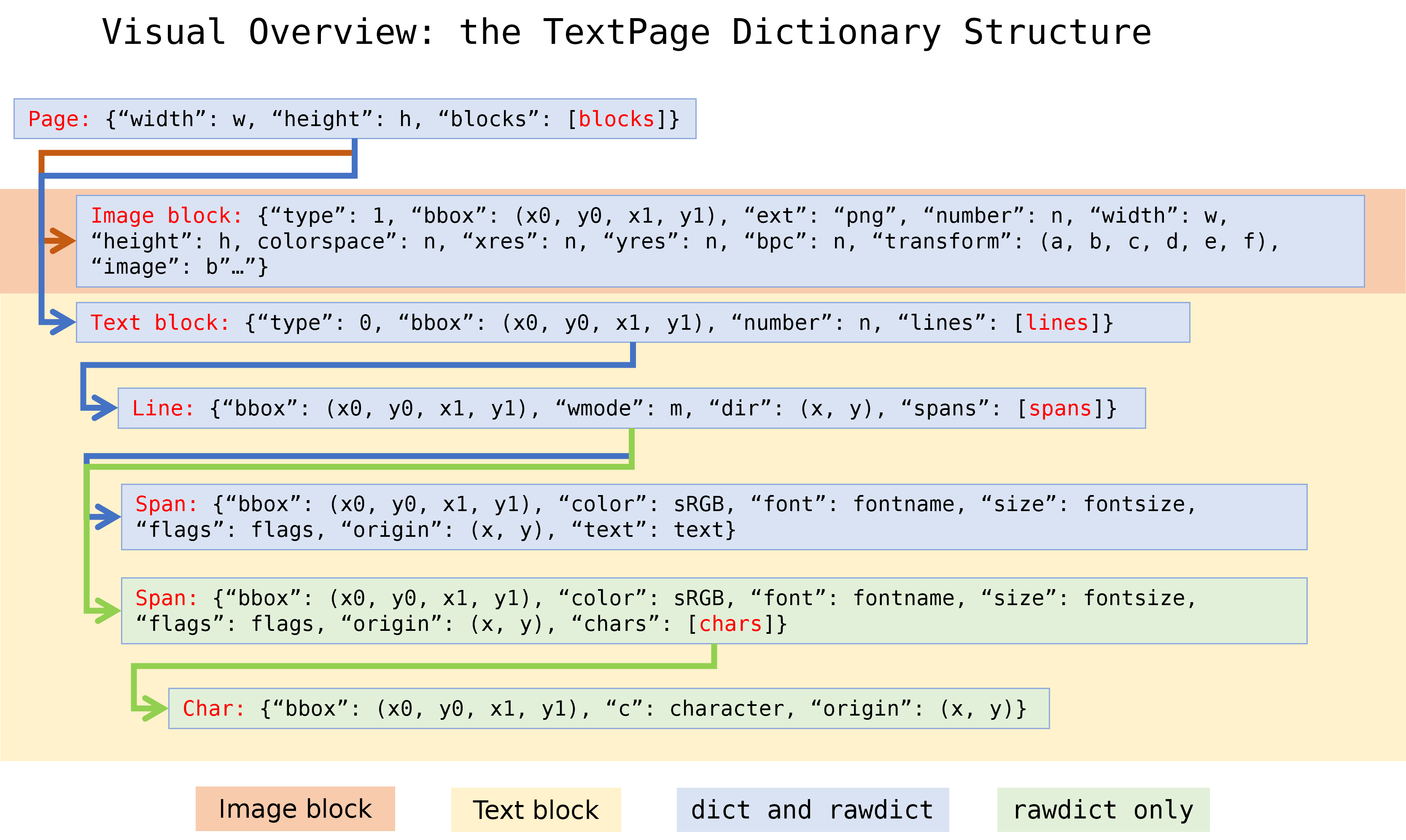
page.get_text("dict", sort=True)
dom树: https://pymupdf.readthedocs.io/en/latest/_images/img-textpage.png
可选支持参考: https://pymupdf.readthedocs.io/en/latest/installation.html#notes
如何标记非水平文本 https://pymupdf.readthedocs.io/en/latest/recipes-text.html#how-to-mark-non-horizontal-text
分析字体特征 https://pymupdf.readthedocs.io/en/latest/recipes-text.html#how-to-analyze-font-characteristics
字体处理: https://pymupdf.readthedocs.io/en/latest/recipes-text.html#how-to-fill-a-text-box
test file:
- https://file.yj2025.com/CH3600-1-M04003A%20%E6%90%AC%E8%BF%90%E7%88%AA%E5%AE%89%E8%A3%85%E6%9D%BF-%E9%95%BF.pdf
- https://file.yj2025.com/003.pdf
- https://file.yj2025.com/WX20230909-172402%402x.png
- https://file.yj2025.com/PD5060-GL-016T%20%E9%95%9C%E6%9E%B6%E6%8A%A4%E7%BD%A9.pdf
- https://file.yj2025.com/CS01-P3-001.pdf
- https://file.yj2025.com/CS01-P3-002.pdf
- mark区域坐标不对: https://file.yj2025.com/CS01-P3-003.pdf
- 带管子图: https://tfile.yj2025.com/pdf-processor/source/2024-03-26/28205N61101AAA.pdf
- 箭头注释: https://tfile.yj2025.com/pdf-processor/source/2024-04-07/7003361(1).pdf
- 文字注释: https://tfile.yj2025.com/pdf-processor/source/2024-04-07/mt_04_24024_0_812--1.pdf
- https://tfile.yj2025.com/pdf-processor/source/2024-04-08/竖向图纸.pdf
- https://tfile.yj2025.com/pdf-processor/source/2024-04-08/竖向图纸2.pdf
- https://tfile.yj2025.com/pdf-processor/source/2024-04-08/CS01-P3-001-竖向-右侧.pdf
- https://tfile.yj2025.com/pdf-processor/source/2024-04-08/工程图纸0940-竖向.pdf
- https://tfile.yj2025.com/pdf-processor/source/2024-04-08/横向图纸.pdf
- 遮罩位置不对 https://tfile.yj2025.com/pdf-processor/source/2024-04-09/竖图-0度-左侧为底.pdf
- 无法矫正, 无法获取文字信息 https://tfile.yj2025.com/pdf-processor/source/2024-04-08/竖图方向不正确-1.pdf
- https://tfile.yj2025.com/pdf-processor/source/2024-04-08/用wps设置方向后,与视图方向翻转180.pdf
- https://tfile.yj2025.com/pdf-processor/source/2024-04-08/打开方向正确-打印翻转了180°-20231205-明信达.pdf
- https://tfile.yj2025.com/pdf-processor/source/2024-04-08/打开方向正确-打印翻转了180°-20231023-雄利.pdf
- https://tfile.yj2025.com/pdf-processor/source/2024-04-08/文件倒转了-401-990022-00.pdf
- 48序号显示不全 https://tfile.yj2025.com/pdf-processor/source/2024-04-11/240406-01-230-106.pdf
- https://tfile.yj2025.com/pdf-processor/source/2024-04-15/竖图-翻转方向正确的.pdf
- 未clean则丢失内容,并且重影: https://tfile.yj2025.com/pdf-processor/source/2024-03-26/mt_03_22318er_0_806.pdf
- clean后丢失内容: https://tfile.yj2025.com/pdf-processor/source/2024-04-08/内容丢失-401-020605-00.pdf
- 未clean 丢失注释, wrap后批注位置不对 https://tfile.yj2025.com/pdf-processor/source/2024-04-16/mt_04_23024cc_0_806.pdf
- wrap后批注位置不对 https://tfile.yj2025.com/pdf-processor/source/2024-04-16/mt_04_229856vx_0_806.pdf
- 虚线位置不对 https://tfile.yj2025.com/pdf-processor/source/2024-05-04/NOR4.002.004(V02).pdf