This package provides two command-line tools for testing and inspecting Unicode support in terminal emulators.
To install or upgrade:
$ pip install -U ucs-detect
East Asian languages use Wide (W) or Fullwidth (F) characters that occupy 2 cells. Many scripts use zero-width combining characters that modify adjacent characters. Emoji sequences using Zero Width Joiner and Variation Selector-16 characters. Complex advancing rules with Brahmic scripts.
Terminal applications must determine the display width of these characters, but the Unicode Standard is updated periodically while libraries and applications lag behind — or never update.
Support also varies within a terminal.
ucs-detect measures terminal compliance with the Specification of the
python wcwidth library, for the latest Unicode versions across WIDE, ZERO, ZWJ, VS-16, and VS-15
unicode sequences.
ucs-browser allows to interactive browsing of each kind of category with an interactive terminal
browsing program.
ucs-detect uses the Query Cursor Position terminal sequence to ask
"where is the cursor?" after printing test characters. By comparing the
reported cursor position against the wcwidth expected width, compliance is
measured.
This technique is inspired by resize(1), which determines terminal dimensions over transports like serial lines by moving to (999, 999) and querying cursor position.
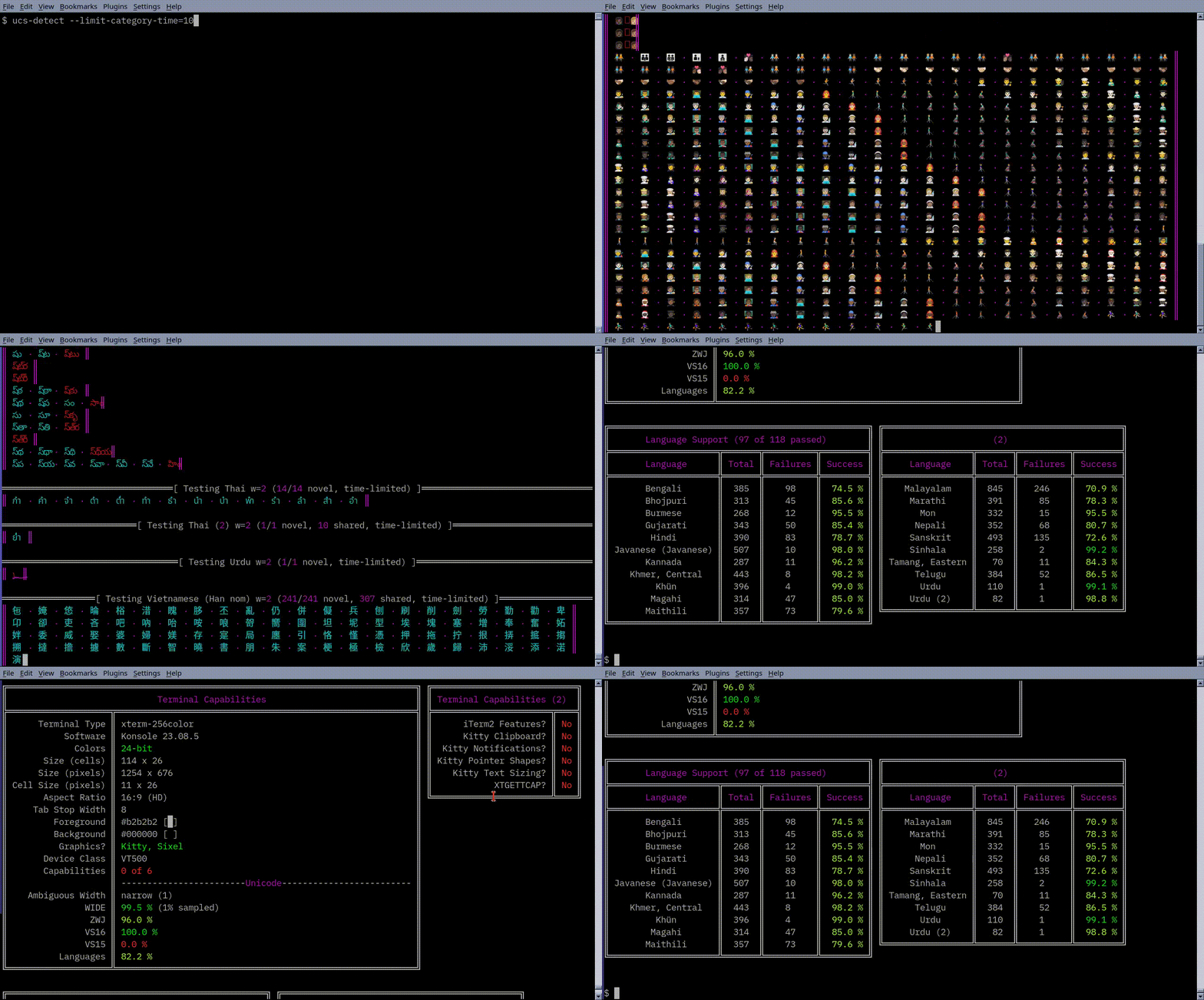
ucs-detect is the primary testing tool. It tests a terminal emulator's
Unicode support for Wide characters, Emoji Zero Width Joiner (ZWJ) sequences,
Regional Indicators and flags, Variation Selector-16 (VS-16) and VS-15 sequences,
and zero-width combining characters across hundreds of languages.
Terminal capabilities that may be automatically detected are also reported: Bracketed Paste, Synchronized Output, Mouse SGR, Grapheme Clustering, Kitty Keyboard protocol, Sixel, ReGIS, Kitty or iTerm2 image protocol, and XTGETTCAP support.
Run a default test:
$ ucs-detect
Run a detailed test and save a YAML report:
$ ucs-detect --save-yaml=data/my-terminal.yaml
Notable CLI options:
--rerun <yaml-file>- Re-test a terminal using parameters from a previous YAML report.
--test-only <category>- Test a single category:
wide,zwj,vs16,vs15,lang,unicode,terminal, orall(default). --limit-category-time <seconds>- Time budget per test category, auto-adjusts sampling (0=unlimited).
--stop-at-error <pattern>- Pause on errors matching pattern for interactive investigation. Values:
all,zwj,wide,vs16,vs16n,vs15,lang, or a specific language name (e.g.,Hindi). --silent- Minimal output, modifying only a single line.
--save-json <path>- Save results as a JSON report.
--no-terminal-test- Skip terminal feature detection.
--no-languages-test- Skip language support testing.
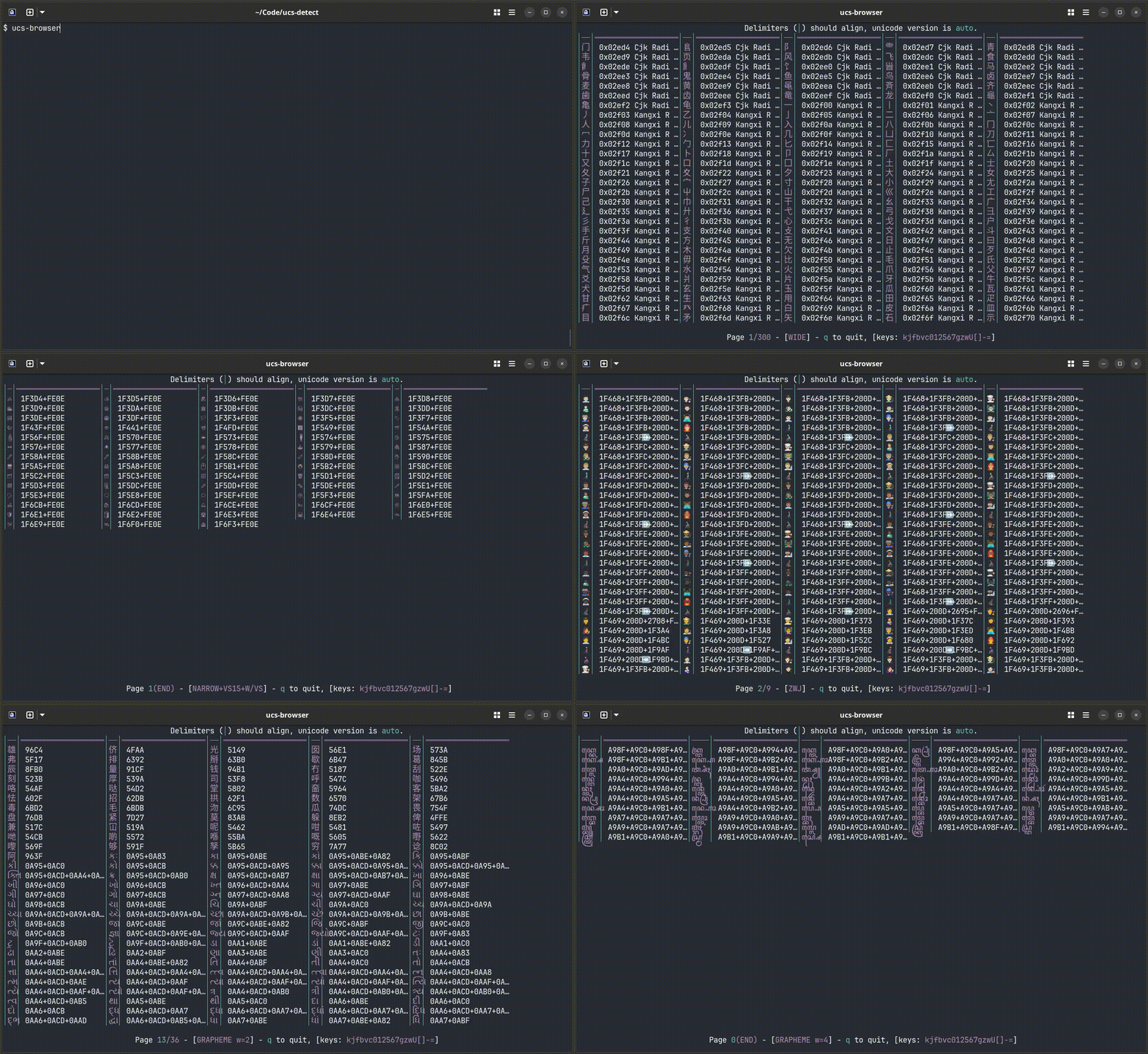
ucs-browser is an interactive terminal browser for visually inspecting
unicode character width rendering. It displays characters with pipe (|)
alignment markers that should align correctly in any terminal with proper
Unicode support.
$ ucs-browser
Modes are toggled with keyboard shortcuts:
0: Reset to default (wide characters)1/2: Narrow (1-cell) or Wide (2-cell) charactersc: Combining charactersg: Grapheme clusters ([/]to adjust width)z: Emoji ZWJ sequences5: VS-15 (text style)6: VS-16 space kludge7: VS-16 (emoji style)w: Toggle with/without variation selectorU: Toggle uncommon CJK extensionsv: Select Unicode version-/+: Adjust name column width
Modes may also be directly entered by CLI options (see ucs-browser --help)
Navigation follows less(1) conventions: j/k for lines, f/b for
pages, q to quit.
Results for over 30 terminals on Linux, Mac, and Windows are published at https://ucs-detect.readthedocs.io/results.html
Individual YAML reports are in the data folder:
https://github.com/jquast/ucs-detect/tree/master/data
Related articles:
- ucs-detect test results (November 2023, release 1.0.4)
- State of Terminal Emulation 2025 (November 2025, release 1.0.8)
Results are shared with terminal emulator projects and may become outdated as they improve Unicode support. Submit a pull request to update YAML data files.
Re-test an existing terminal:
$ ucs-detect --rerun data/contour.yaml
This re-executes with the same parameters, overwriting the existing YAML file.
Submit results for a new terminal:
$ ucs-detect --save-yaml=data/jeffs-own-terminal.yaml --limit-category-time=900
The --limit-category-time argument is used to automatically reduce test size to attempt to
complete each category under a reasonable time. This automatically adjusts the
--limit-codepoints-wide-pct parameter as low as 1%.
To preview documentation changes, create a draft pull request. A readthedocs.org build status will appear — click "Details" for an HTML preview.
Use --stop-at-error to investigate discrepancies interactively:
$ ucs-detect --stop-at-error 'Hindi'
Example output:
Failure in language 'Hindi' (Hindi-2-01):
+---+-----------+--------+----------+---------+-------------------------+
| # | Codepoint | Python | Category | wcwidth |           Name          |
+---+-----------+--------+----------+---------+-------------------------+
| 1 |   U+0915  | \u0915 |    Lo    |    1    |   DEVANAGARI LETTER KA  |
| 2 |   U+094D  | \u094d |    Mn    |    0    |  DEVANAGARI SIGN VIRAMA |
| 3 |   U+0928  | \u0928 |    Lo    |    1    |   DEVANAGARI LETTER NA  |
| 4 |   U+093F  | \u093f |    Mc    |    0    | DEVANAGARI VOWEL SIGN I |
+---+-----------+--------+----------+---------+-------------------------+
+----+
| क्नि |
+----+

measured by terminal: 3
measured by wcwidth:  2

Shell
-----
printf '\xe0\xa4\x95\xe0\xa5\x8d\xe0\xa4\xa8\xe0\xa4\xbf\n'

Python
------
python -c "print('\u0915\u094d\u0928\u093f')"

press return for next error, or n for non-stop:
Language testing uses the Universal Declaration of Human Rights (UDHR) dataset, translated into 500+ languages, as a test corpus for zero-width characters (Mn — Nonspacing Mark), combining characters (Mc — Spacing Mark), and language-specific scripts.
Source data: https://github.com/eric-muller/udhr/
The UDHR provides practical coverage of common complex grapheme clusters across the world's languages, serving as an indicator of a terminal's support for combining marks across diverse scripts.
- 2.0.1 (2026-02-05): Add
--silentmode,--save-json, time measurements with RTT and ping-like statistics, and telnetlib3 shell support for testing over telnet. Bugfix iTerm2 image feature detection. - 2.0.0 (2026-02-01): More correct results with up-to-date wcwidth, loads of new CLI options like
--rerun,--limit-category-timeand remove CLI arguments--unicode-version,--shell,--quick, and--no-emit-osc1337. Thewcwidth-browserprogram has been migrated from wcwidth, and setup.py was migrated to pyproject.toml. Requires Python 3.8. - 1.0.8 (2025-11-02): Added detection of DEC Private Modes, testing of Variation Selector 15, Sixel graphics and pixel size, and automatic software version (XTVERSION and ^E answerback).
- 1.0.7 (2024-01-06): Add python 3.10 compatibility for yaml file save and update wcwidth requirement to 0.2.13.
- 1.0.6 (2023-12-15): Distribution fix for UDHR data and bugfix for python 3.8 through 3.11. ucs-detect Welcomes @GalaxySnail as a new project contributor.
- 1.0.5 (2023-11-13): Set minimum wcwidth release version requirement.
- 1.0.4 (2023-11-13): Add support for Emoji with VS-16 and more complete testing. Published test results.
- 1.0.3 (2023-10-28): Drop python 2 support. Add more advanced testing. Changes
default behavior when called without arguments, use
ucs-detect --quick
--shell
to use the new release with matching previous release behavior. - 0.0.4 (2020-06-20): Initial releases and bugfixes