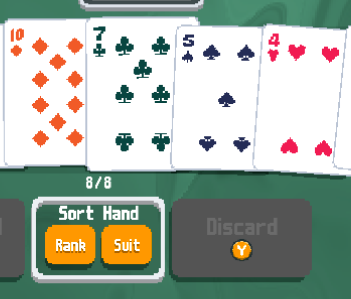
this mod is an implementation of fully keyboard-driven UX for Balatro. it adds keybindings for all of the gameplay actions, and includes code from DorkDad141's Keyboard Shortcuts & FlushHotkeys for quickly selecting the best hand available or making flush & high card hands -called "the cheat layer" in typist-. join the discussion on the official Balatro discord: typist's thread, server invite

the only dependency is the lovely code injector, which is also a dependency of the Steamodded mod loader, so if you have smods you can just drop this repo into your Mods directory and it'll get picked up. if not then follow the first two steps of Steamodded's "How to install Steamodded" guide, namely "Step 1: Anti-virus setup" and "Step 2: Installing Lovely", then download the mod (either with git clone or from the green "Code" button at the top of the page) and save it to the appropriate directory for your platform:
- windows:
%AppData%/Balatro/Mods - mac:
~/Library/Application Support/Balatro/Mods - linux+wine/proton:
~/.local/share/Steam/steamapps/compatdata/2379780/pfx/drive_c/users/steamuser/AppData/Roaming/Balatro/Mods
game versions:
1.0.1n1.0.1o
other mods:
- WilsontheWolf/DebugPlus v1.4.x
- hold
ctrlas a leader for the entire keyboard excepttypistanddebugplus.consoleif the game is in debug mode
- hold
- V-rtualized/BalatroMultiplayer v0.1.8.4, versions 0.2.x, and the private
1.0alpha- on pvp blinds
spacetoggles the ready state instead of immediately starting the blind - in lobby menu
spacestarts the run (if you're the host)
- on pvp blinds
- Amvoled/Taikomochi rev
26d2507enteron the game over screen retries the last ante for zen mode runs
- Agoraaa/FlushHotkeys
4c0b1df- FlushHotkeys keyboard shortcuts are removed to prevent conflicts
- FlushHotkeys'
select_best_handimplementation is used instead of mine (will be removed in the future)
- toggling hand cards with
asdfgh...keys - a complete implementation of every action in every game state, with
spacebeing generally the "proceed" button:- it plays the selected hand
- selects the upcoming blind
- uses consumable cards
- selects the highlighted pack item
- starts a new run from the game over screen
- starts a run from the new run screen with the currently selected deck and stake
tabbeing the dismiss button:- it discards the selected hand
- moves from the shop to blind selection
- sells consumable or joker cards
- skips the current booster pack
- cycles
new run,continueandchallengeson the run setup screen - closes any other overlay menu
- exits to main menu from the game over screen
escapebeing the back button on the run setup screen:- it closes the run setup overlay instead of cycling tabs
- the bottom row of the keyboard as the "control panel", for example:
- in rounds:
- hold
zfor the quick deck preview - press
,to select the leftmost 5 cards .to select the rightmost 5 cardscto sort by suitvto sort by rankbto sort by enhancement+score, where glass cards are moved to the end, and lucky and mult cards to the beginning
- hold
- in the shop:
cto buy an item or a pack or a vouchervto buy and use an item, or buy a pack or a voucher
nto deselect all cards in a cardarea andmto invert card selection in roundsxto view run info whenever it's available- & others (see
./mod/layout.lua) the full keymap as well as other layouts
- in rounds:
- cardarea keybind layers for selecting, moving, selling & using cards. these apply globally for
- consumables, accessed by holding
' - jokers, accessed by holding
[ - a convenience jokers+consumables area accessed with the number row buttons and no leader key
- pack cards, with no leader key
- the shop, with no leader key
- the hand, which is accessed
- by holding
/everywhere for selection and movement of a single card - by holding
shift+/for multiselect in booster packs - with no leader key for multiselect in rounds
- by holding
- consumables, accessed by holding
- run setup keybinds
handlto change decks,jandkto change stakessto toggle "seeded run" on and focus the seed input field,escapeto disable seeded runspaceorenterto start a run with the selected optionstabto cycle "new run", "continue" and "challenges" tabs
- mnemonic keys for less frequent actions, like
sto skip blinds,rto reroll the shop or boss,bin the cheat layer (accessed by holdingp) to pick the best hand out the available cards,fin the cheat layer to fish for the best flush in hand, etc - holding
\on a selected card to drag it out of its area, this can be used to snatch a joker away before the Amber Acorn boss can shuffle it
unacorn-smol.mp4
- support for
qwerty,dvorakandworkmankeyboard layouts, where positional keys are kept consistent across both layouts and mnemonic keys aren't changed. (e.g.asdfto toggle the first four cards in qwerty translates toaoeuin dvorak, butrto reroll the shop or the boss blind staysrin both layouts) - support for keybind overrides, so you can change the default keybinds to your liking
- any key to skip the splash screen and
spaceto click any "play" or "continue" button, so a run can be started from game launch until the first blind with thespacebutton only
- half-keyboard layouts to be used with one hand on the mouse and the other on one side of keyboard (similar to photoshop and other editing software)
- menu navigation keybinds, menus are the only part of the game that currently requires the mouse to navigate
- redesign arcana and spectral packs UX, hand manipulation in these screens is a bit clunky due to the need for
shift+/for cardarea multiselect - use the controller UI to display keybind hints