Home
By default this script creates a DHCP based install ISO with four additonal install options:
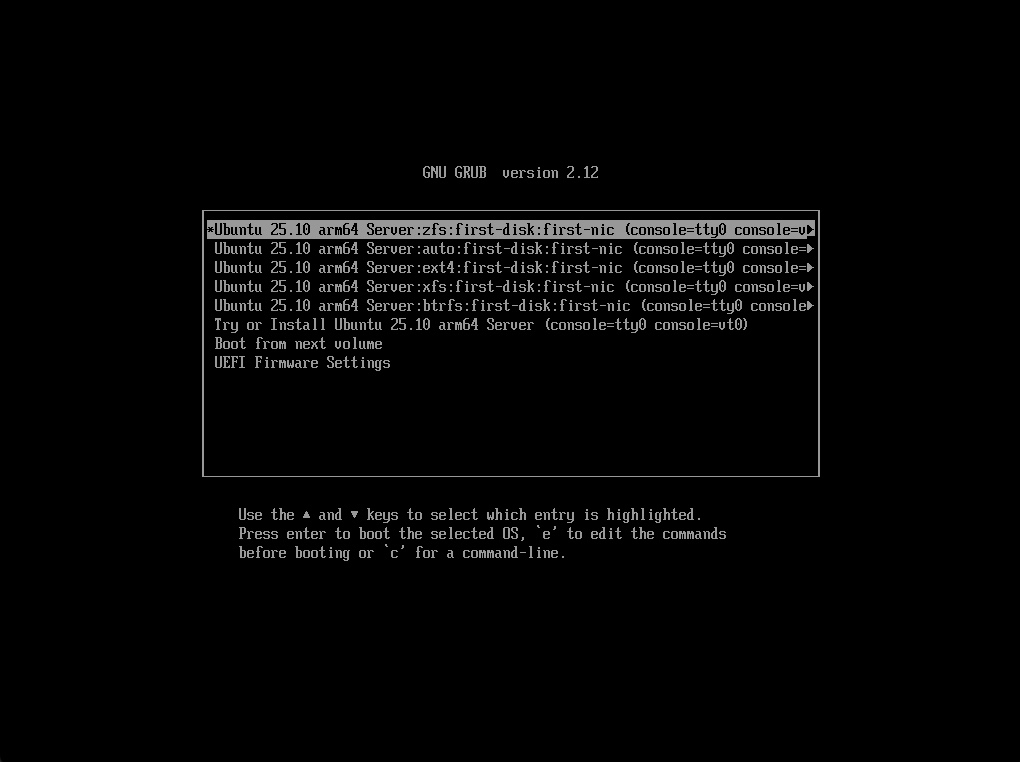
- ZFS based install to the first non USB drive available using the first network device with link
- ZFS LVM based install to the first non USB drive available using the first network device with link (work in progress)
- LVM based install to the first non USB drive available using the first network device with link (EXT4 root filesystem)
- LVM based install to the first non USB drive available using the first network device with link (XFS root filesystem)
- LVM based install to the first non USB drive available using the first network device with link (BTRFS root filesystem)
There is an option for compression with btrfs on the root disk. If this option is specified the root disk is remounted during installation and compression applied. The fstab entry is updated and compression will be anabled after the reboot at the end of the installation.
A custom cloud-init user-data file can be used by using the --userdata switch with the location of the file. This will copy the file into the image, create a boot menu entry called custom, and set that to default.
This can be customised as per examples section to use a custom drive, network device, and many other options (e.g. username and password)
This script also supports creating ISOs via docker for non Linux platforms. On Apple Silicon support for creating arm64 and amd64 is available by using the platform flag of docker.
This method doesn't support the older preseed method (i.e. Ubuntu 18.04 or earlier). Preseed method could be added reasonably easily I expect, but I've only need for Ubuntu 20.04 or later.
So that the additional packages added to the install do not require network access, the squashfs filesystem is mounted and the packages are installed into it with the download option, then the packages are copied to the ISO image that is created. Doing it this way also ensures packages dependencies are also handled.
An example of the grub menu when booting from the ISO:
The current disk layouts are default one root partition configs, i.e. no separate var or home partitions. This could be changed, but in my experience testing recent cloud-init autoinstall versions/configs on Ubuntu it takes quite a bit of testing to get more complex layouts working without issue.
This script can also be used to create a KVM/QEMU VM to test the ISO created. This is useful for troubleshooting by connecting to the KVM VM in console mode and watching install.
I've started collecting manual install configs to help with troubleshooting. These are located in the configs directory
I've added a strict option (does a set -eu) and a debug option (does a set -x) to help with debugging and finding bugs. I also periodically run shellcheck against the script to help find bugs.
Further documentation/resources: