从 VuePress 迁移至 VitePress
为什么要从 VuePress 迁移至 VitePress?
因为颜值即正义, Vitepress 比 VuePress 好看太多太多了
安装依赖
依赖说明
node 18.xpnpm 7.xvitepress 1.0.0-alpha.46vue 3.2.47vuepress 2.0.0-beta.60 (标注之前用的 VuePress 版本)
创建 .npmrc 文件,配置内容如下(不使用 pnpm 的可以忽略)
auto-install-peers=true

registry=https://registry.npmmirror.com
安装 vitepress 相关依赖
pnpm add -D vitepress vue
修改 package.json 中的 scripts
# dev 命令
npm pkg set scripts.dev="vitepress dev docs --port=8732"
# build 命令
npm pkg set scripts.build="vitepress build docs"
注意点
vitepress 修改启动端口需要通过命令行传参 --port=8732public 公共文件
vuepress 是 docs/.vuepress/public 目录vitepress 是 docs/public 目录
- 路由
vuepress 默认配置下 README.md 和 index.md 都会被转换成 index.htmlvitepress 默认配置下只有 index.md 会被转换成 index.html
vuepress 使用的是 navbar,需要修改为 navvuepress 使用的是 children,需要修改为 items,且 items 是一个对象数组vuepress sidebar 的展开使用的是 collapsible,需要修改为 collapsed- 导入代码块
vuepress
- 语法为
@[code](./code/snippet.js)
vitepress
快速修改 README.md 为 index.md
安装 globby
编写重命名脚本
import { globby } from 'globby'
import fs from 'node:fs'

const paths = await globby(['docs/**/README.md'])

paths.forEach((path) => {
  fs.rename(path, path.replace(/README\.md/, 'index.md'), (err) => {
    !err && console.log(`${path} 重命名成功`)
  })
})
配置语法对比
/* vuepress 写法 */
export default {
  themeConfig: {
    navbar: [
      { text: 'Guide', link: '/guide' },
      {
        text: 'Dropdown Menu',
        children: ['/item-1.md']
      }
    ],
    sidebar: {
      '/guide/': [
        {
          text: 'Guide',
          collapsible: true,
          children: ['/item-1.md']
        }
      ]
    }
  }
}

/* vitepress 写法 */
export default {
  themeConfig: {
    nav: [
      { text: 'Guide', link: '/guide' },
      {
        text: 'Dropdown Menu',
        items: [{ text: 'Item A', link: '/item-1' }]
      }
    ],
    sidebar: {
      '/guide/': [
        {
          text: 'Guide',
          collapsed: false,
          items: [{ text: 'Index', link: '/guide/' }]
        }
      ]
    }
  }
}
配置 vitepress
在 docs/.vitepress 目录下创建 config.ts 文件
import { defineConfig } from 'vitepress'

export default defineConfig({
  // 打包输出目录
  outDir: '../dist',

  // 站点语言标题等
  lang: 'zh-CN',
  title: '茂茂物语',
  description: '茂茂的成长之路,包含前端常用知识、源码阅读笔记、各种奇淫技巧、日常提效工具等',

  /* 主题配置 */
  themeConfig: {
    i18nRouting: false,

    logo: '/logo.png',

    nav: [],
    sidebar: {},
    /* 右侧大纲配置 */
    outline: {
      level: 'deep',
      label: '本页目录'
    },

    socialLinks: [{ icon: 'github', link: 'https://github.com/maomao1996' }],

    footer: {
      copyright: 'Copyright © 2019-present maomao'
    },

    darkModeSwitchLabel: '外观',
    returnToTopLabel: '返回顶部',
    lastUpdatedText: '上次更新',

    docFooter: {
      prev: '上一篇',
      next: '下一篇'
    }
  }
})
添加自定义样式
在 docs/.vitepress/theme 目录下创建 index.ts 文件和 index.css
index.ts 文件内容如下
import Theme from 'vitepress/theme'

import './index.css'

export default Theme
通过插槽添加自定义组件
这里用一个访问统计来举 🌰
配置 TS 环境
创建 tsconfig.json
{
  "compilerOptions": {
    "outDir": "dist",
    "target": "esnext",
    "module": "esnext",
    "moduleResolution": "node",
    "esModuleInterop": true,
    "resolveJsonModule": true,
    "allowJs": true,
    "strict": true,
    "jsx": "preserve"
  },
  "include": ["env.d.ts", "**/.vitepress/**/*"]
}
创建 env.d.ts
/// <reference types="vitepress/client" />

declare module '*.vue' {
  import { DefineComponent } from 'vue'
  const component: DefineComponent<{}, {}, any>
  export default component
}
编写 Visitor 组件
在目录 docs/.vitepress/theme/components 下创建 Visitor.vue 文件
<script setup lang="ts">
import { useRoute } from 'vitepress'

const route = useRoute()
</script>

<template>
  <img
    class="visitor"
    :src="`https://visitor-badge.laobi.icu/badge?page_id=你的个人标识&p=${route.path}`"
    onerror="this.style.display='none'"
  />
</template>

<style scoped>
.visitor {
  margin-left: 8px;
}
@media (min-width: 768px) and (max-width: 920px) {
  .visitor {
    display: none;
  }
}
</style>
修改 docs/.vitepress/theme/index.ts 文件
import { h, App } from 'vue'
import Theme from 'vitepress/theme'

import Visitor from './components/Visitor.vue'

import './styles/index.scss'

export default Object.assign({}, Theme, {
  Layout: () =>
    h(Theme.Layout, null, {
      /**
       * 相关插槽
       * https://github.com/vuejs/vitepress/blob/main/src/client/theme-default/Layout.vue
       */
      'nav-bar-title-after': () => h(Visitor)
    })
})
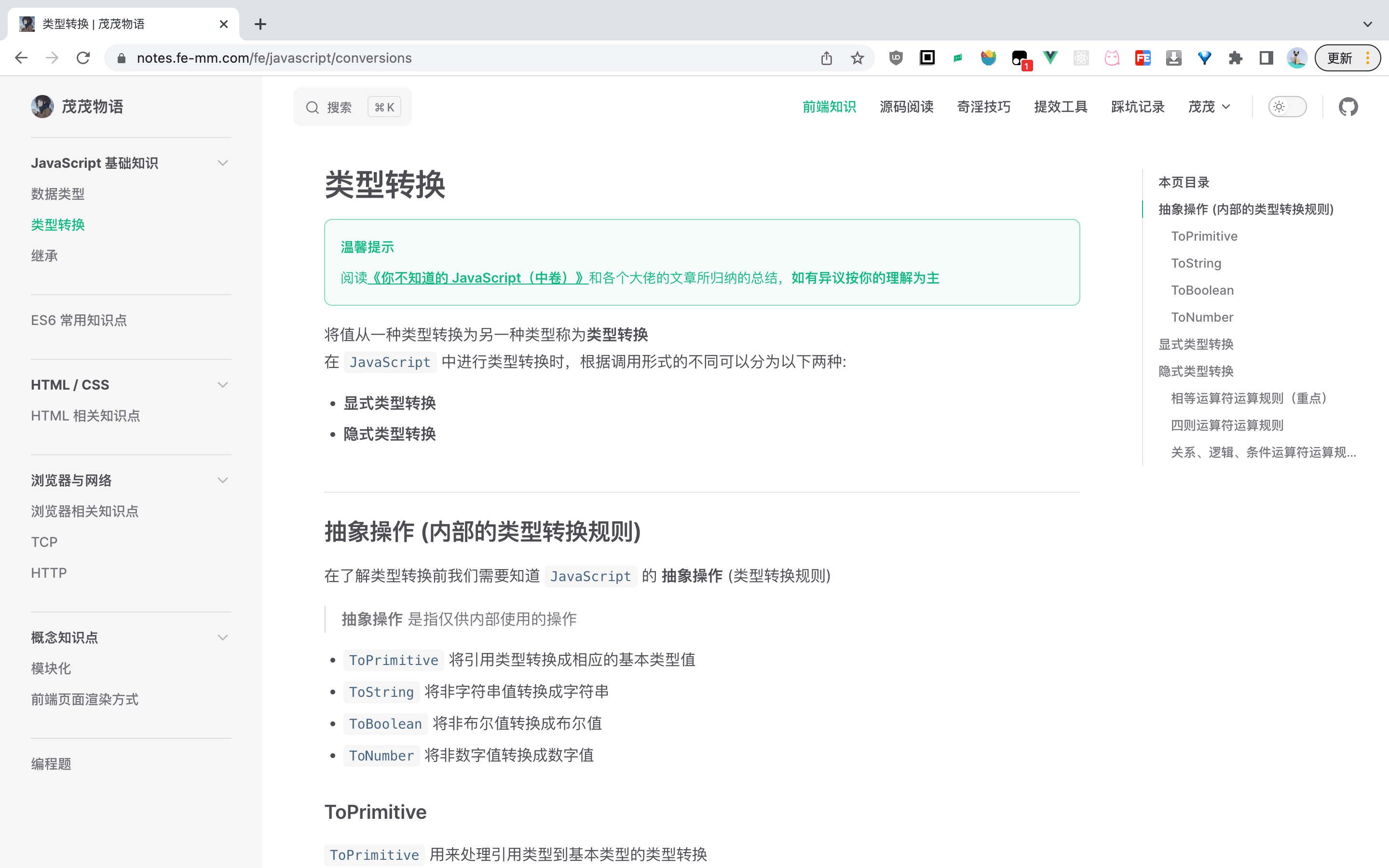
颜值对比
不得不说差的有点多
首页


内容页



从
VuePress迁移至VitePress为什么要从 VuePress 迁移至 VitePress?
因为颜值即正义,
Vitepress比VuePress好看太多太多了安装依赖
node18.xpnpm7.xvitepress1.0.0-alpha.46vue3.2.47vuepress2.0.0-beta.60 (标注之前用的VuePress版本)创建
.npmrc文件,配置内容如下(不使用pnpm的可以忽略)安装
vitepress相关依赖修改
package.json中的scripts注意点
vitepress修改启动端口需要通过命令行传参--port=8732public公共文件vuepress是docs/.vuepress/public目录vitepress是docs/public目录vuepress默认配置下README.md和index.md都会被转换成index.htmlvitepress默认配置下只有index.md会被转换成index.htmlvuepress使用的是navbar,需要修改为navvuepress使用的是children,需要修改为items,且items是一个对象数组vuepress sidebar的展开使用的是collapsible,需要修改为collapsedvuepress@[code](./code/snippet.js)vitepress<<< @/code/snippet.js快速修改
README.md为index.md安装
globby编写重命名脚本
配置语法对比
配置 vitepress
在
docs/.vitepress目录下创建config.ts文件添加自定义样式
在
docs/.vitepress/theme目录下创建index.ts文件和index.cssindex.ts文件内容如下通过插槽添加自定义组件
配置 TS 环境
创建
tsconfig.json{ "compilerOptions": { "outDir": "dist", "target": "esnext", "module": "esnext", "moduleResolution": "node", "esModuleInterop": true, "resolveJsonModule": true, "allowJs": true, "strict": true, "jsx": "preserve" }, "include": ["env.d.ts", "**/.vitepress/**/*"] }创建
env.d.ts编写 Visitor 组件
在目录
docs/.vitepress/theme/components下创建Visitor.vue文件修改
docs/.vitepress/theme/index.ts文件颜值对比
首页
内容页