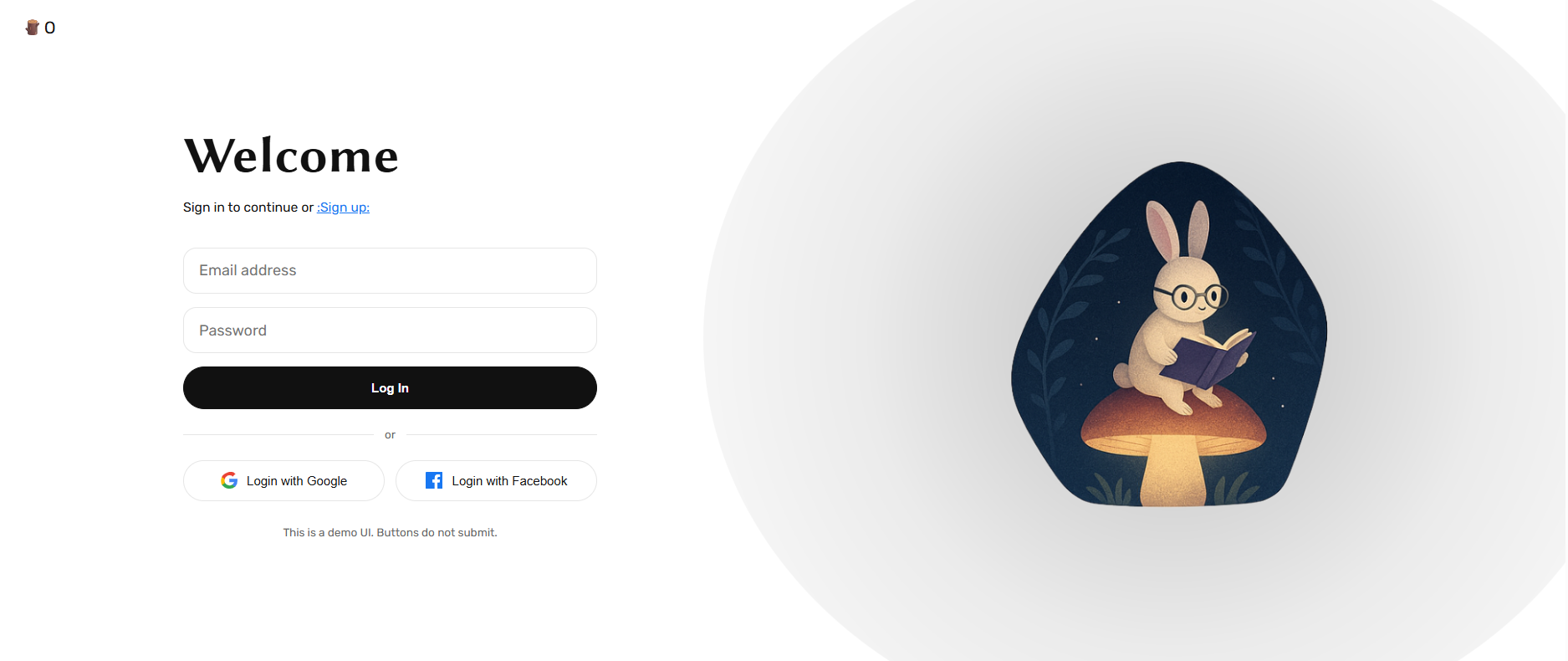
A curated collection of 20 beautiful illustration images designed specifically for split-screen login/signup pages. Perfect for modern web applications that want to add visual appeal to their authentication screens.
- 20 High-Quality Illustrations - Numbered
01. pngto20.pngfor easy reference - Split Login Page Ready - Optimized for side-by-side login layouts
- Light/White Background Compatible - Designed to look stunning on clean, minimal backgrounds
- Ready-to-Use HTML Template - Includes a complete, responsive login page example
- Dynamic Image Rotation - Sample code for rotating illustrations (daily, random, etc.)
cool-login-page-illustration-images/
├── login-illust/          # Illustration images folder
│   ├── 01.png
│   ├── 02.png
│   ├── ...
│   └── 20.png
├── src.html               # Complete login page template
├── Image.png              # Preview/demo image
├── LICENSE                # MIT License
└── README.md
- Clone or download this repository
- Copy the
login-illust/folder to your project directory - Reference any image in your HTML:
<img src="login-illust/05.png" alt="Login illustration" />// Randomly select an illustration (01. png to 20.png)
const idx = String(Math.floor(Math.random() * 20) + 1).padStart(2, "0");
document.getElementById("login-illustration").src = `/login-illust/${idx}.png`;// Show a different illustration each day of the month
const day = new Date().getDate();
const idx = String(((day - 1) % 20) + 1). padStart(2, "0");
document.getElementById("login-illustration").src = `/login-illust/${idx}.png`;For the best visual results:
- ✅ Use on light/white backgrounds
- ✅ Add a subtle grey shadow to the images for depth
- ✅ Place illustrations on the right side of split login layouts
- ✅ Use one illustration at a time, rotating as desired
. login-illustration {
  box-shadow: 0 10px 40px rgba(0, 0, 0, 0. 15);
  border-radius: 12px;
}

/* Or use a radial gradient backdrop */
.frame::before {
  content: "";
  position: absolute;
  width: 200%;
  height: 200%;
  background: radial-gradient(circle, rgba(0,0,0,0.25) 0%, rgba(0,0,0,0.08) 50%, transparent 100%);
  z-index: 0;
  border-radius: 50%;
}This repository includes src. html - a complete, responsive split-screen login page featuring:
- 📱 Fully responsive design (mobile-friendly)
- 🎯 Clean, modern UI with Rubik & Libertinus Sans fonts
- 🔐 Email/password form with social login buttons (Google, Facebook)
- 🖼️ Dynamic illustration loading with elegant shadow effect
- ♿ Accessibility-ready with ARIA labels
To use the demo:
- Make sure the
login-illust/folder is in the same directory assrc.html - Open
src.htmlin your browser - Each page refresh shows a random illustration!
Or simply try it live here!
| Image | Path |
|---|---|
| 01 | login-illust/01. png |
| 02 | login-illust/02.png |
| 03 | login-illust/03.png |
| 04 | login-illust/04.png |
| 05 | login-illust/05.png |
| 06 | login-illust/06. png |
| 07 | login-illust/07.png |
| 08 | login-illust/08.png |
| 09 | login-illust/09.png |
| 10 | login-illust/10.png |
| 11 | login-illust/11. png |
| 12 | login-illust/12.png |
| 13 | login-illust/13.png |
| 14 | login-illust/14.png |
| 15 | login-illust/15.png |
| 16 | login-illust/16. png |
| 17 | login-illust/17.png |
| 18 | login-illust/18.png |
| 19 | login-illust/19.png |
| 20 | login-illust/20.png |
This project is licensed under the MIT License - see the LICENSE file for details.
Contributions are welcome! Feel free to:
- Submit new illustration designs
- Improve the demo template
- Add more usage examples
- Report issues or suggest features
If you find these illustrations helpful, please consider giving this repository a star! ⭐
Made with ❤️ by @melancholic-ksm