Skip to content

Tap to Place MRTK#7188

Merged
CDiaz-MS merged 12 commits intomicrosoft:mrtk_developmentfrom
CDiaz-MS:port_tap_to_place
Feb 21, 2020
Merged

Tap to Place MRTK#7188
CDiaz-MS merged 12 commits intomicrosoft:mrtk_developmentfrom
CDiaz-MS:port_tap_to_place

Conversation

@CDiaz-MS
Copy link
Contributor

@CDiaz-MS CDiaz-MS commented Jan 30, 2020

Overview

The MRTK version of HoloToolkit's Tap to Place.

Tracked Target Type: Head Tracked Target Type: Controller Ray
TapToPlaceHeadRaySmall2 TapToPlaceControllerRaySmall3

Tap to Place enables easy placement of an object on a surface. The default behavior for Tap to Place MRTK mirrors HoloToolkit's Tap to Place, but has some new additions. Tap to Place is a derivation of the Solver class.

To test, open the example scene TapToPlaceExample located in MixedRealityToolkit.Examples/Demos/Solvers/Scenes/.

How to use:

  1. Create a new unity scene and add MRTK by selecting the Mixed Reality Toolkit menu -> Add to Scene and Configure
  2. Attach TapToPlace to a game object with a Collider
    • A Solver Handler component will also get added with Tap to Place
  3. Press play, with the game object in focus, air tap/click the object.
    • The object will begin to follow the TrackedTargetType, which is the Head by default. The object placement is based on whether or not the raycast hits a surface, this could be the spatial mesh or any object with a collider. If there is a surface hit, place the object on the surface, if not, place at an adjustable default distance.
  4. To place the object, air tap/click again. The placement click does not require the object to be in focus.

Changes from HoloToolkit to MRTK's Tap to Place:

  • Added OnPlacingStarted and OnPlacingStopped events
  • Removed spatial awareness dependency
  • Added RotateAccordingToSurface and KeepOrientationVertical
    • Enables object orientation adaption based on the normal of the surface hit

This work is based on @Troy-Ferrell's tap to place branch found here.

Images/Gifs

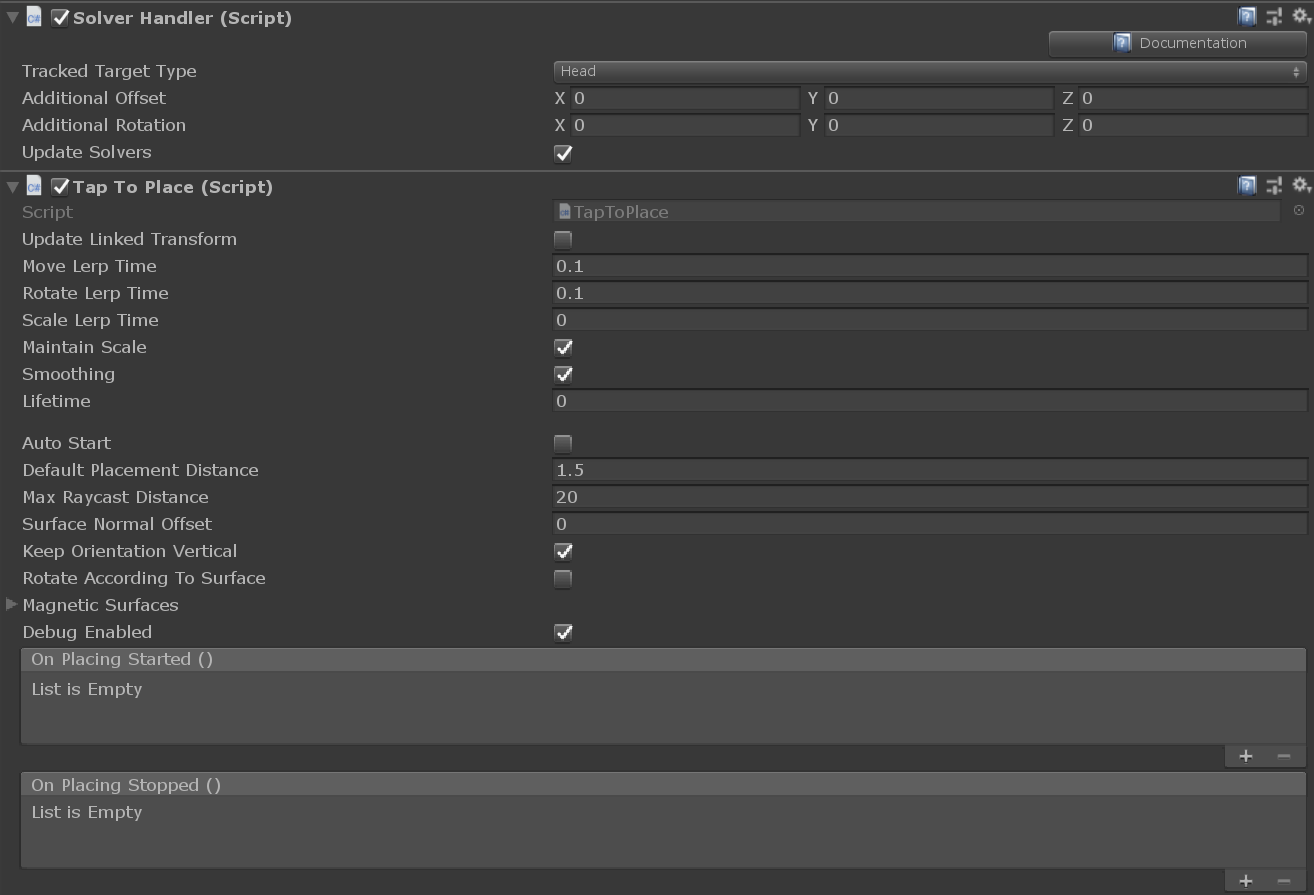
Tap to Place Inspector
image

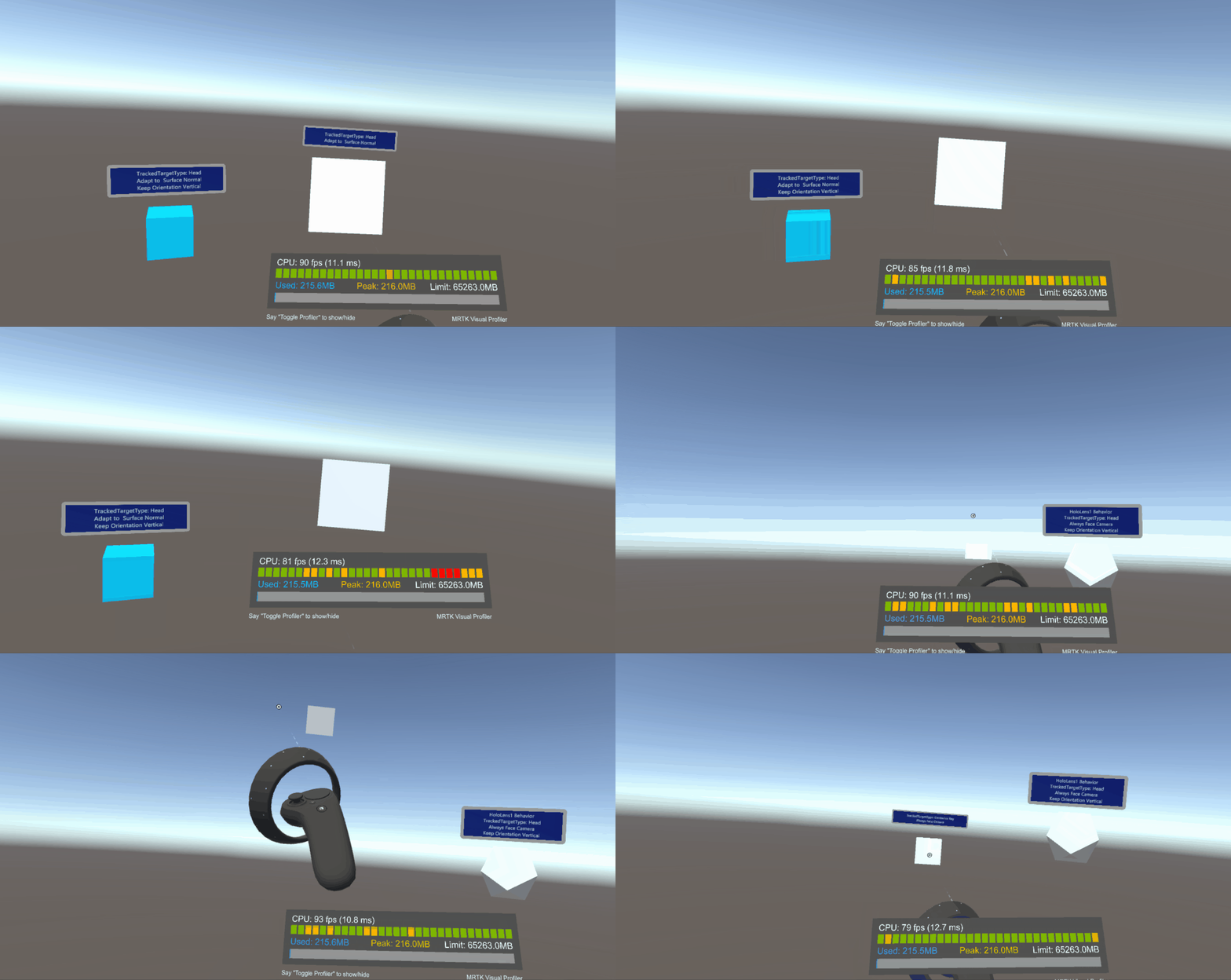
Tap to Place Example Scene without walls (Default) Tap to Place Example Scene with walls
image image

VR Behavior:
TapToPlaceVRSmall

Changes

TO DO

  • Update PR Description, add gifs
  • Add Documentation (Different PR)
  • Add Tests (Different PR)

Verification

As a reviewer, it is possible to check out this change locally by using the following
commands (substituting {PR_ID} with the ID of this pull request):

git fetch origin pull/{PR_ID}/head:name_of_local_branch

git checkout name_of_local_branch

Copy link
Contributor

@Troy-Ferrell Troy-Ferrell left a comment

Choose a reason for hiding this comment

The reason will be displayed to describe this comment to others. Learn more.

Cool stuff! I know you are only in draft mode but left some initial comments to review before creating pull request

@wiwei wiwei mentioned this pull request Jan 30, 2020
Copy link
Contributor

@wiwei wiwei left a comment

Choose a reason for hiding this comment

The reason will be displayed to describe this comment to others. Learn more.

Looking good!

Copy link
Contributor

@julenka julenka left a comment

Choose a reason for hiding this comment

The reason will be displayed to describe this comment to others. Learn more.

Good progress. I have several smaller comments but have a must-have request: please make it possible to start and stop placement from code. Would also recommend removing the custom inspector


// Disable ability to edit through the inspector if in play mode
bool isPlayMode = EditorApplication.isPlaying || EditorApplication.isPaused;
using (new EditorGUI.DisabledScope(isPlayMode))
Copy link
Contributor

Choose a reason for hiding this comment

The reason will be displayed to describe this comment to others. Learn more.

Why do we need to disable editing this component if in play mode?

Copy link
Contributor Author

@CDiaz-MS CDiaz-MS Feb 13, 2020

Choose a reason for hiding this comment

The reason will be displayed to describe this comment to others. Learn more.

If the user tries to toggle AutoStart while in play mode, the change will not get registered because the action associated with AutoStart is called only in Start(). I disabled it to remove the potential confusion if someone tried to toggle AutoStart while in play mode through the inspector only to see nothing happen.

Copy link
Contributor

Choose a reason for hiding this comment

The reason will be displayed to describe this comment to others. Learn more.

Not sure this is worth building an entire custom inspector for. Asking @Troy-Ferrell for his opinion. I would vote to not make a custom inspector just t support this.

Copy link
Contributor Author

Choose a reason for hiding this comment

The reason will be displayed to describe this comment to others. Learn more.

The custom inspector has been removed. This is what the inspector looks like now:
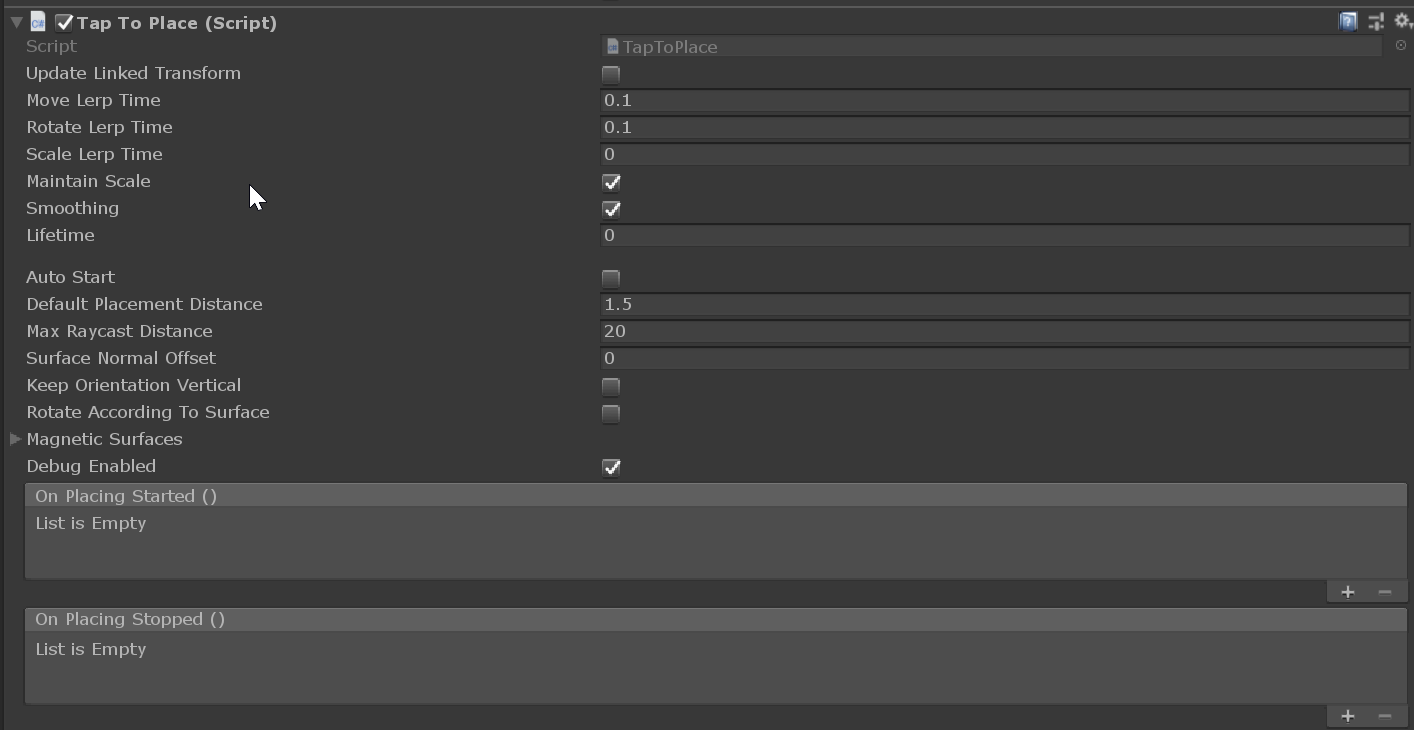
image
I added a space between the inherited solver properties and the tap to place properties.

Copy link
Contributor

@julenka julenka left a comment

Choose a reason for hiding this comment

The reason will be displayed to describe this comment to others. Learn more.

Looking better, a couple more comments.

/// TrackedTargetType (Head by default) at a default distance. StopPlacement() must be called after StartPlacement() to stop the
/// game object from following the TrackedTargetType.
/// </summary>
public void StartPlacement()
Copy link
Contributor

Choose a reason for hiding this comment

The reason will be displayed to describe this comment to others. Learn more.

Would be good to add tests to verify that StartPlacement() and StopPlacement() work when called from code. Good candidate for tests.

Copy link
Contributor Author

Choose a reason for hiding this comment

The reason will be displayed to describe this comment to others. Learn more.

Tests will be added in another PR, but there will be a test with code configurability in mind.

@cre8ivepark cre8ivepark added this to the MRTK 2.4.0 milestone Feb 19, 2020
@CDiaz-MS CDiaz-MS requested review from julenka and wiwei February 19, 2020 23:52
Copy link
Contributor

@julenka julenka left a comment

Choose a reason for hiding this comment

The reason will be displayed to describe this comment to others. Learn more.

Looks good!

@CDiaz-MS
Copy link
Contributor Author

/azp run

@azure-pipelines
Copy link

Azure Pipelines successfully started running 2 pipeline(s).

@CDiaz-MS
Copy link
Contributor Author

/azp run

@azure-pipelines
Copy link

Azure Pipelines successfully started running 2 pipeline(s).

@CDiaz-MS CDiaz-MS merged commit 1360d0a into microsoft:mrtk_development Feb 21, 2020
Copy link
Contributor

@keveleigh keveleigh left a comment

Choose a reason for hiding this comment

The reason will be displayed to describe this comment to others. Learn more.

Sorry I'm super late to the review party, but just a few comments.

Sign up for free to join this conversation on GitHub. Already have an account? Sign in to comment

Labels

None yet

Projects

None yet

Development

Successfully merging this pull request may close these issues.

Port over Tap-to-Place feature from HoloToolkit

7 participants