
Game Cheetah is a high-performance memory scanner and game trainer for Linux, Windows, and macOS. It allows users to search, modify, and freeze values in running processes, particularly games, to create cheats, trainers, or analyze program behavior.
Make yourself more memory, better stats or more lives. Single player games store the game state in memory where multiplayer games don't. So, this utility is not useful for multiplayer games.
- Multi-Platform Support: Works on Linux, Windows, and macOS with platform-specific optimizations
- Advanced Memory Search:
- Multiple data types (integers, floats, doubles, strings, arrays)
- SIMD-optimized search algorithms for blazing-fast performance
- Parallel search using all CPU cores
- Smart memory region filtering to skip system libraries
- Real-time Value Manipulation:
- Modify values directly in memory
- Freeze values to prevent games from changing them
- Multiple search tabs for different values
- Undo/redo functionality
- Intuitive GUI: Built with Iced framework for a responsive, modern interface
- Memory Editor: Hex editor view for direct memory inspection and editing
- Internationalization: Multi-language support via Fluent localization
- Written in Rust for memory safety and performance
- Lock-free data structures for efficient multi-threaded operations
- SIMD instructions (SSE2/AVX2) for accelerated searches
- Zero-copy memory access where possible
- Optimized for both speed and low memory usage
- Creating game trainers and cheats
- Debugging and reverse engineering
- Educational purposes to understand memory management
- Game modding and analysis
- Performance analysis of applications
Similar to: Cheat Engine, ArtMoney, or GameGuardian, but with a focus on performance, safety, and cross-platform compatibility.
Keep in mind that altering a game memory contents may lead to game and/or computer crashes. Use at your own risk.
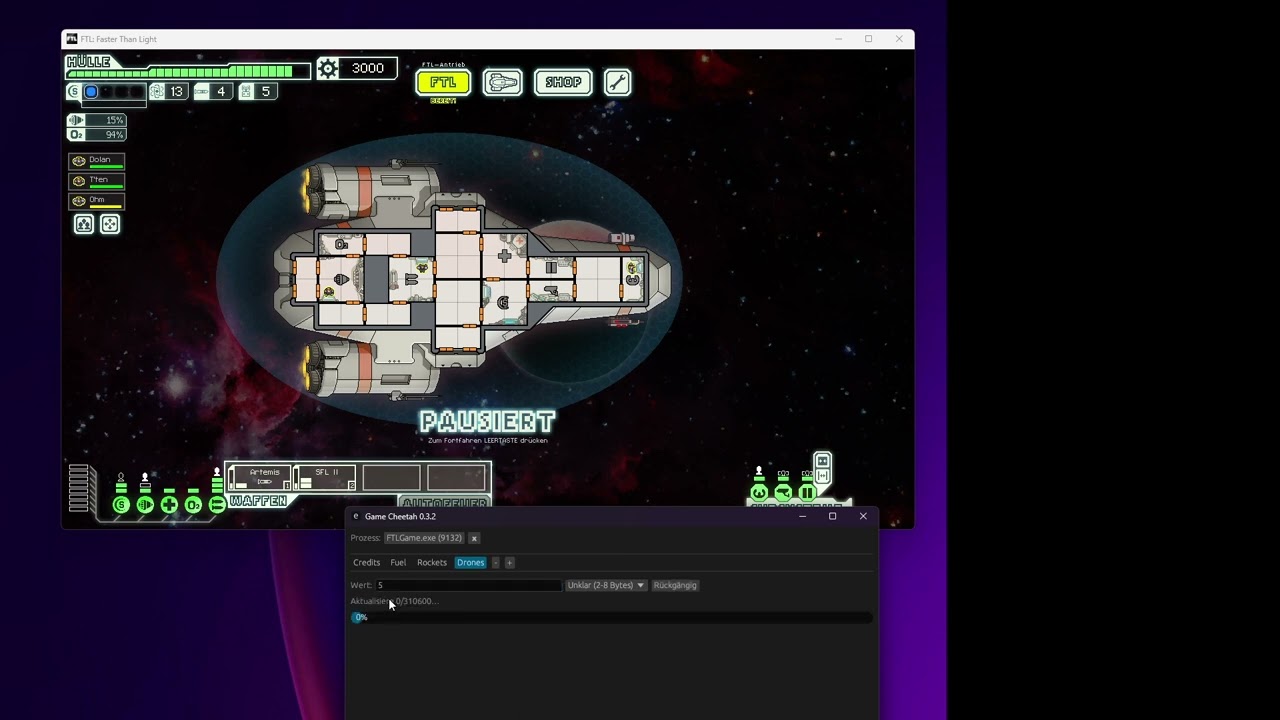
Grab a prebuilt binary from the releases page (recommended): https://github.com/mkrueger/game_cheetah/releases/latest
Note: Game Cheetah is no longer published to crates.io starting with 0.6.0. The UI now depends on
icy_ui, which is not on crates.io, andcargo publishrequires every dependency to have a crates.io version. Untilicy_uiis published, install from a release binary or build from source (see below).cargo install game-cheetahwill continue to work for older 0.5.x versions but will not receive new releases.
Install Rust (https://www.rust-lang.org/tools/install) and run:
cargo build --release
The executable will be in target/release/game-cheetah.