feat(Truncate): added Truncate component#6713
Conversation


 nicolethoen
requested review from
jpuzz0,
mattnolting,
mcarrano,
nicolethoen and
wise-king-sullyman
nicolethoen
requested review from
jpuzz0,
mattnolting,
mcarrano,
nicolethoen and
wise-king-sullyman


|
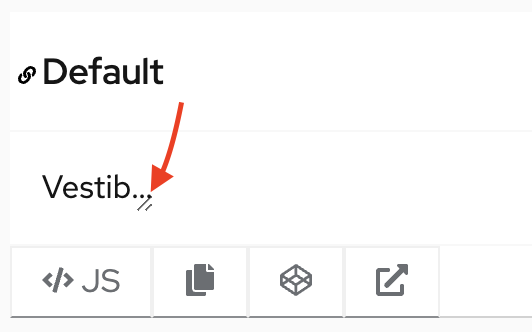
A couple styling questions that might be more for patternfly core to address: Should we consider adding some padding between the end of the content and the extender icon? Should we consider applying a minimum width in some cases? |


| end: styles.truncateStart | ||
| }; | ||
|
|
||
| interface TruncateProps extends React.HTMLProps<HTMLDivElement> { |

There was a problem hiding this comment.
Looks like this should be extending HTMLProps from HTMLSpanElement instead.
There was a problem hiding this comment.
Yes I originally had div there and then changed it and forgot to do this...
| /** Class to add to outer span */ | ||
| className?: string; | ||
| /** Text to truncate */ | ||
| content: string; |
There was a problem hiding this comment.
Wondering if we considered just using children for content instead. I don't have much of a preference, but curious about your thoughts.
There was a problem hiding this comment.
I think that if we know that the content will always be a string, there is no need to have it as children and just use a prop content. But this was one thing that I knew that someone will be commenting, so totally up for debate :D
There was a problem hiding this comment.
I wonder if at some point we'd want content to be bold or italicized. In that case, I think we'd want to just use ReactNode. If there's potential for that, I think it's worth a debate, or at least the changing of the type, otherwise if we know it will always be a string, what you have is fine with me.

There was a problem hiding this comment.
This is a good question for @mattnolting
Will the css that controls the truncation still work if someone wants to put an icon or link somewhere in the string?
There was a problem hiding this comment.
The text can be bold or italicized, you can just add those tags around. But with the icon it won't work. So I think that it is best we keep it as string.
I used the same styling as it is in core. So this is definitely a question for maybe @mattnolting ? :) |

 mcarrano
left a comment
mcarrano
left a comment
mcarrano
left a comment
There was a problem hiding this comment.
This is looking good @gabipodolnikova . I also had a question about the drag/resize icon and capability. Is that actually part of the component or is it part of the example to let the user see how truncation works? If the former, I don't think we'd want to allow that in all cases. In most places where truncation is used, there is not space to make the field wider.
Also, in either case, it would be good to introduce some padding between the icon and string.
It is not a part of the component, it is just to help to demonstrate how it works. I can add some padding. But the padding should also be added in the core example as I totally used what is in there :) @mattnolting |


@mcarrano, @gabipodolnikova is right, I should fix up the Core example in a new issue. |

|
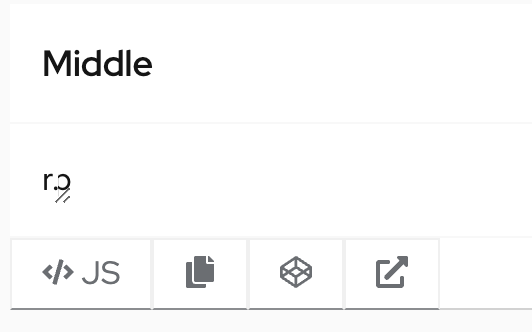
@mattnolting @mcarrano It looks like when the truncation is in the middle, there is sometimes a noticeable large space to the right of the ellipses. On the left, the ellipses are always right next to last character before them. Is this intentional? |
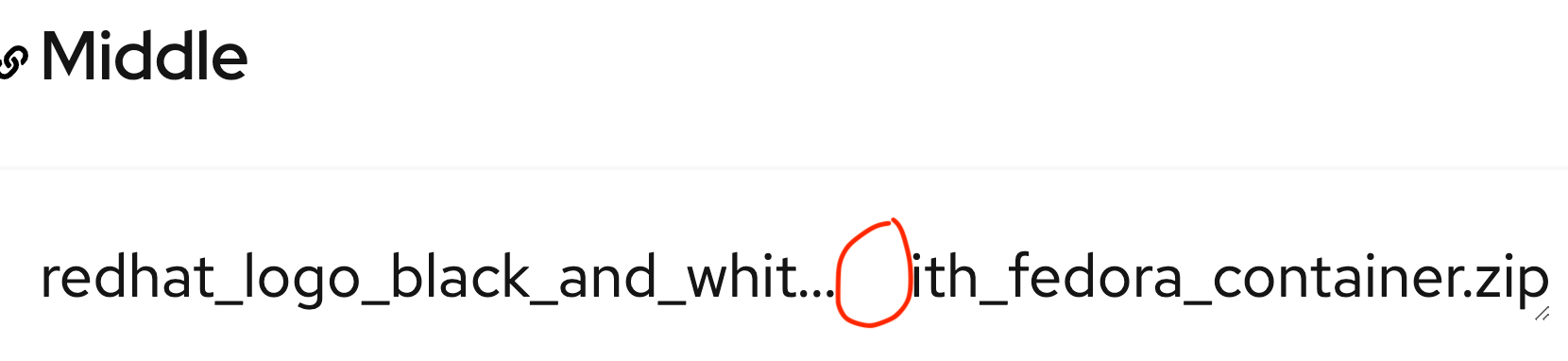

This is definitely not intentional. Do you know what's causing that @mattnolting ? Is it just an artifact of the example with a resizable container? Ideally there would be no extra space between the "..." and the second string. |

|
should we attach a resize observer to the component parent container to recalculate where to break the strings on resize? to avoid the gap? |
|
@gabipodolnikova, If this PR needs an update after the core PR is done, Im happy to update it, too if you'd like. Just let me know. |
Thanks for resolving this for me Nicole and Matt! :D I will update this PR when the core is merged :) |
|
@gabipodolnikova The PR was merged! :) |
 gabipodolnikova
force-pushed
the
new-component-truncate
branch
from
gabipodolnikova
force-pushed
the
new-component-truncate
branch
from
8705aa9 to
ce2353e
Compare
mcarrano
left a comment
mcarrano
left a comment
There was a problem hiding this comment.
Looks great. Thanks @gabipodolnikova !

 tlabaj
left a comment
tlabaj
left a comment
tlabaj
left a comment
There was a problem hiding this comment.
Looks great! thanks Gabi.
| className?: string; | ||
| /** Text to truncate */ | ||
| content: string; | ||
| /** Number of characters that shoul be sliced at the end of the content string. Works best if the number is between 5 to 10. */ |
There was a problem hiding this comment.
Some suggested spelling adjustments:
"that should be sliced"
"between 5 and 10"
Also, I'm curious why a number between 5 and 10 would work the best. I'm thinking others might wonder the same thing reading this.
There was a problem hiding this comment.
Thanks for the spellcheck... And why numbers between 5 and 10, I am taking it from this PR patternfly/patternfly#4599 I could probably just say that we suggest these numbers... It is not mentioned in the core, just in that PR, so I wanted to mention it somewhere :) I welcome any better formulation of this piece of information.
There was a problem hiding this comment.
I think specifying it's a suggestion for the sake of readability makes sense. Maybe the example text which echos the same thing could be updated with that verbiage as well.
There was a problem hiding this comment.
1 other suggestion is to rename the prop to something like charGap (or something like gap) to add some more context to what the slicing will do, which is create a gap of whitespace. Not a blocking comment, just figured I'd throw this out there to see what you or others thought.

 mattnolting
left a comment
mattnolting
left a comment
mattnolting
left a comment
There was a problem hiding this comment.
This looks fantastic, thanks for your hard work and patience with this issue, Gabi!!! Well done 👏👏👏

|
Your changes have been released in:
Thanks for your contribution! 🎉 |
8 participants


What: Closes #6566