

Build, test, and operate Pinecone indexes and assistants directly inside VS Code.
- Manage Pinecone resources without leaving your editor.
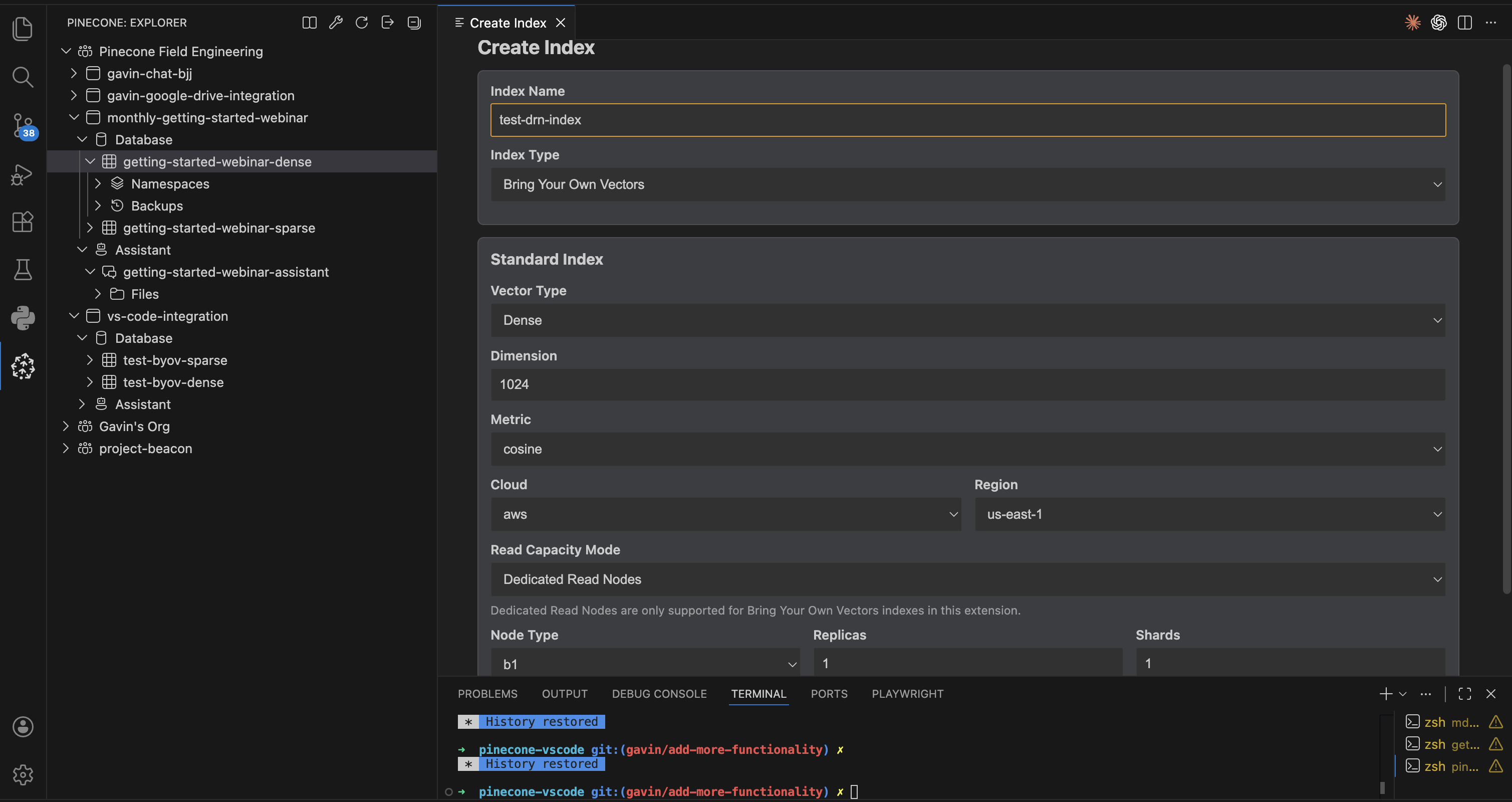
- Use guided dialogs for index creation and configuration, backups/restores, querying, and data operations.
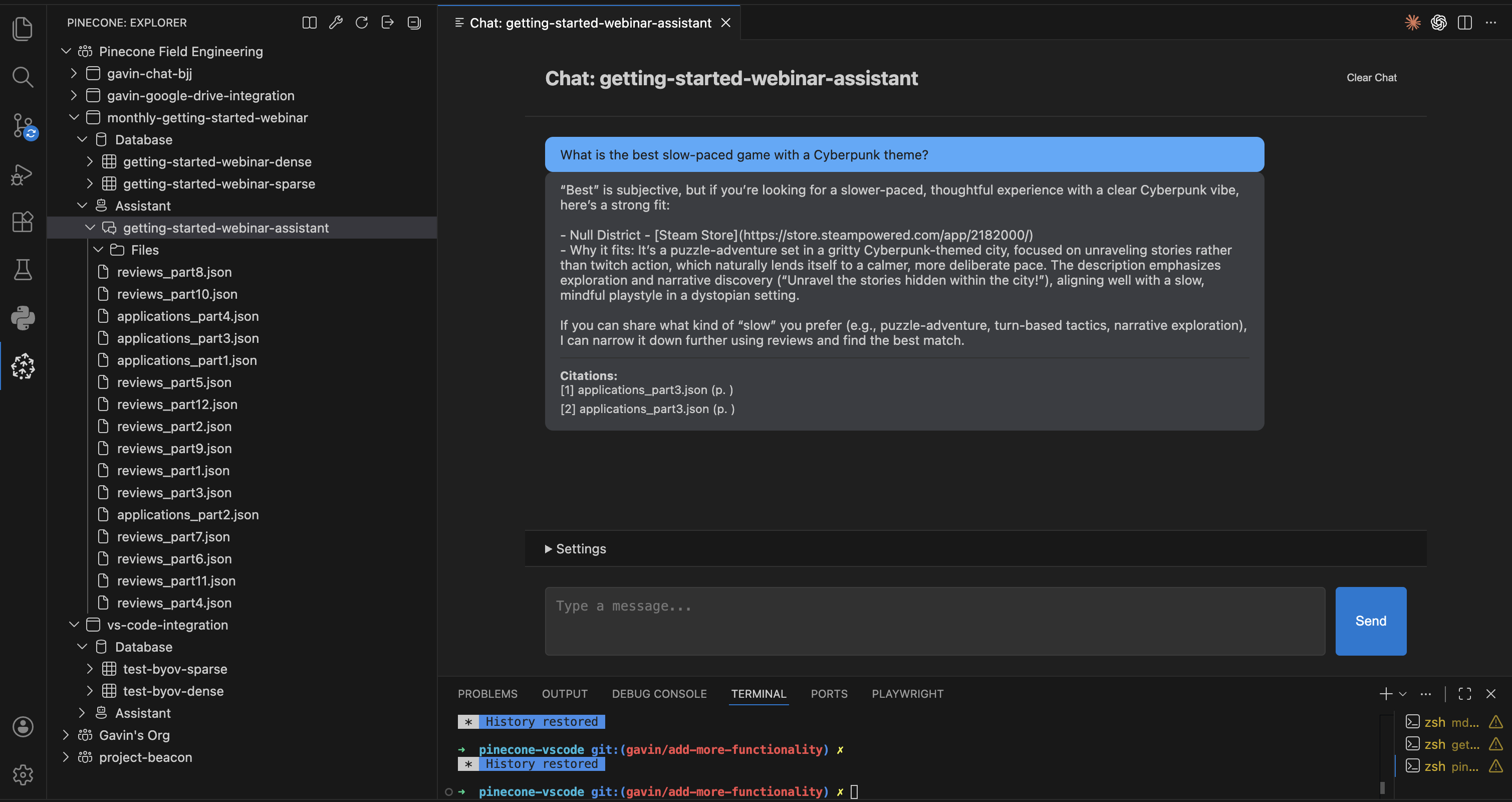
- Work with Assistants (chat, files, context/eval tools) in the same workspace.
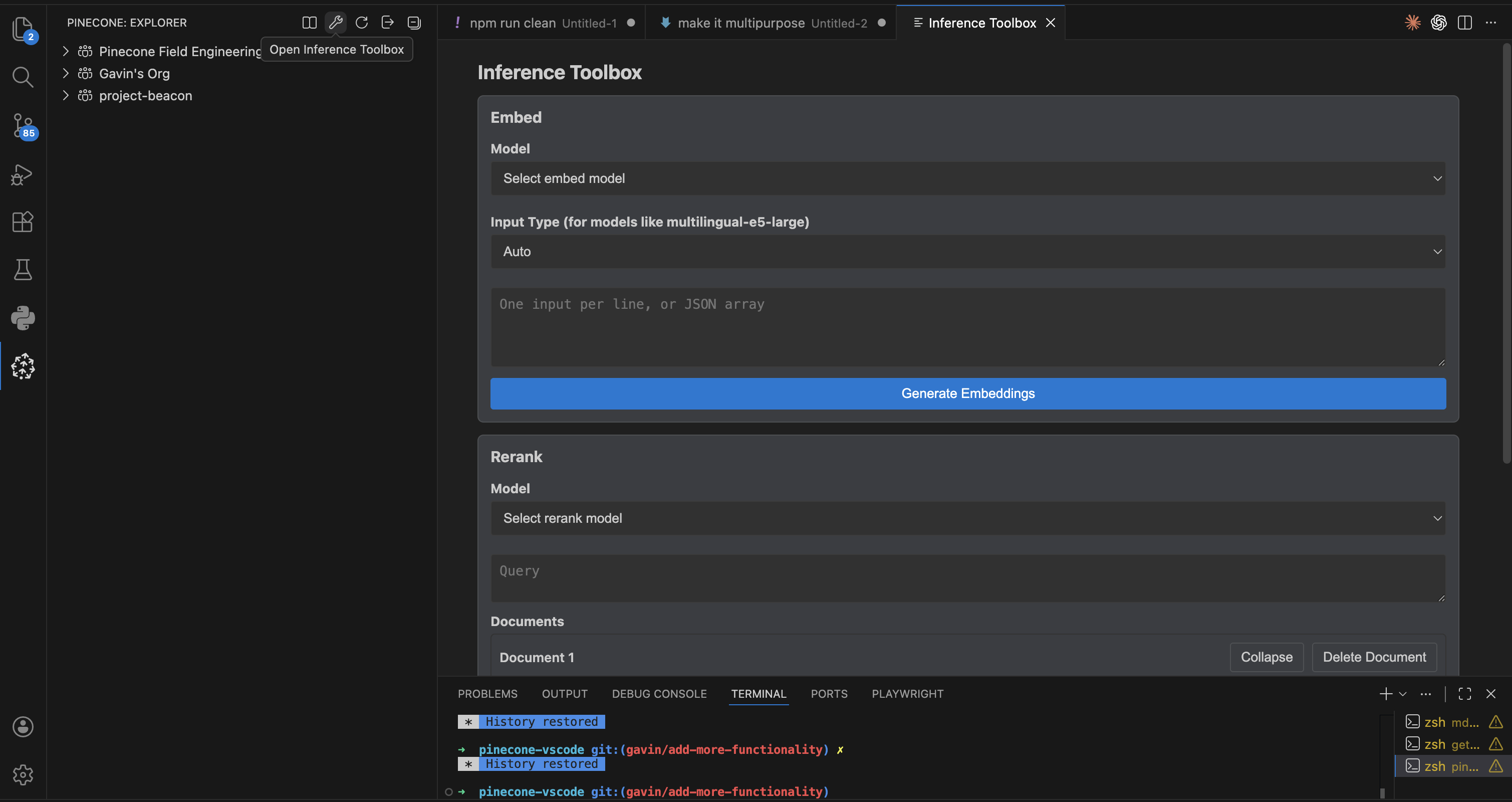
- Run embeddings and reranking from the Inference Toolbox.
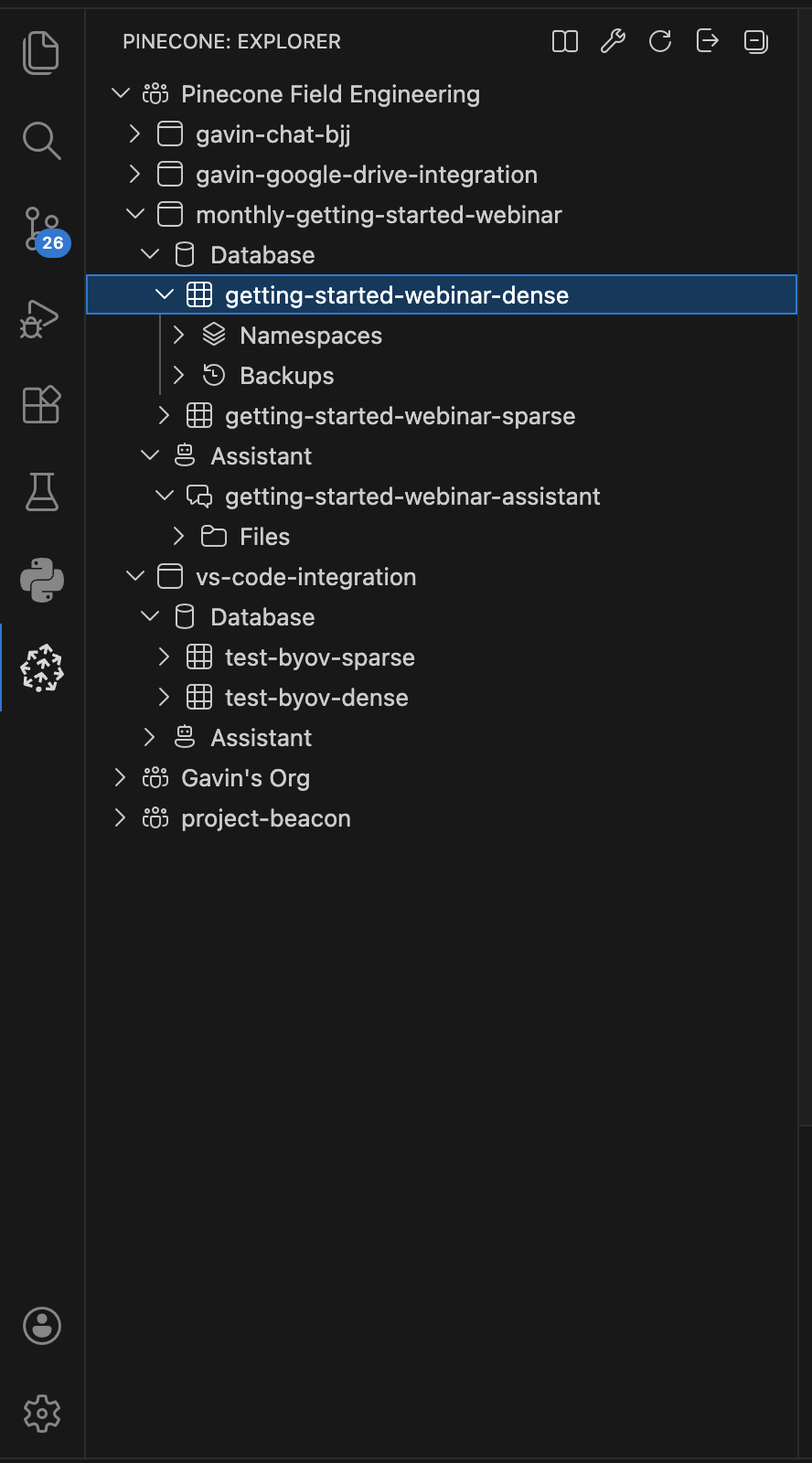
- Browse organizations, projects, and indexes.
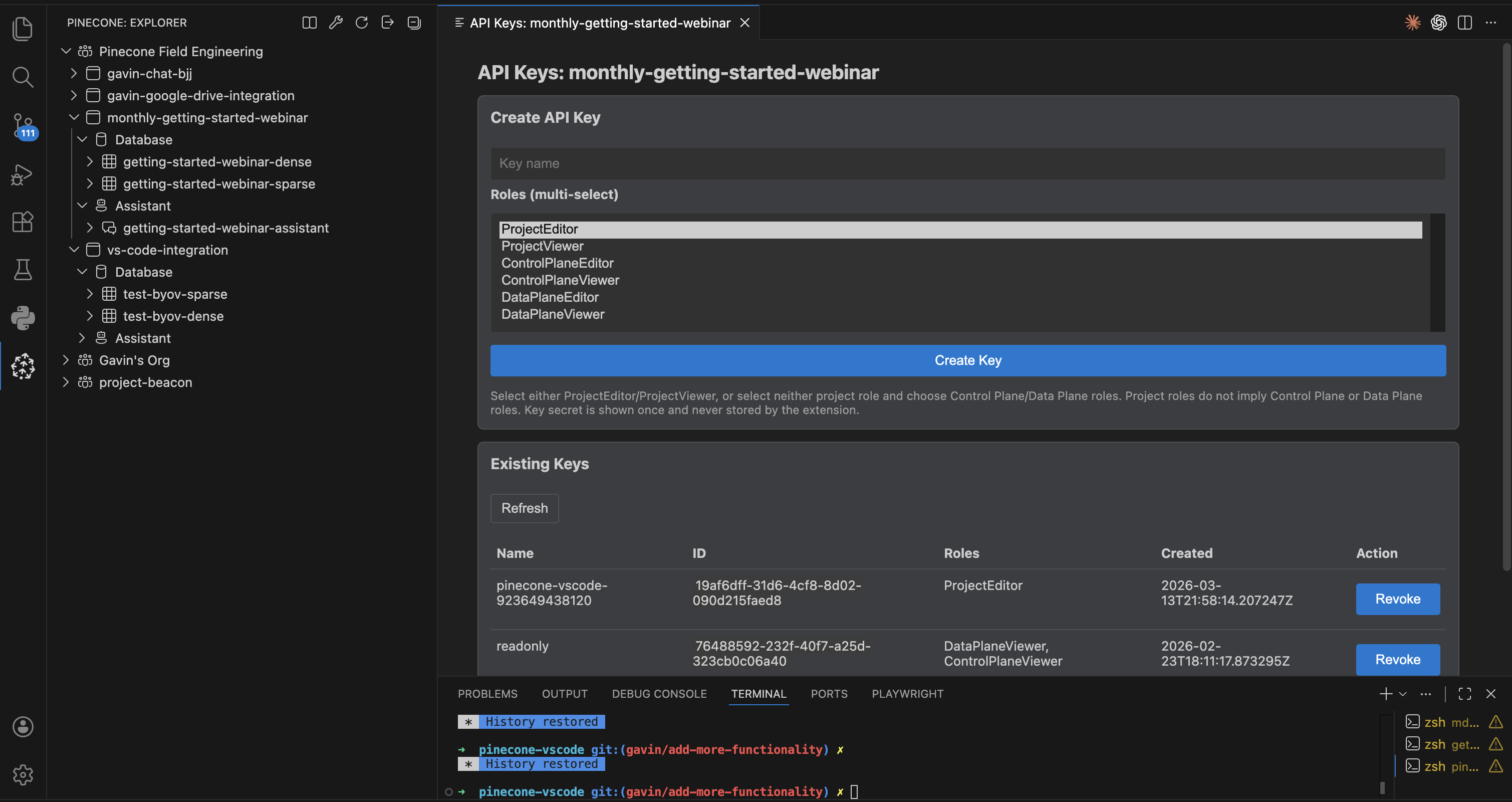
- Manage project API keys (list, create, and revoke).
- Create serverless indexes:
- On Demand
- Integrated embeddings
- Bring-your-own-vectors (dense/sparse)
- Dedicated Read Nodes (DRN, manual scaling)
- On Demand
- Configure index settings (tags, deletion protection, DRN settings).
- Query indexes with vector or text search (when integrated embeddings are enabled).
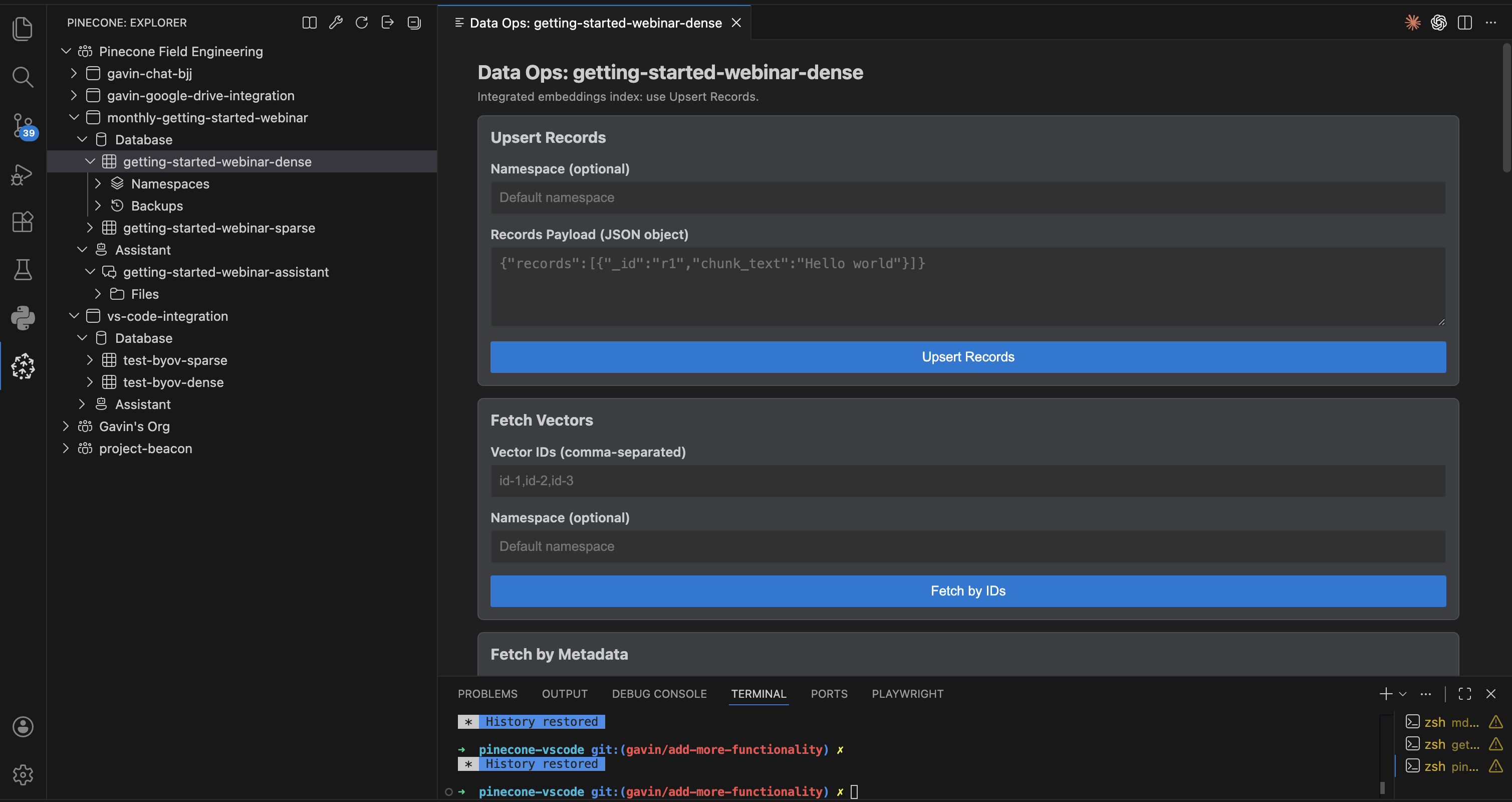
- Run Data Ops (upsert/fetch/update/delete/list vectors and imports).
- Manage namespaces.
- Create backups, restore backups, and monitor backup/restore jobs.
- Create, update, and delete assistants.
- Chat with streaming responses and citations.
- Upload files with metadata and multimodal options.
- Retrieve context from assistant.
- Evaluate assistant answers.
- Generate embeddings.
- Rerank documents.
- Create, rename, and delete projects.
- Manage project API keys from each project node.
- Open Extensions (
Cmd+Shift+X/Ctrl+Shift+X). - Search for
Pinecone. - Install
pinecone.pinecone-vscode.
- Download the latest release
.vsix. - Run
Extensions: Install from VSIX....
- Open the Pinecone view in the Activity Bar.
- Click Login with Pinecone.
- Expand your organization/project.
- Use Database and Assistant tree nodes for operations.
- Right-click resources to open dialogs and actions.
Most workflows are tree-context driven:
- Right-click project nodes for project management and API key operations.
- Right-click
Database, indexes, namespaces, and backups for index operations. - Right-click
Assistant, assistant items, andFilesfor assistant operations. - Use view title actions for global utility commands.
The palette is intentionally utility-focused:
Pinecone: Login with PineconePinecone: LogoutPinecone: RefreshPinecone: Open Documentation
Operational commands are exposed from the explorer context menus and dialogs.
- VS Code
>= 1.85.0 - Pinecone account (app.pinecone.io)
- If actions are disabled, refresh the explorer and check the index tooltip/state.
- If authentication fails, run logout then login again.
- If data-plane requests fail in OAuth mode, verify project context by re-expanding the project node.
- User + developer docs hub: Documentation Index
- UI screenshots gallery: UI Gallery
- Contributing guide: CONTRIBUTING.md
- Architecture: Architecture Overview
- API map: API Reference
- Testing standards: Testing Guide
- Debugging: Debugging Guide
- Issues: GitHub Issues
- Pinecone docs: docs.pinecone.io
Apache-2.0