
- Sneak Peek
-
pod-buildah runs the same custom command in multiple containers or a unique command in each container separately. The command output is displayed in a tmux session/pane dedicated to every individual container.


-
pod-buildah deploys 2 rootless debian bookworm containers which build the nyxt browser and linux kernel. Here is a quick overview of the tmux session layout, logging with neovim and separate container shells.


-
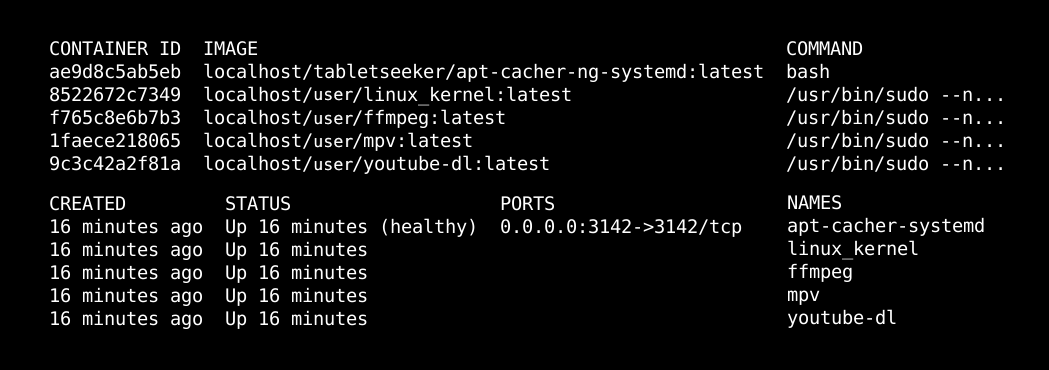
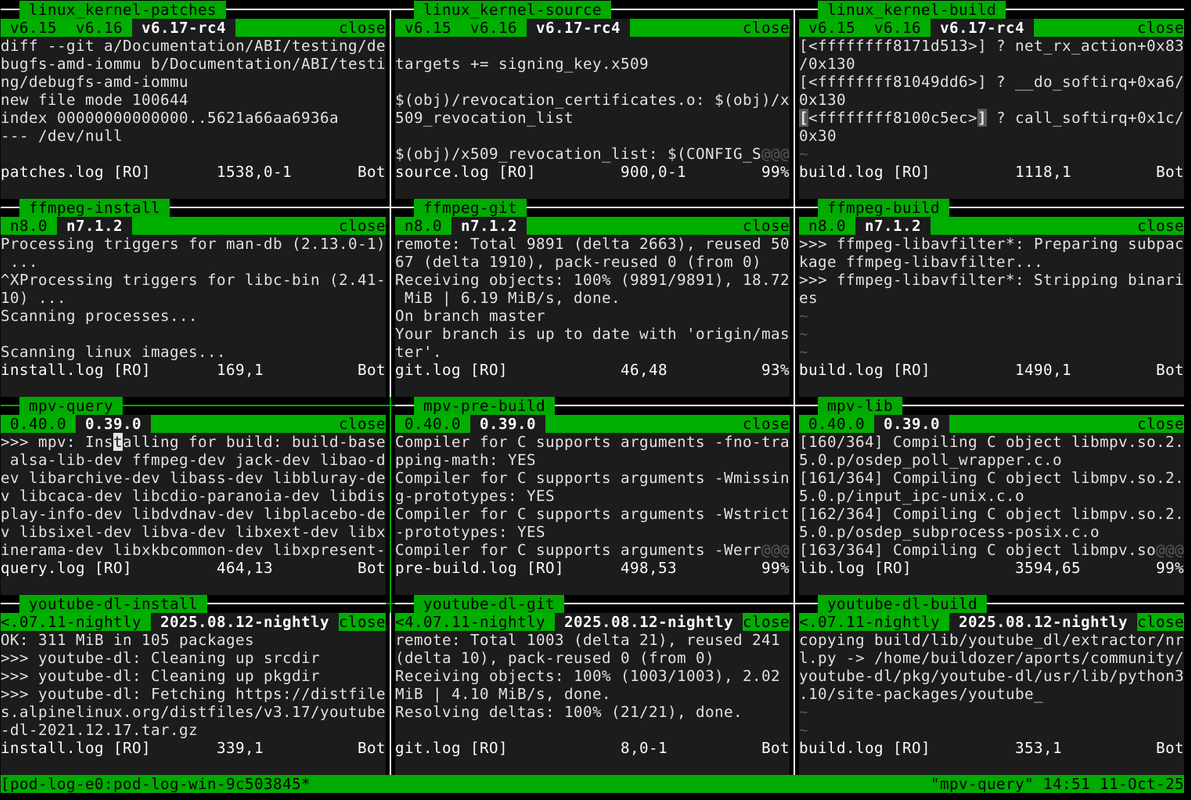
pod-buildah automatically creates 4 customized debian bookworm images and based on them deploys 4 rootless podman containers which build multiple tags of ffmpeg, youtube-dl, linux_kernel and mpv.
-
Logs are synchronously generated and tailed with neovim in a tmux session. (full screen toggle per pane possible)
-
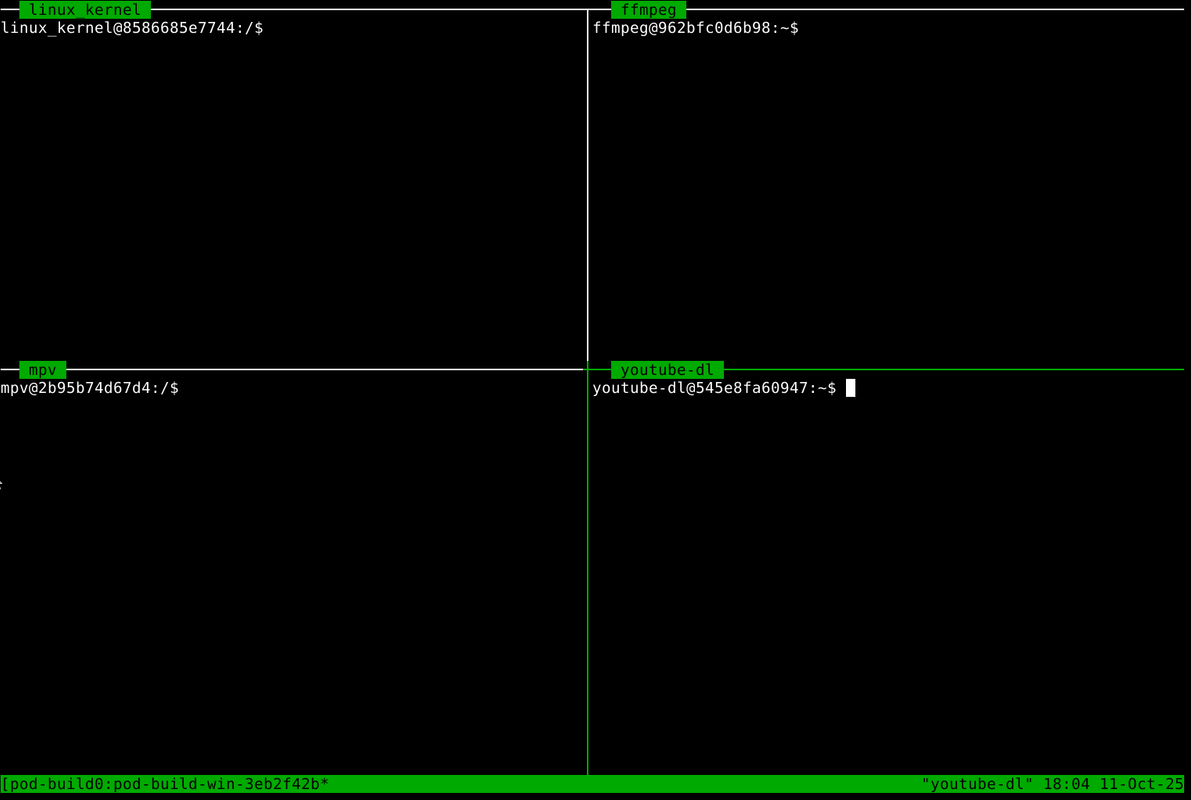
While the main container process (in this case a build script) is running in the background, pod-buildah runs a custom command in a separate tmux session. By default this command launches a shell
/bin/bashinside each container to allow direct access. (container label is also the username) -
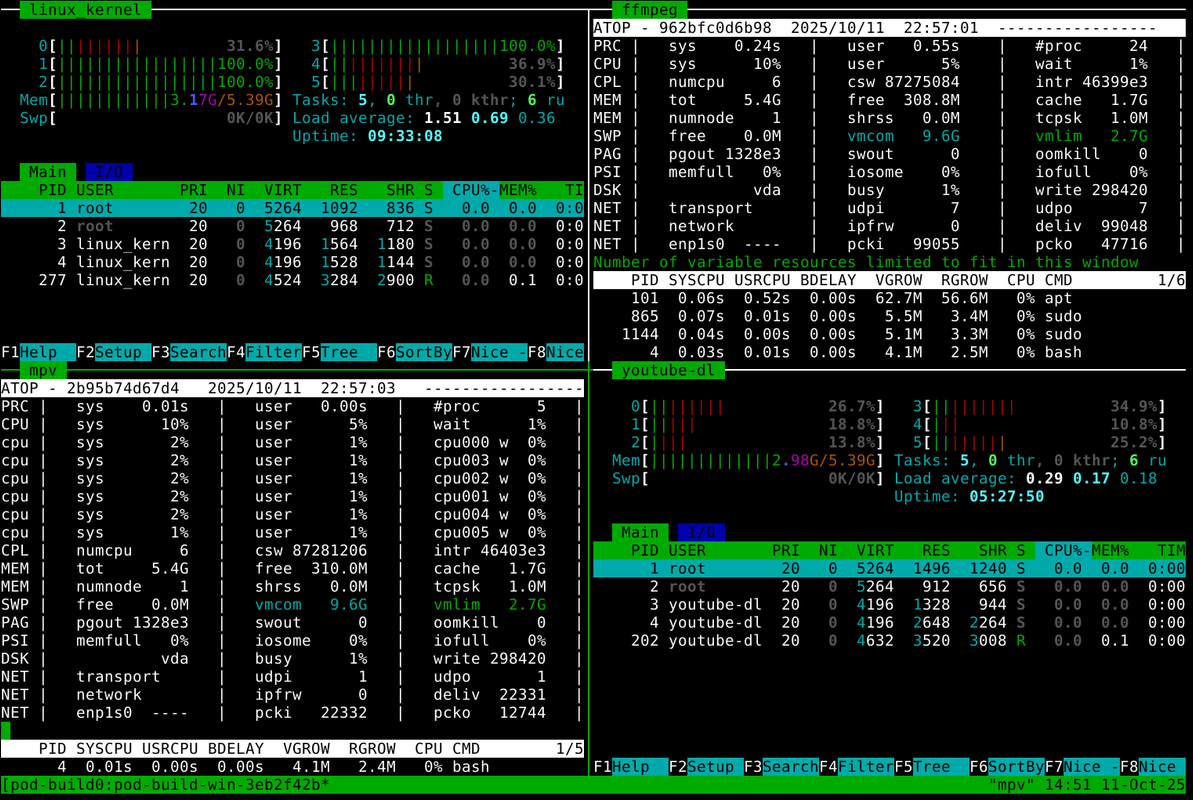
However, any command can be automatically executed on startup, like for example monitoring tools.
-
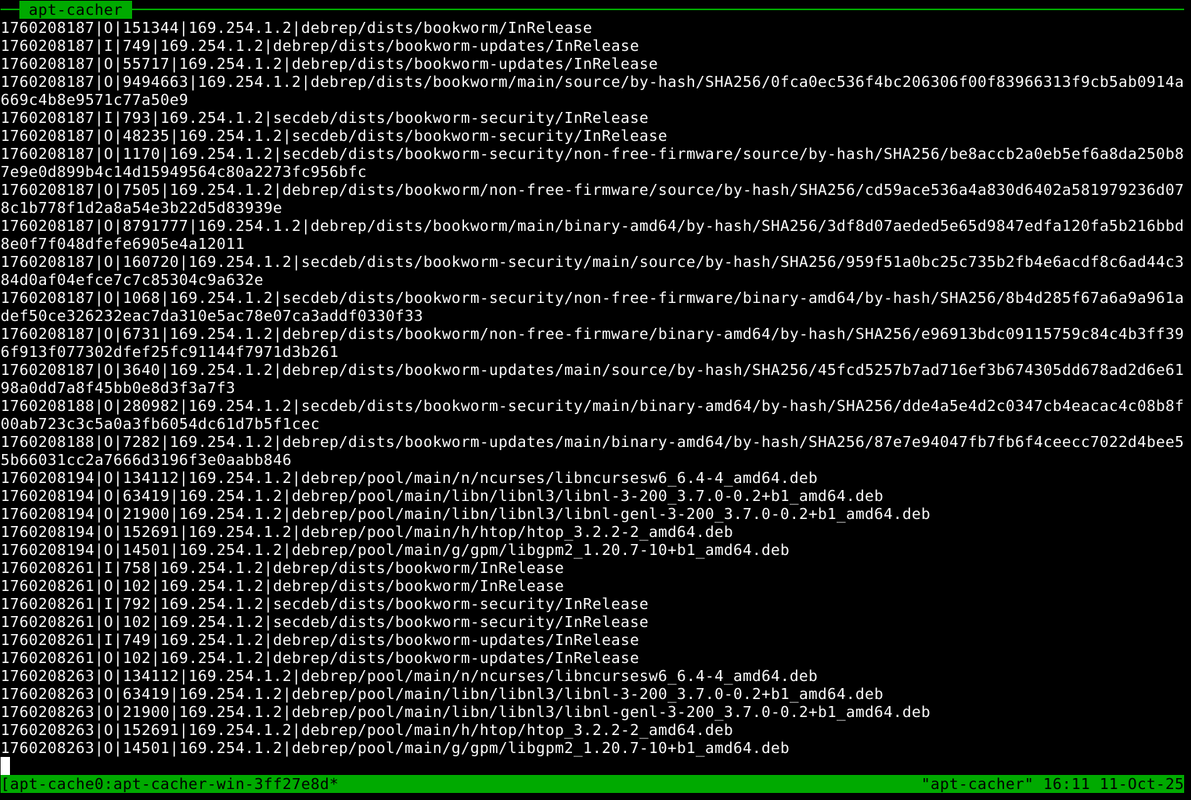
Every container natively uses apt-cacher-ng (also containerized) which is attached to a third and final tmux session. It caches packages during the image creation, container setup and execution of the container process.

- Features
- Anything about a container's image, behavior or task can be changed, automated and logged with simple arguments.
- Change container OS (source image)
- Change container process
- Change mount locations
- Update/reset container image
- Log monitoring/tailing with neovim
- Full integration with tmux
- Customize image setup
- Native use of apt-cacher-ng
- Custom packages
- Custom command (separate from main process)
- Custom post command (after conainer exit)
- Graphical exit status indicator
- Written in 100% Shell
- Install dependencies
- Clone repository
- Dependencies
sudo apt-get install -y podman buildah tmux neovim - Clone repo
git clone --depth=1 --branch=master https://github.com/tabletseeker/pod-buildah
- Basic Functionality
- Only two things are required to run pod-buildah containers.
- Target Name
- Location:
pod-buildah/help-steps/targets - Determines the name of the image, container, container labels, tmux titles, UID inside container etc.
- It is possible to add a prefix via option
-x|--prefix
- Location:
- Main Script
- Location:
pod-buildah/build-data/<target_name>/pod_start - Every container executes a main script on startup called
pod_start. - This script controls the container's behavior while making use of the provided ENV variables and options provided by pod-buildah.
- If this script does not exist, a customizable template is automatically copied from
pod-buildah/help-steps/script_template - When a custom command is chosen with option
-c|--command, the main script is not executed and the container process defaults to/bin/bash.
- Location:
- Tmux Shortcuts
- Navigate panes:
Alt + Arrow_Key - Toggle Full Screen:
Alt + d - Choose Session:
Alt + s - Navigate Neovim Tabs:
g t
- Tmux Sessions
-
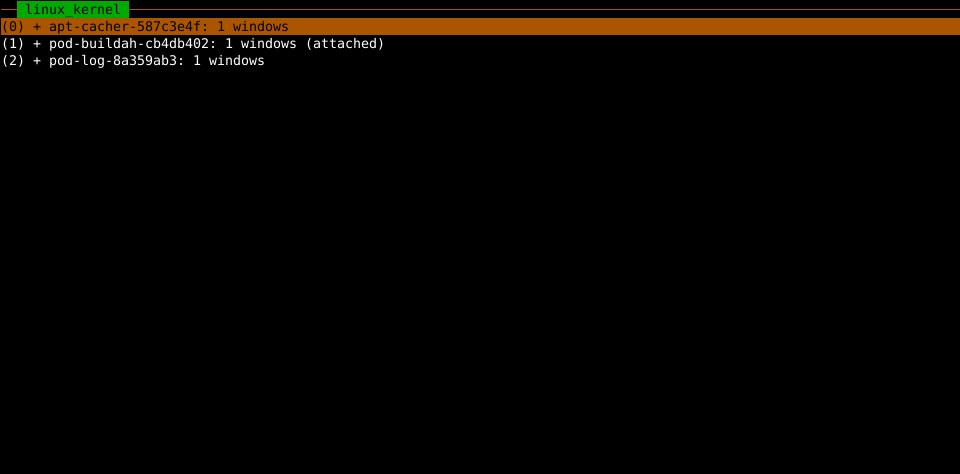
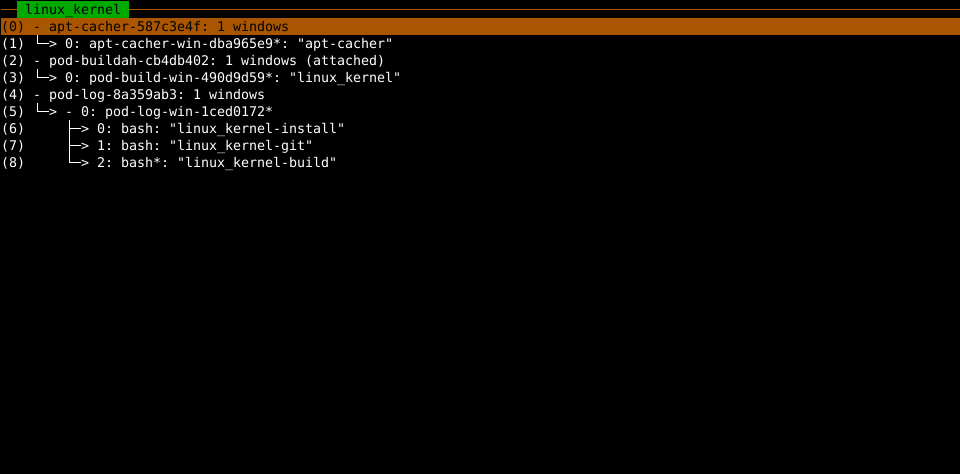
Three separate tmux sessions, each with 1 window and unique identifiers are launched by pod-buildah.
-
apt-cacher: tails the apt-cacher container's /var/log/apt-cacher-ng
-
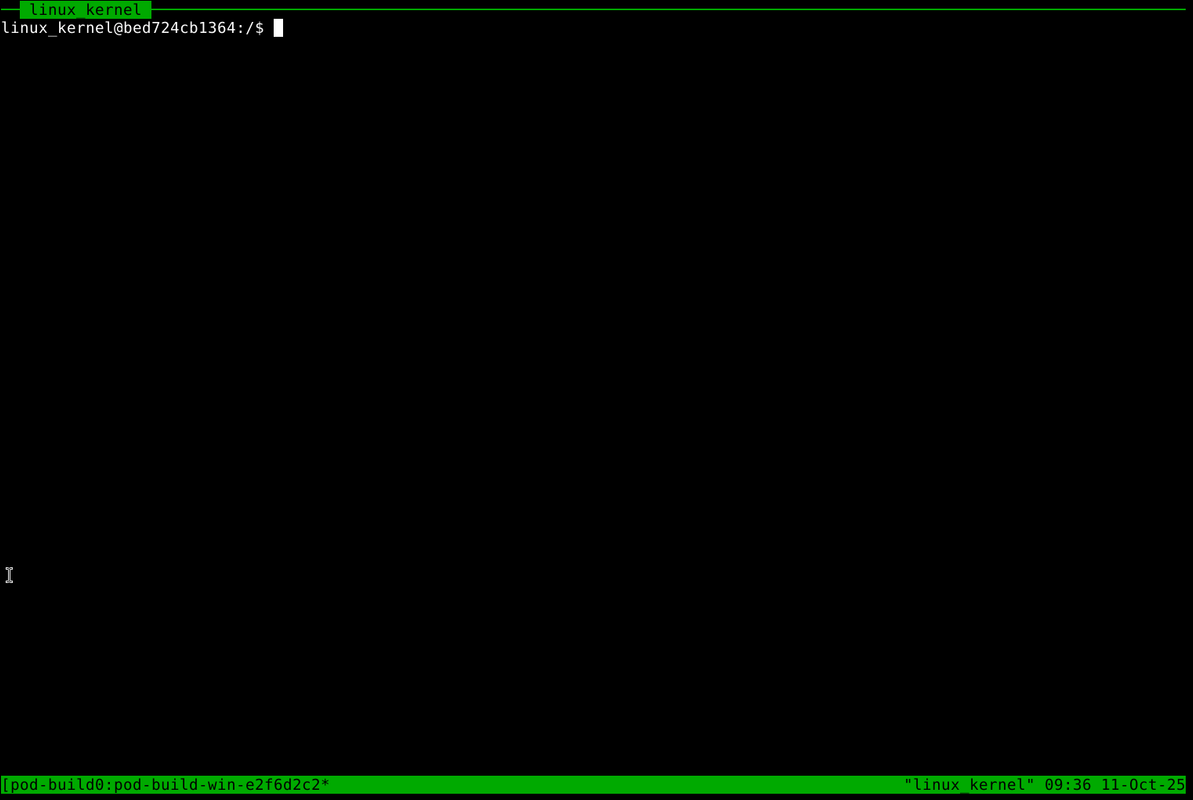
pod-buildah: launches a shell
/bin/bashinside every running container -
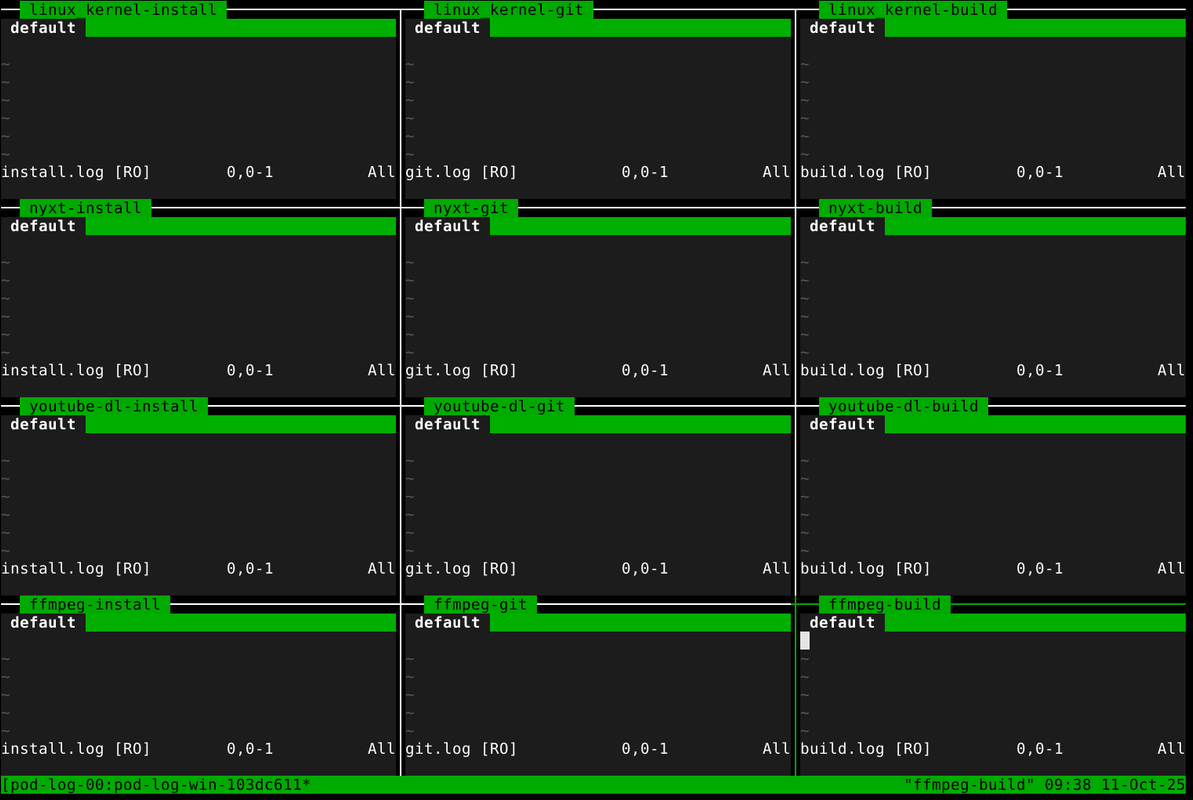
pod-log: tails each of the specified logs (default 3) with neovim
-
Alt + sopens the choose-session display
-
-
Each started container automatically produces new panes in each window.
-
pod-buildah: 1 new pane
-
pod-log: 3 new panes
-
-
A pod-buildah pane (if no custom command is used) allows the user to simultaneously interact with the container inside a shell while the main container process is running in the background.
-
The container's label also poses as the username.
-
-
Each pod-buildah pane is coupled with 3 pod-log panes in a separate pod-log session which display the logs as the container process is running.
-
If only one or the native branch is chosen, the default logs and pane titles are used.
-
The default log titles are
install.log,git.logandbuild.log -
The tmux log title is composed of the target name and the log name.
-
Custom log names can be chosen with option
-ln|l--log-names.
-
-
If multiple containers are launched, each window is automatically split.
-
pod-buildah window layout: tiled
-
pod-log window layout: 3 x 3
-
-
A total of 4 pod-buildah and 9 pod-log panes are allowed per window.
-
After that limit has been reached a new window is created in each session.
-
You can navigate between panes via
Alt + Arrow_Key -
Alt + dtoggles fullscreen per pane
-
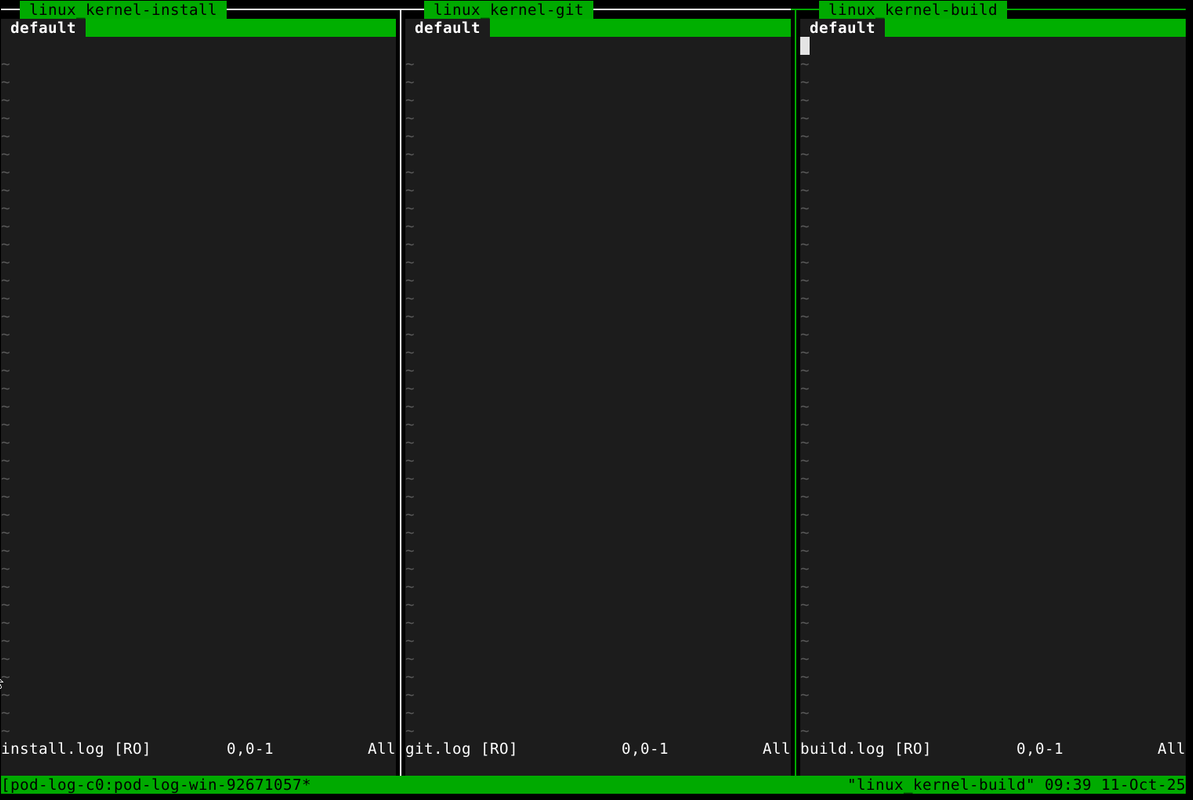
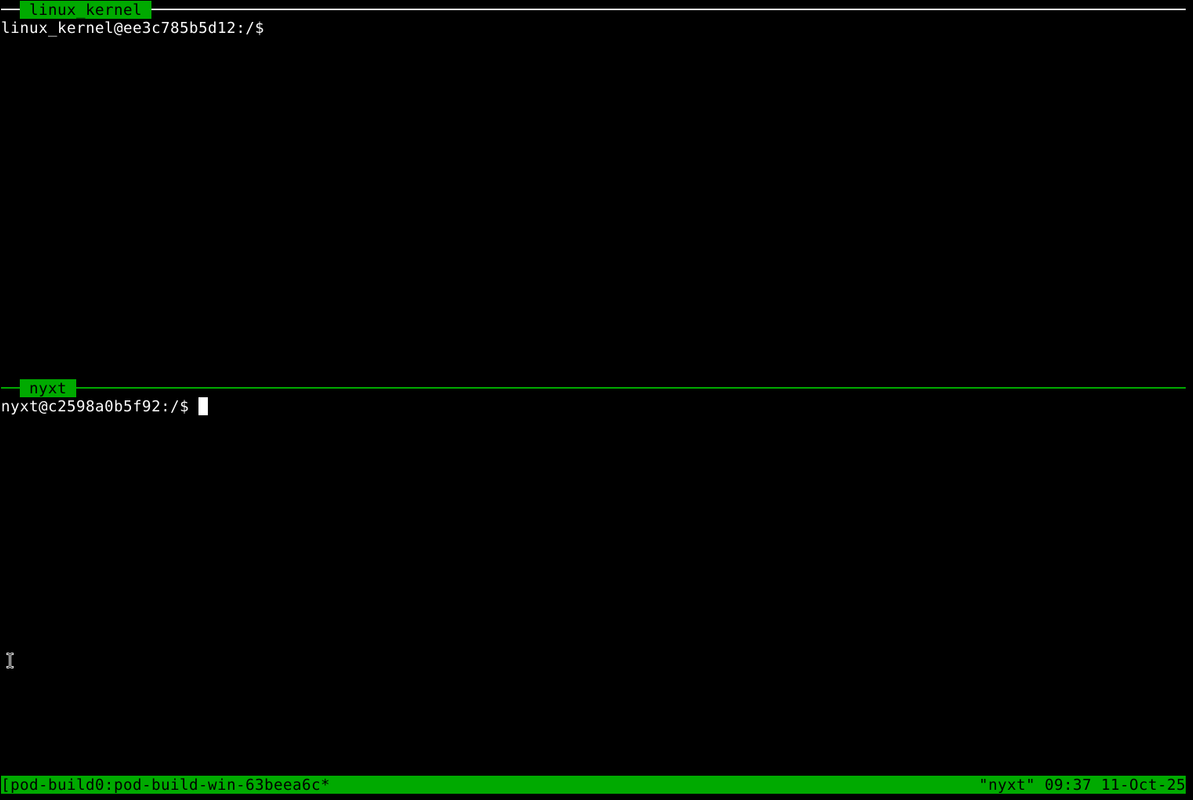
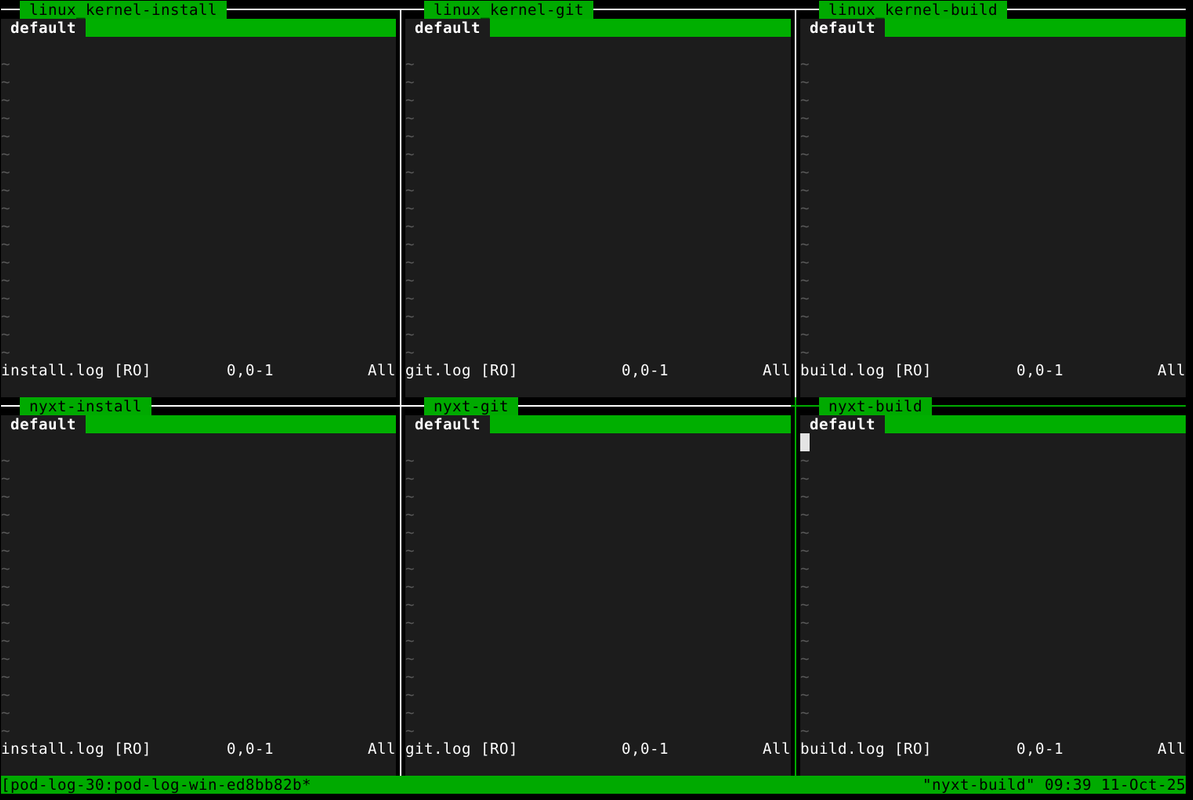
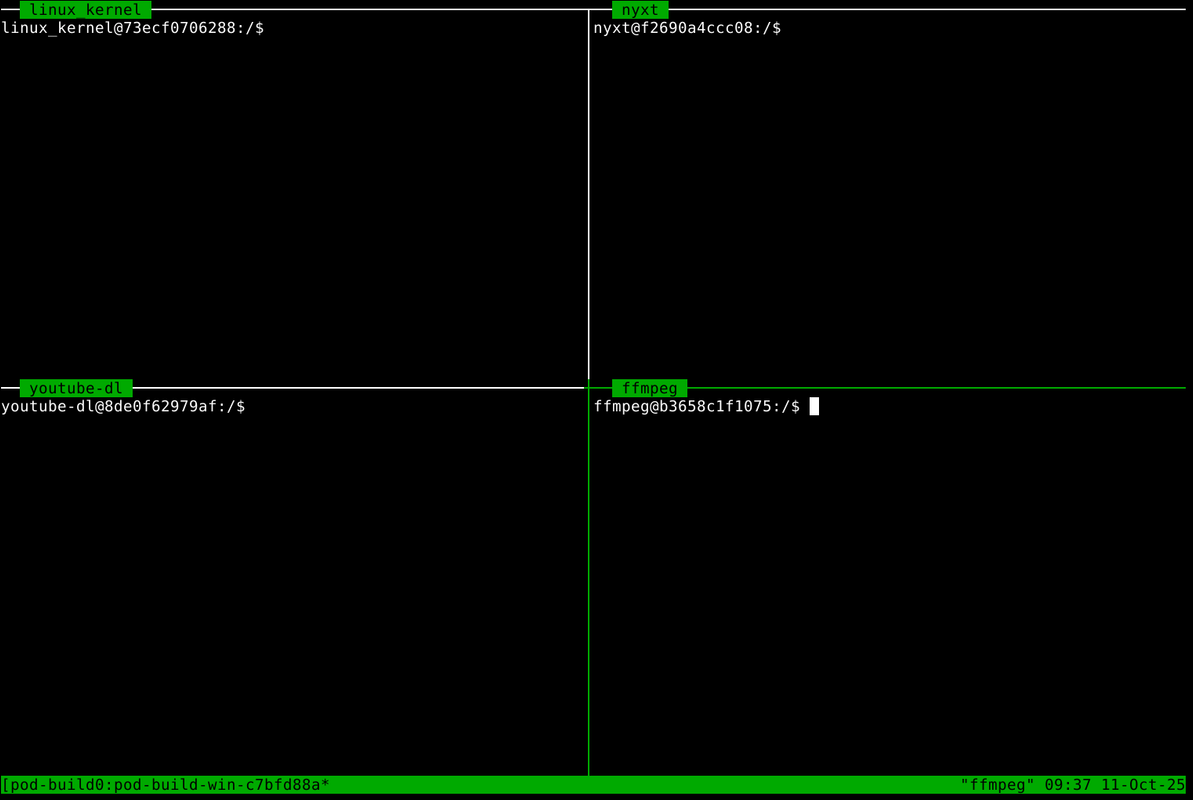
- Exit Status
-
Once a custom command that is executed inside a container with option
-c|--commandexits or the container itself stops because execution of its main process has finished, the exit status will be indicated graphically by a colored text box in the target container's tmux pane. Since pod-buildah always runs a custom command for each target via tmux, by default/bin/bash, this exit message will always appear in any given pod-buildah tmux pane. When it is visible, a custom post command can be run inside that same tmux pane by pressingEnter. This post command can be controlled with option-tc|--tmux-command. By default, it launches neovim. -
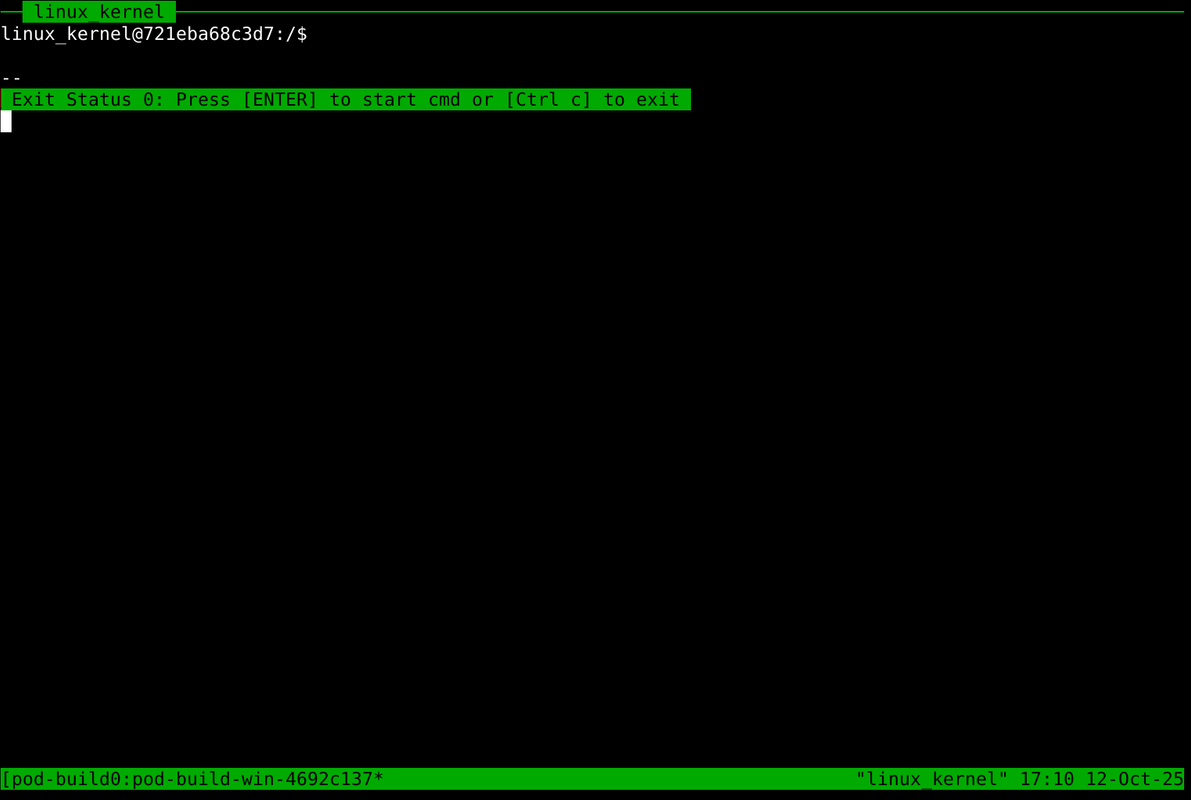
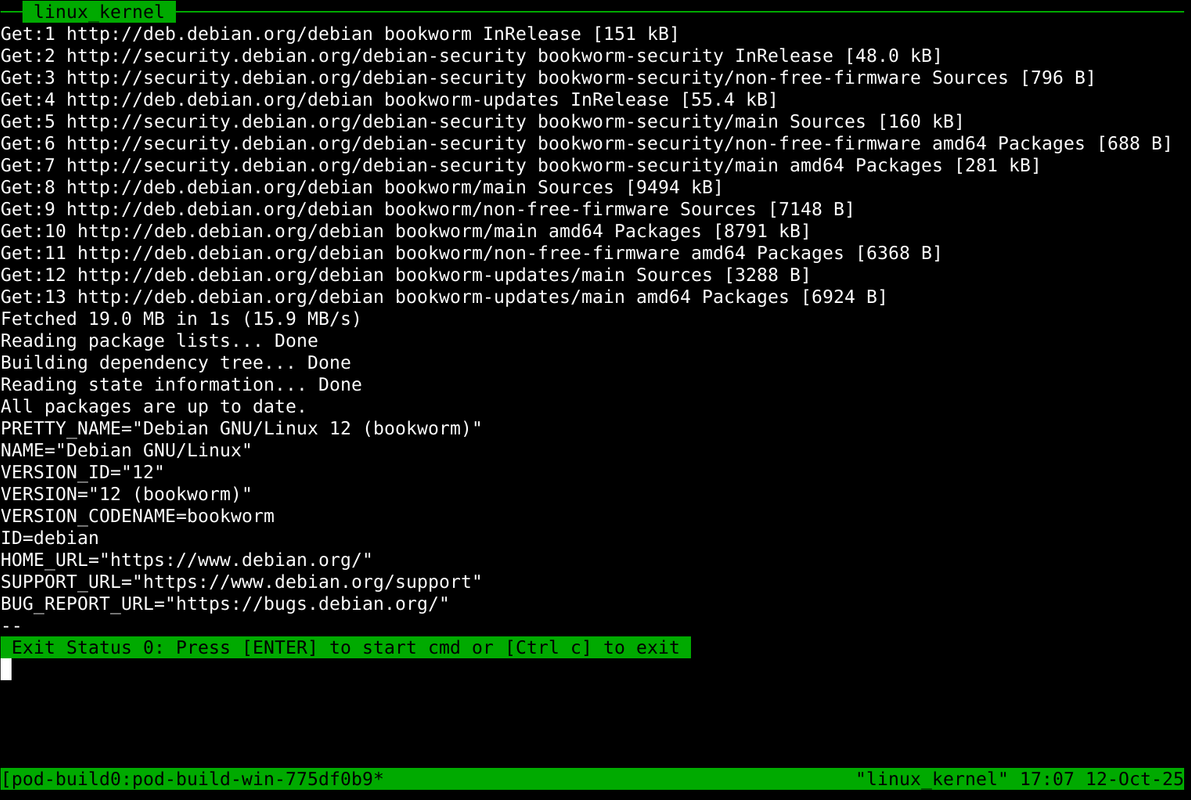
Exit Code 0 is marked with a green, blinking bar.
-
Running
exit 0in container linux_kernel
-
-
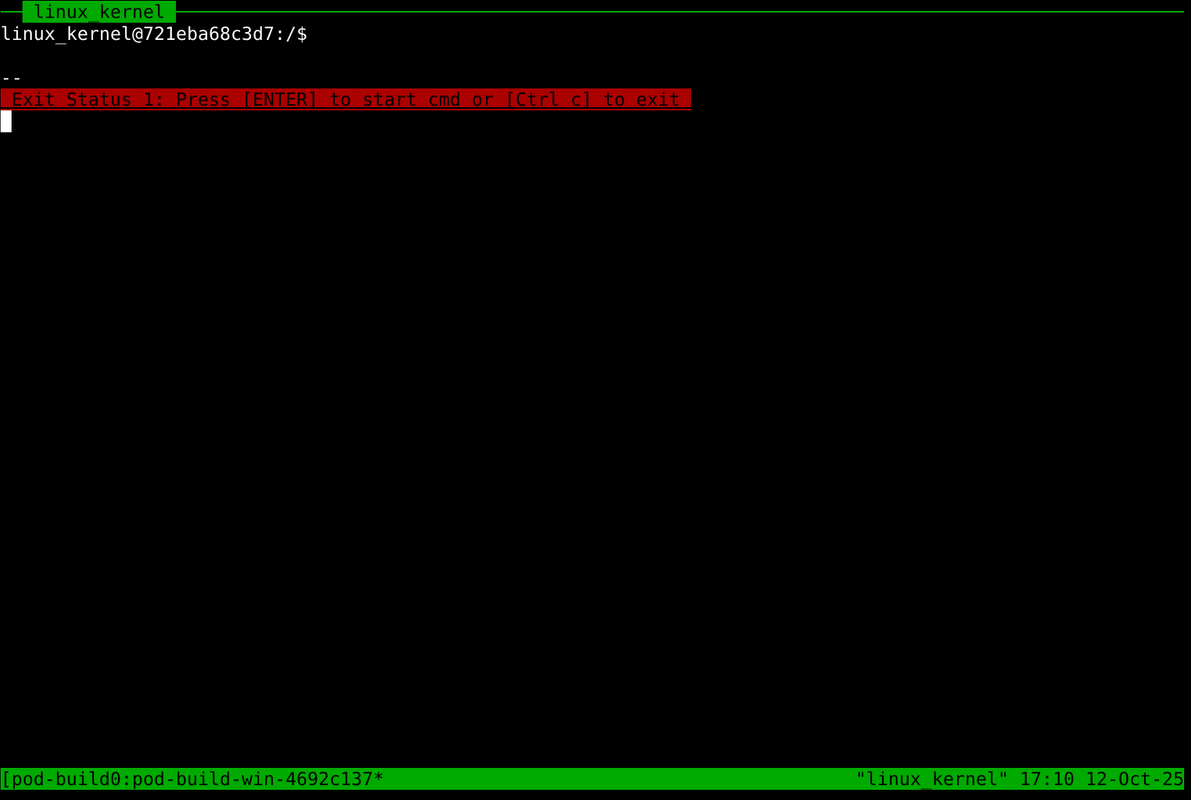
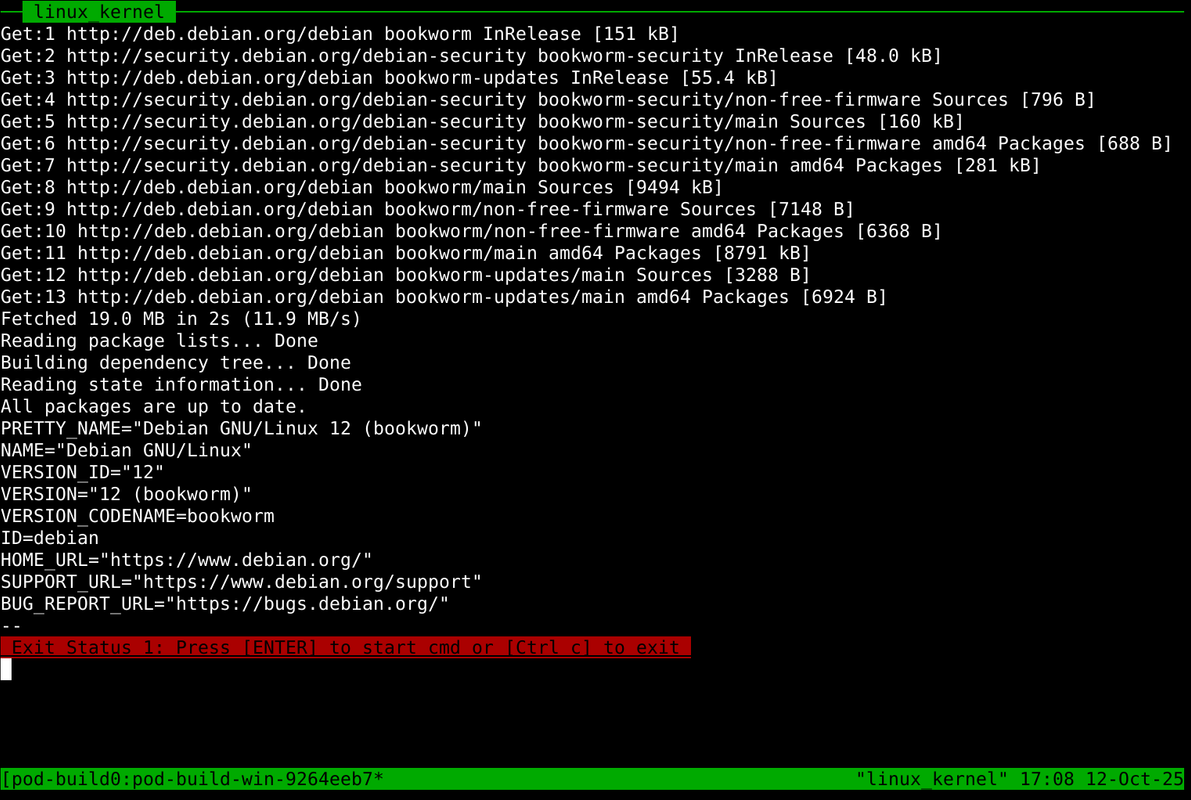
Exit Code 1 is marked with a red, static bar.
-
Running
exit 1in container linux_kernel
-
-
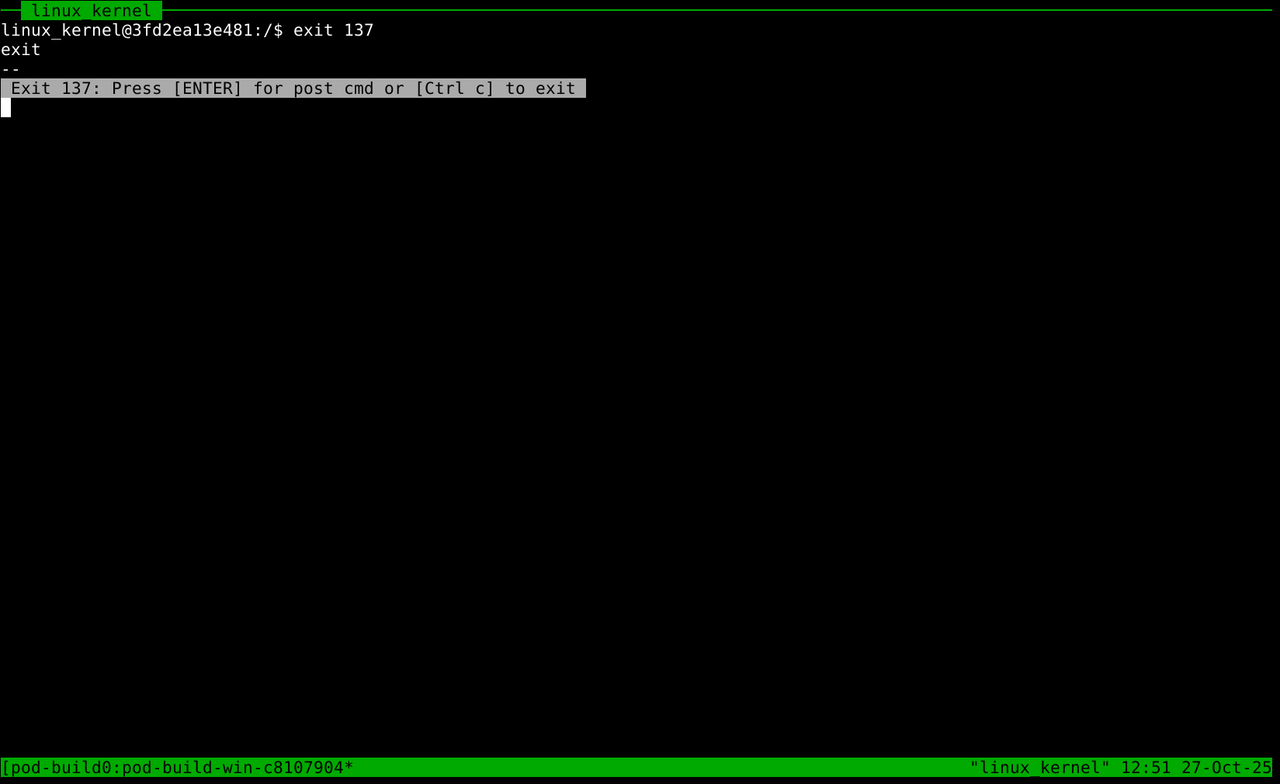
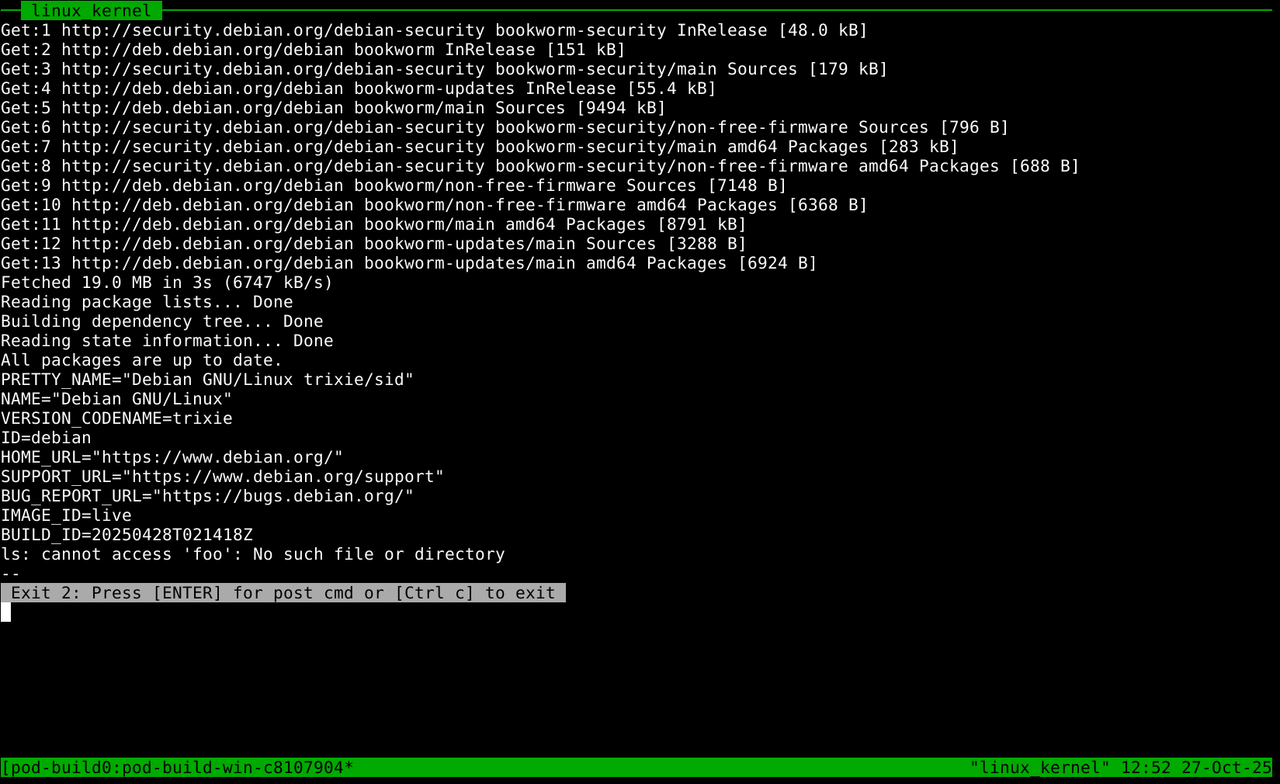
Any other exit code is marked with a grey, blinking bar. When a container's main process exits and the container stops, it will inherently exit all
podman exec(tmux) commands attached to it with non-zero exit codes, such asCode 137.-
Container linux_kernel stops because main process finished
-
-
The same applies to multiple, chained commands.
- Running a command chain inside container linux_kernel that exits 0
./pod-buildah -t linux_kernel -c "sudo apt update && cat /etc/*-release"
- Running a command chain inside container linux_kernel that exits 0
-
If any part of the chain exits 1, the red bar will appear.
- Running a command chain inside container linux_kernel that exits 1
./pod-buildah -t linux_kernel -c "sudo apt update && cat /etc/*-release && exit 1"
- Running a command chain inside container linux_kernel that exits 1
-
Non-zero or one exit codes again result in a grey bar being displayed.
- Running a command chain inside container linux_kernel with ambiguous exit
./pod-buildah -t linux_kernel -c "sudo apt update && cat /etc/*-release && ls foo"
- Running a command chain inside container linux_kernel with ambiguous exit
- Build-Data
-
The directory
pod-buildah/build-datacontains your project folders from which each individual container can read 4 files,url,branch,packagesandpod_start.Name Description Location url Any github repository url which the container can clone and update from host: pod-buildah/build-data/url branch Any github repository branch host: host: pod-buildah/build-data//branch packages Build dependencies to be installed inside the container host: pod-buildah/build-data//packages pod_start A custom script that will launch the container process host: pod-buildah/build-data//pod_start scripts A folder for additional helper scripts to be called by pod_start host: pod-buildah/build-data//scripts -
url,branchandpackagesdo not necessarily have to be populated and can also be supplied via options-u|--url,-b|--branchand-p|--packages. If they are left empty, the corresponding env variables$PACKAGESand$URLand$BRANCHwill be empty in the container. -
During the container's image creation, the included main script
pod-buildah/build-data/<target>/pod_start(and all scripts located inpod-buildah/build-data/<target>/scripts) is placed in the container image's/usr/binand executed by default when the container starts.
- First Steps
- Example folders
nyxtandlinux_kernelwith working main scripts have been added topod-buildah/build-data, serving as templates for build containers.
- Add a target name to
pod-buildah/help-steps/targets. - Create a folder with that target name in build-data
pod-buildah/build-data/<target_name>. - Create the main script
pod-buildah/build-data/<target_name>/pod_start. - (Optional) Create the folder
pod-buildah/build-data/<target_name>/scriptsfor additional helper scripts.- All scripts located in
pod-buildah/build-data/<target_name>/scriptsare copied to the docker image's/usr/bin/ - You may add additional helper scripts which can be called by pod_start from
/usr/bin.
- All scripts located in
- (Optional) Add a url, branch and packages file to
pod-buildah/build-data/<target_name>, which will be used as defaults.- Another way of supplying these values is via options
-b|--branch,-u|--url,-p|packages.
- Another way of supplying these values is via options
- Execute
pod-buildahwith your desired options.
- Parameters
| Option | Description | Sample Value |
|---|---|---|
-e, --engine |
Preferred container engine | podman (default) |
-t, --target |
Build target(s) designated in pod-buildah/help-steps/targets |
nyxt |
-w, --wipe |
Empty logs, clear clone and artifacts directory | none |
-d, --detach |
do not automatically attach tmux session | none |
-u, --url |
Clone url of desired git repository | https://github.com/atlas-engineer/nyxt |
-b, --branch |
Branch name(s) of desired git repository | master |
-p, --packages |
Build dependencies in single line or column format | "build-essential make cmake" |
-c, --command |
Execute a custom command instead of the build script | /bin/bash |
-r, --rebuild |
Remove and rebuild the specified image | main |
-s, --signal |
Send a signal to the container | restart |
-x, --prefix |
Add a custom prefix to your target name | container_ |
-sv, --source-volume |
Absolute path of the source volume | "$HOME/source" |
-cv, --cacher-volume |
Absolute path of the apt-cacher volume | "$HOME/cache" |
-si, --source-image |
Base image type that buildah uses with 'from' instruction | "docker.io/debian:bookworm-slim" |
-bl, --branch-log |
Separate (LOG_1) log files when multiple branches are passed | none |
-ln, --log-name |
Assign custom naming scheme to a single or all log files | log1,log2,log3 |
-pc, --post-command |
Custom command that is executed inside the container after the main process exits | /bin/bash |
-tc, --tmux-command |
Custom command that is executed inside the tmux session after the main process exits | htop |
-cb, --custom-base |
Path to a custom base.sh script to setup the container image | ~/scripts/base.sh |
-h, --help |
Print usage dialog | none |
- Parameter Description
-
-t,--targetaccepts target names specified inpod-buildah/help-steps/targets. Multiple target inputs are separated by,which will be started in sequence, having all further options apply to each container equally. For example,-t <target1>,<target2> -
-r,--rebuildremoves and rebuilds a specific or all given image names. It accepts eithermainorcache, but both inputs are also possible. For example,-r cache,main,-r mainor-r cache.-
mainis the container image, derived from the source_image, which can be changed with option-si|--source-image(Default is debian:bookworm-slim).pod-buildah/build-data/<target_name>/pod_startand all scripts located inpod-buildah/build-data/<target_name>/scripts are copied to its/usr/bin` directory. If changes have been made to any of these scripts outside of a running container, the main image needs to be rebuilt in order to reflect those changes. -
cacheis the apt-cacher container image.acng.confcan be modified inpod-buildah/apt-cacher/acng.conf
-
-
-p,--packagesallows overriding the default packages to be installed in a container which are specified inpod-buildah/build-data/<target>/packages. This argument needs to be passed with quotes""- Example:
--packages "build-essential cmake libssl-dev" - Example:
-p "$(xargs <./my_package_list)"
- Example:
-
-s,--signalsends a signal to an existing container.restart- restarts the container if it exists (only acts as stop with run option--rm)stop- stops the container if it is runningkill- kills the container if it is runningrm- removes the container if it exists"rm --force"kills and removes the container if it exists
-
-pc,--post-commandspecifies a custom command executed inside the container after the container process exits.- This option grants the ability to add a custom command executed after the container's main process exits. Any command is valid, but the most sensible use of this option would be to keep a container from stopping after its main process exits by for example passing
-pc /bin/bash. This would result in both the container itself and it's corresponding pod-buildah tmux session to remain open indefinitely, even after the main process has been completed.
- This option grants the ability to add a custom command executed after the container's main process exits. Any command is valid, but the most sensible use of this option would be to keep a container from stopping after its main process exits by for example passing
-
-x,--prefixallows for the use of a custom prefix- The container labels, image label, tmux title and user inside the container are named by the target_name.
- This option allows for an additional identifier to be added to that name, changing the target_name to
<prefix><target_name>
-
-sv,--source-volumedetermines the mount location of the source volume- The source volume contains
logs,artifactsandclonedirectories which are used inside the container.
- The source volume contains
-
-si,--source-imagedetermines the base image tag aka the operating system.docker.io/debian:bookworm-slimis used by default, but any version of Debian or its derivatives can be used.
-
-bl,--branch-logallows separate log files to be generated for the first log type (default: install.log). When multiple branches are selected with option-b|--branch, pod-buildah will create separate log folders for each branch. By default theinstall.logor first of the three log types, is never created individually across separate branch folders. This is because the installing of packages would yield the same output across all separate install logs, which makes individual logging unecessary. Option-bl|--branch-logstops this, by creating the first log (install.log) separately among all branch folders. This makes sense if the user needs separate outputs of this log for each branch, which would require minor adjustments inpod_start. -
-tc,--tmux-commandexecutes a custom command inside a pod-buildah tmux session after the container process exits.- Whenever a container exits its corresponding pod-buildah tmux pane will display a graphical representation of the exit code (red or green) with the option to launch a custom command by pressing
Enteror to exit completely viaCrl + c. By defaut, this custom command, if executed, opens all files located in the current target buid-data folder with neovim to allow for modifications after a container run. This option grants the ability to change that command.
- Whenever a container exits its corresponding pod-buildah tmux pane will display a graphical representation of the exit code (red or green) with the option to launch a custom command by pressing
- Command Structure
- Single container targets can be run one by one in order to specifiy arguments individually.
./pod-buildah -t <target_name> -p "libgcc-s1 librhash1 libstdc++6 zlib1g" -x "test1" -bl- Or multiple targets can be run in sequence, meaning the specified arguments will apply to all given target containers equally.
./pod-buildah -t <target_name1>,<target_name2>,<target_name3> -p "libgcc-s1 librhash1 libstdc++6 zlib1g" -x "test1" -bl- When running singular instances of pod-buildah in a command , make sure to use option
-d|--detachso that the tmux session isn't attached until the final container is started.
./pod-buildah -t <target_name> -d; ./pod-buildah -t <target_name2> -d; ./pod-buildah -t <target_name>3- Sample Commands
- Builds the Nyxt Browser with default branch, url and packages.
./pod-buildah -t nyxt
- Builds the Nyxt Browser with different packages than the default.
- The default packages in
pod-buildah/build-data/nyxt/packagesare overwritten by option-p|--packages
./pod-buildah -t nyxt -p "build-essential cmake ninja-build cmake-format" - The default packages in
- Builds the Linux Kernel branch 6.15
- The current default branch is 6.15 in
pod-buildah/build-data/linux_kernel/branch
./pod-buildah -t linux_kernel
- The current default branch is 6.15 in
- Builds the Linux Kernel branch 6.16
- The option
-b|--branchoverwrites the default value
./pod-buildah -t linux_kernel -b v6.16
- The option
- Builds the Linux Kernel branches 6.15, 6.16 and 6.17-rc4
./pod-buildah -t linux_kernel -b v6.15,6.16,6.17-rc4
- Builds both targets with default values, a custom source volume location and prefix.
./pod-buildah -t nyxt,linux_kernel -sv /home/user/Documents -x test_01` - Executes a custom command
/bin/bashin the container linux_kernel./pod-buildah -t linux_kernel -c /bin/bash
- Executes a custom command chain in the container linux_kernel
./pod-buildah -t linux_kernel -c "whoami;sleep 5; cat /etc/*-release" - Executes a custom command chain in containers linux_kernel and nyxt
./pod-buildah -t nyxt,linux_kernel -c "sudo apt update && sudo apt install htop && htop" - Rebuilds the container image and changes log titles of container linux_kernel
./pod-buildah -t linux_kernel -r main -ln "packages.log,pre-build.log,compil.log" -b v6.15,6.16 - Changing the source image, adding a custom base.sh and post command with container linux_kernel
./pod-buildah -t linux_kernel -si docker.io/ubuntu:plucky -cb ~/Documents/base.sh -pc /bin/bash
- Preview GIF 2 Commands
- Running custom command
cbonsaiin container linux_kernel, nyxt ffmpeg and mpv./pod-buildah -t linux_kernel,nyxt,ffmpeg,mpv -c '/usr/games/cbonsai -l' - Running custom command
neofetchin container linux_kernel, nyxt ffmpeg and mpv./pod-buildah -t linux_kernel,nyxt,ffmpeg,mpv -c 'neofetch --disable cpu' - Running 4 separate custom commands in containers linux_kernel, nyxt ffmpeg and mpv. (
pbused as alias for./pod-buildah)pb -t nyxt -c 'sudo gping google.com --cmd echo -c green -n .2 -b 10' -d pb -t mpv -c 'nyancat -s' -d pb -t ffmpeg -c 'cmatrix' -d pb -t linux_kernel -c 'sleep .2;atop -t 1 -axgm'
- Folder Structure
| Name | Description | Location |
|---|---|---|
| pod-buildah | Main script that accepts options and launches all containers | host: pod-buildah/pod-buildah |
| base.sh | Install script that sets up a basic OCI/docker image | host: pod-buildah/base.sh |
| cache.sh | Launches an apt-cacher-ng container and is automatically called by pod-buildah | host: pod-buildah/apt-cacher/cache.sh |
| pod_start | Main script executed inside the container controlling its behavior | host: pod-buildah/build-data/<target>/pod_start |
| Name | Description | Location | Type |
|---|---|---|---|
| build-data | contains user defined build folders | pod-buildah/build-data | Folder |
| scripts | contains helper scripts which are copied to the image | pod-buildah/build-data/scripts | Folder |
| url | default git url to be cloned | pod-buildah/build-data/<target>/url | File |
| branch | default git branch to be clone | pod-buildah/build-data/<target>/branch | File |
| packages | default packages to be installed inside the container | pod-buildah/build-data/<target>/packages | File |
| source | mount directory of all containers | pod-buildah/source | Folder |
| clone | contains the cloned source code | pod-buildah/source/<target>clone | Folder |
| artifacts | destination directory for built libraries, binaries etc. | pod-buildah/source/<target>artifacts | Folder |
| logs | contains all target logs generated by container.sh | pod-buildah/source/<target>logs | Folder |
| apt-cacher | source directory for apt-cacher-ng files | pod-buildah/apt-cacher | Folder |
| cache | mount directory of apt-cacher-ng container's cache | pod-buildah/apt-cacher/cache | Folder |
| help-steps | contains variables, functions and configs | host: pod-buildah/help-steps | Folder |
| targets | contains a list of all containers which can be launched | host: pod-buildah/help-steps/targets | File |
| script_template | a user defined script template for pod_start |
host: pod-buildah/help-steps | Folder |
- Volume Mounts
By default two folders are generated upon starting a container, if not otherwise defined.
| Name | Description | Default Location |
|---|---|---|
| source | Mounts the build container's working directory | host: pod-buildah/source |
| cache | Mounts the cache container's /var/cache/apt-cacher-ng directory | host: pod-buildah/apt-cacher/cache |
- The source directory contains 3 sub-directories
clone- contains the cloned source codeartifacts- meant to contain built binaries, libraries etc. after a successful buildlogs- contains the log files
- Options
--source-volumeand--cacher-volumecan be used to set custom locations. - If the apt-cacher container is running, the apt-cacher volume remains the same until it is stopped.
- All build containers automatically connect to the apt-cacher container via
host.containers.internal. In case of a large amount of simultaneous clients, additional apt-cacher containers will be deployed to cover the overhead.
- Default Behavior
-
By default, the script's
podman runcommand launches containers with the--rmflag. This means that once a container exits all data that was not preserved in a mount is lost. It also means that a container can never exist without simultaneously running. By default only one instance of a container based on an image can exist at any given time. pod-buildah can distinguish between a running and existing container, allowing for the--rmflag to be removed if so desired. -
When a running container's target is launched again with pod-buildah, the call is simply ignored in order to preserve data and the ongoing container process. Tmux panes corresponding with this container target however are respawned, to allow quick and easy restarting of dead panes without container interference. If option
-c|--commandwas used, the pod-buildah pane running this command will be respawned with the newly passed command directive, which is either custom or default (/bin/bash). The same goes for options-tc|--tmux-command. Option-pc|--post-commandis ignored however, because the current container process is still running. -
Containers exit after execution of the main process has been completed. When this happens, any command attached in the tmux session pod-buildah, be it custom or the default
/bin/bash, will also exit. This behavior can be changed with option-pc|--post-command. In order to keep the container running after the main process one could for example pass-pc /bin/bash. This would result in both the container itself and it's corresponding pod-buildah tmux session to remain open indefinitely. -
Containers can run
/bin/bashas a default post-command after the main process exits in order to prevent the container from stopping and allowing for potential troubleshooting or general access through a pod-buildah tmux pane. In order to enable this behavior uncomment#CT_POST_ARG="/bin/bash"inpod-buildah/help-steps/variables
- All log files, source and build folders are automatically generated. Technically, a target_name is all that's needed to run pod-buildah and start any given container.
If no main script
pod_starthas been provided, ascript_templatewill be copied in its place. By default, this template does not execute anything, but it can be changed to perform a default task.
-
The default log file names are
install.log,git.logandbuild.log. Option-ln|--log-nameautomatically overwrites these values. If less than three names are given, the default remainder still applies. For example,-ln "prep.log,download.log"would yield the following log names,prep.log,download.log,build.log. And-ln "prep.log"results inprep.log,git.log,build.log. -
When multiple branches are selected with option
-b|--branch, pod-buildah will create separate log folders for each branch. By default theinstall.logor first of the three log types, is never created individually across separate branch folders. This is because the installing of packages would yield the same output across all separate install logs, which makes individual logging unecessary. Option-bl|--branch-logstops this, by creating the first log (install.log) separately among all branch folders. This makes sense if the user needs separate outputs of this log for each branch, which would require minor adjustments inpod_start.
pod-buildah/hel-steps/vimrccan be configured to change neovim's behavior as needed. By default it contains functions for tailing, renaming tab titles and color scheme adjustments.
- Only three sessions are created by default,
pod-buildah,pod-logandapt-cacher. Each pod-buildah session can have a max of 4 panes and each pod-log session 9 panes, before a new window is created. This behavior can be changed by modifyingMAX_BUILD_PANE="4"MAX_LOG_PANE="12"inpod-buildah/help-steps/variables. 12 log panes seem to be the sweet spot where each pane's log output is still reasonably legible.
- Environment Variables
The container will provide environment variables, which can be used by the build script, carrying the values given via certain options such as for example --build-packages, --git-url etc. and more.
| Variable | Description | Default Value |
|---|---|---|
| CLEAN | Set by option `-w | --wipe` |
| SOURCE_DIR | Mother directory inside the container | /home/<target_name> |
| CLONE_DIR | Clone directory inside the container | /home/<target_name>/clone |
| ARTIFACT_DIR | Artifact directory inside the container | /home/<target_name>/artifacts |
| LOG_DIR | Log directory inside the container | /home/<target_name>/logs |
| TARGET | Current target name | <target_name> |
| URL | Url indicated in target build-data or via option | null |
| BRANCH | Branch indicated in target build-data or via option | null |
| PACKAGES | Packages indicated in target build-data or via option | null |
| LOG_POSTFIX | Default log names or supplied via option | null |
| TIMEFORMAT | ENV variable used by time for custom formats of elapsed time | custom |
- Systemd Integration
- You can use the provided
.servicefile to automate the execution of any container/cluster with specific arguments and within a given time frame. This is probably the most convenient way to deploy build containers under certain conditions, for example when a new github release is available.
- Apt-Cacher-Ng
- The apt-cacher container publishes port
3142:3142/tcpwhich all build containers automatically point towards viahost.containers.internaland apt.conf optionAcquire::http::Proxy. acng.confis available underpod-buildah/apt-cacher/acng.conffor further customization- Health checks are performed in 15s intervals.
podman pswill indicate a healthy (working) or unhealthy (dead) status. - Once the maximum number of connections has been reached, the apt-cacher container will automatically launch an additional instance. This process will continue up to a maximum of 5 simultaneously running apt-cacher containers.