Discord
-
In Discord, choose a channel to which you'd like VeeamNotify to post and open the channel settings.
Screenshot

-
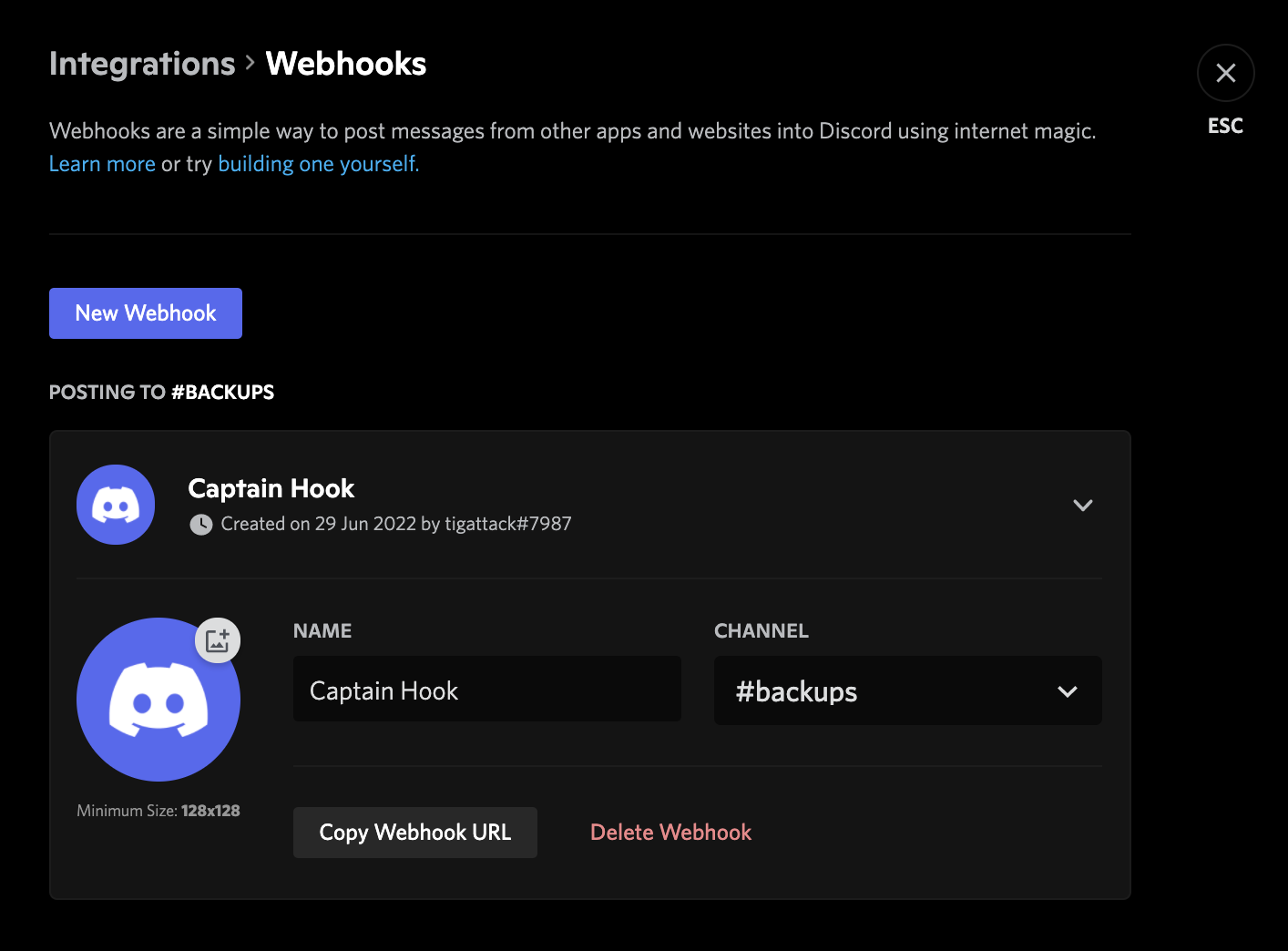
In the channel settings, navigate to Integrations -> Webhooks and select "New Webhook".
Screenshot
-
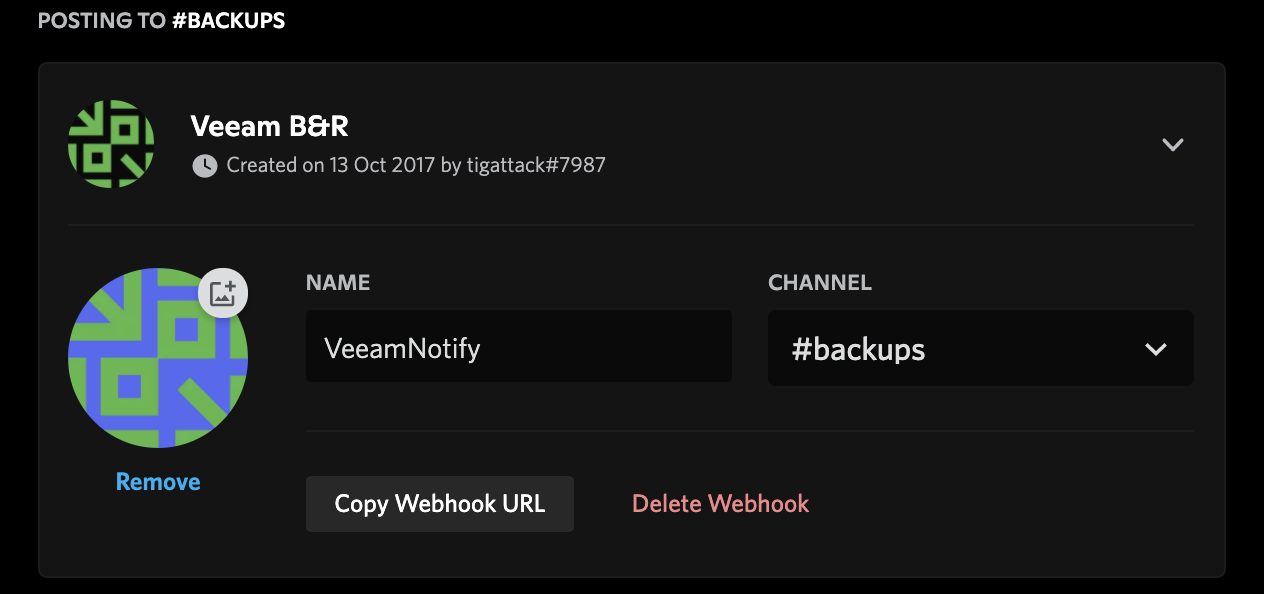
Name the webhook, upload an image for the avatar if you'd like, and then, most importantly, copy the webhook URL:
-
Now paste the webhook into the relevant field in your VeeamNotify
conf.json, and enjoy your notifications!

If you wish to be notified when jobs finish in a warning or failed state (see ⚙️ Configuration Options), you will need your user ID.
-
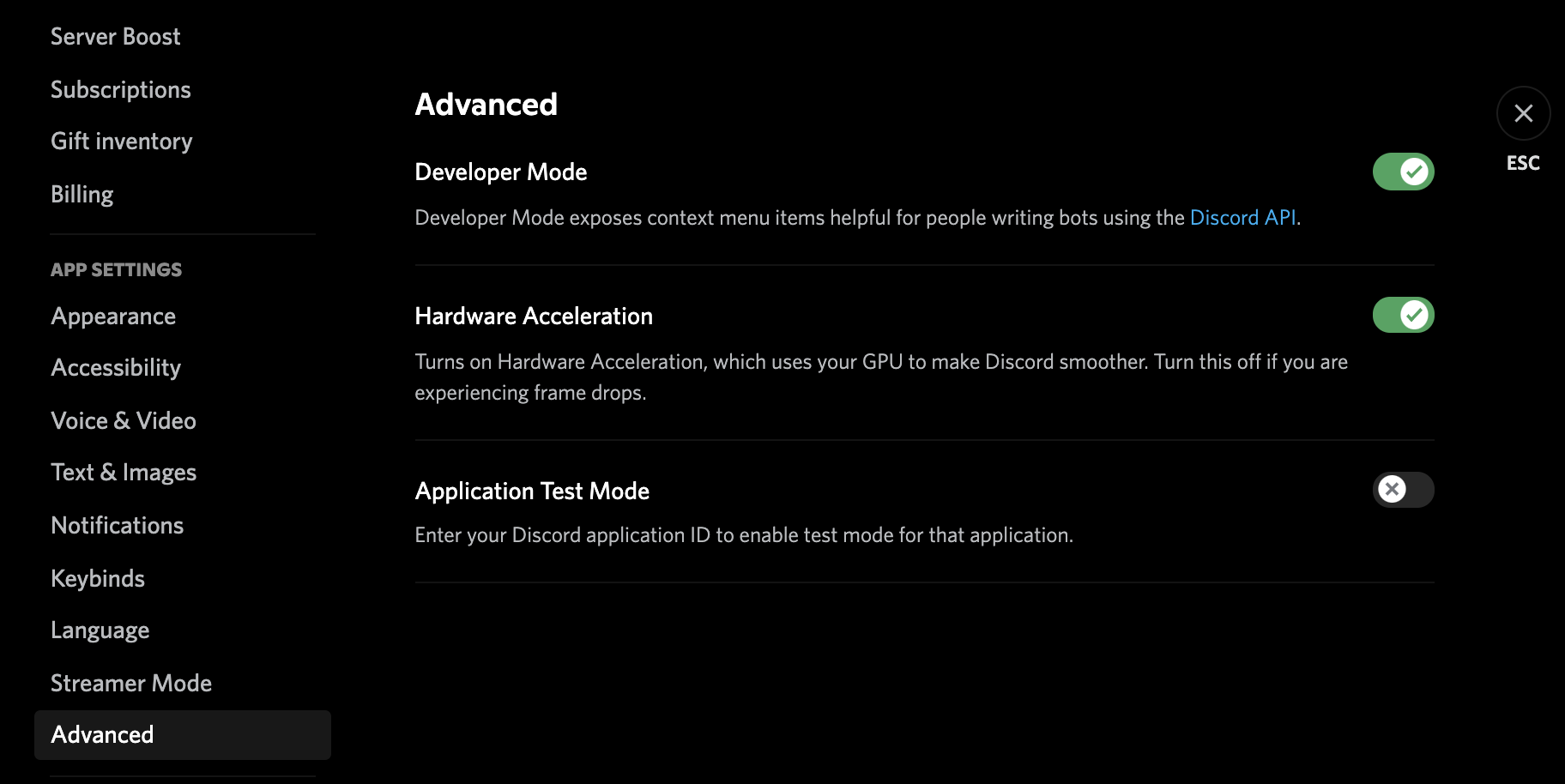
Open your Discord client's settings
-
Navigate to the "Advanced" section
-
Enable "Developer Mode"
Screenshot
-
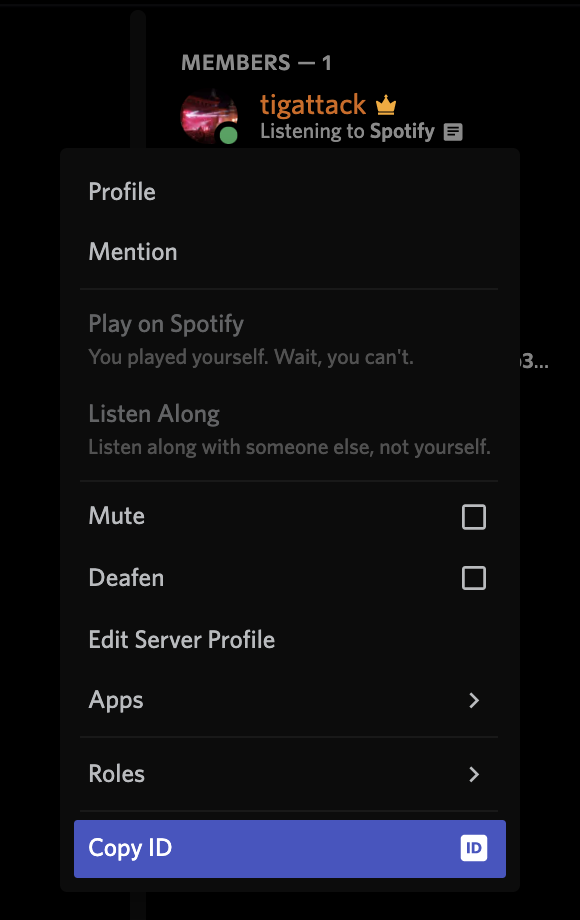
Send a message somewhere or find yourself in a server's member list, then right click your username and click "Copy ID".
Screenshot
-
Paste your ID into the relevant field in your VeeamNotify
conf.json, and enjoy your notifications!